編輯:關於Android編程
前言
在Android開發過程中,我發現很多安卓源代碼裡應用了設計模式,比較常用的有適配器模式(各種adapter),建造者模式(Alert Dialog的構建)等等。雖然我們對大多數設計模式都有所了解,但是在應用設計模式的這個方面,感覺很多人在這方面有所不足。所以這篇文章我們一起深入的理解Android中的建造者模式。
建造者模式(Builder Pattern)也叫生成器模式,其定義如下:
separate the construction of a complex object from its representation so that the same construction process can create different representations.將一個復雜對象的構建與它的標示分離,這樣的話就可以使同樣的構建過程可以創建不同的表示。
我的理解:就是把一個產品(對象)表示(展示)和構建(創建)過程分離開來,這樣產品的構建流程相同卻可以有不同的產品表示。
應用場景
這裡舉出Android中常見的例子:
android中的AlertDialog對話框的構建過程就是建造者模式的典型應用。
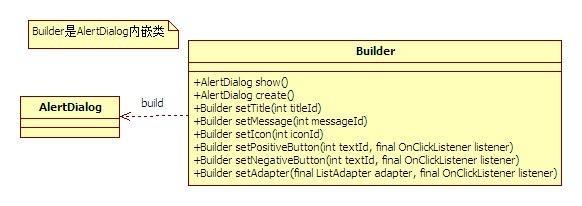
看一下Builder源碼
 public static class Builder {
  private final AlertController.AlertParams P;

  public Builder(Context context) {
    this(context, resolveDialogTheme(context, 0));
  }


  public Builder(Context context, int themeResId) {
    P = new AlertController.AlertParams(new ContextThemeWrapper(
        context, resolveDialogTheme(context, themeResId)));
  }

  //各種set參數方法
  setTitle()
  ...
  ...
  ...

  /**
   * Creates an {@link AlertDialog} with the arguments supplied to this
   * builder.
   * <p>
   * Calling this method does not display the dialog. If no additional
   * processing is needed, {@link #show()} may be called instead to both
   * create and display the dialog.
   */
  public AlertDialog create() {
    // Context has already been wrapped with the appropriate theme.
    final AlertDialog dialog = new AlertDialog(P.mContext, 0, false);
    P.apply(dialog.mAlert);
    dialog.setCancelable(P.mCancelable);
    if (P.mCancelable) {
      dialog.setCanceledOnTouchOutside(true);
    }
    dialog.setOnCancelListener(P.mOnCancelListener);
    dialog.setOnDismissListener(P.mOnDismissListener);
    if (P.mOnKeyListener != null) {
      dialog.setOnKeyListener(P.mOnKeyListener);
    }
    return dialog;
  }


  // 這個show方法是builder對象的,裡面封裝了create()和show()可以直接調取創建並顯示對話框
  public AlertDialog show() {
    final AlertDialog dialog = create();
    dialog.show();
    return dialog;
  }
}
分析源碼可以看到內部類Builder是用來構建這個對話框的:
1、創建builder的時候,會把這個AlertController.AlertParams P;對象P創建new出來
2、在對bilder設置各種參數的時,這些參數都存在了對象P中
3、然後builder參數設置完畢後在調用create方法。
final AlertDialog dialog = new AlertDialog(P.mContext, 0, false);
P.apply(dialog.mAlert); // mAlert是外部類中的
這個方法中會首先調用外部類AlertDialog的構造方法,new出一個外部類對象,然後p.apply()方法會將P這個對象作為內部類的屬性賦值給AlertController的對象mAlert。這樣就完成了一次的構建。
下面是AlertDialog的部分源碼
public class AlertDialog extends Dialog implements DialogInterface {
  // 這個對象用來承接builder內部所設置的參數
  private AlertController mAlert;

  //以下幾個構造方法決定只能通過內部類builder來構建
  protected AlertDialog(Context context) {
    this(context, 0);
  }

  protected AlertDialog(Context context, boolean cancelable,   OnCancelListener cancelListener) {
    this(context, 0);
    setCancelable(cancelable);
    setOnCancelListener(cancelListener);
  }


  protected AlertDialog(Context context, @StyleRes int themeResId) {
    this(context, themeResId, true);
  }

  AlertDialog(Context context, @StyleRes int themeResId, boolean createContextThemeWrapper) {
    super(context, createContextThemeWrapper ? resolveDialogTheme(context, themeResId) : 0,
      createContextThemeWrapper);

    mWindow.alwaysReadCloseOnTouchAttr();
    mAlert = new AlertController(getContext(), this, getWindow());
    }
}
總結
以上就是這篇文章的全部內容了,希望本文的內容對各位Android開發者們能有所幫助,如果有疑問大家可以留言交流。
 Android Design Support Library
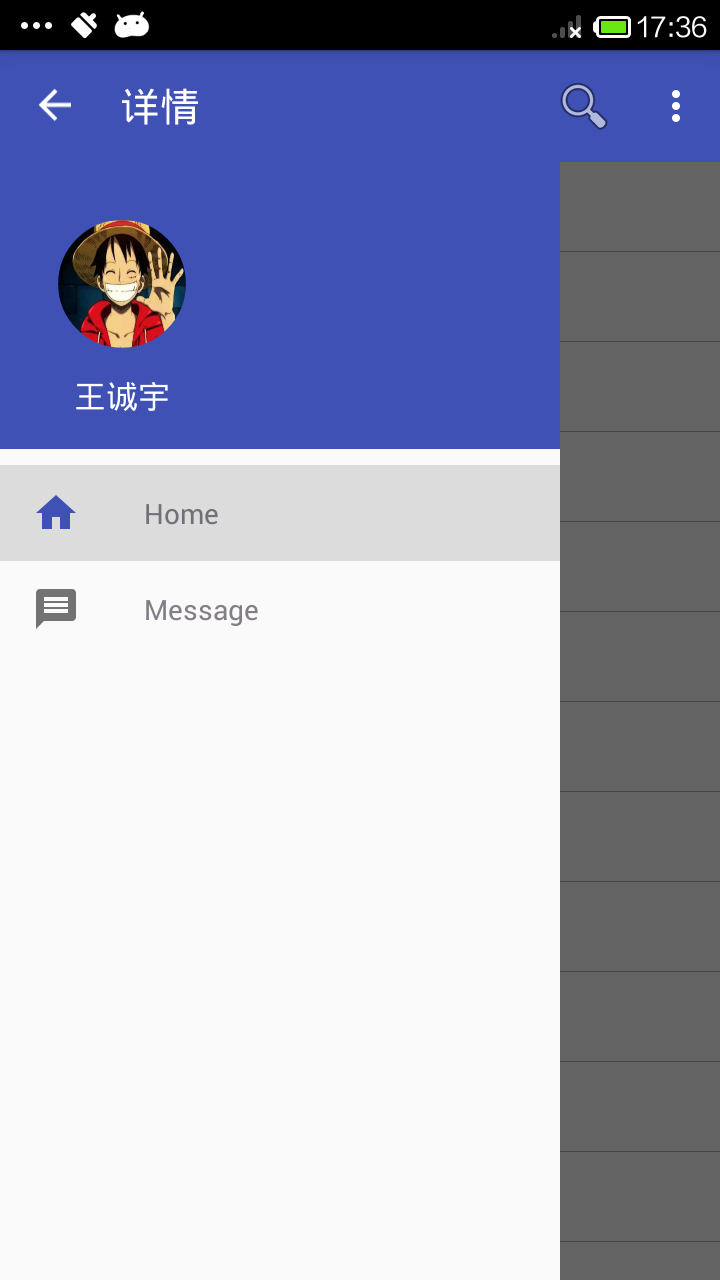
1.Navigation View對於應用程序,它代表著一個標准的導航菜單。菜單內容可以由菜單資源文件填充。NavigationView通常放在一個DrawerLayou
 Android開發之SQLite的使用方法
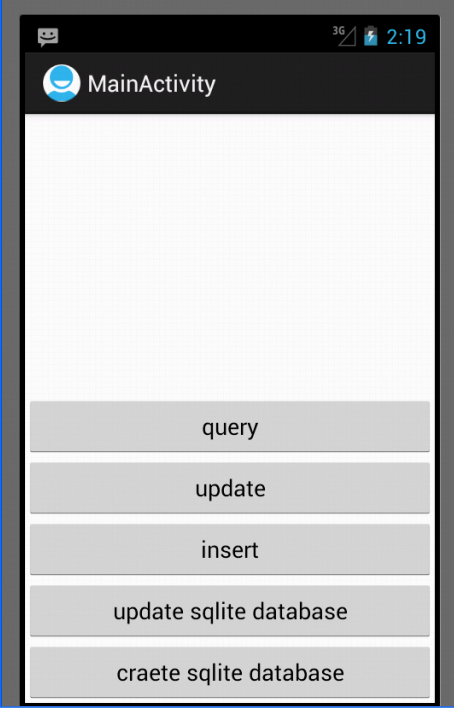
前言 SQLite是一種輕量級的小型數據庫,雖然比較小,但是功能相對比較完善,一些常見的數據庫基本功能也具有,在現在的嵌入式系統中使用該數據庫的比較多,因為它占用系統
 Android百日程序:GridView實現相冊效果
本章使用GridView控件來做一個相冊效果。 圖片效果如下: 響應點擊事件,點擊的時候提示是當前第幾章圖片,從左到右,從上到下。 點擊了第一張圖片,顯示了1. 步
 微信網頁版怎麼看以前的聊天記錄 微信網頁版查看聊天記錄方法
微信網頁版怎麼看以前的聊天記錄?上班族寶寶們幾乎都會在網頁上進行微信聊天,微信網頁版比手機要方便得多,下文介紹微信網頁版查看聊天記錄方法,一起來和小編了解下