編輯:關於Android編程
廢話不多說了,直接給大家上關鍵代碼了。
- (void)viewDidLoad
{
[super viewDidLoad];
// Do any additional setup after loading the view.
[self showAlertView:@"11111"];
}
//自定義彈出框
-(void)showAlertView:(NSString *)strTipText
{
UIView *showView=[[UIView alloc]init];
[showView setFrame:CGRectMake(100, 100, 120, 35)];
[showView setAlpha:0.0f];
[showView setBackgroundColor:[UIColor blackColor]];
[showView setClipsToBounds:YES];
[[showView layer]setMasksToBounds:YES];
[[showView layer]setCornerRadius:5.0f];
UILabel *lblTips=[[UILabel alloc]init];
[lblTips setFrame:CGRectMake(0, 0, 120, 35)];
[lblTips setText:strTipText];
[lblTips setTextAlignment:NSTextAlignmentCenter];
[lblTips setTextColor:[UIColor whiteColor]];
[lblTips setBackgroundColor:[UIColor clearColor]];
[lblTips setFont:[UIFont boldSystemFontOfSize:16]];
[showView addSubview:lblTips];
[self.view addSubview:showView];
[UIView animateWithDuration:0.5f delay:0.0f options:UIViewAnimationOptionCurveLinear animations:^{
showView.alpha=1.0f;
}completion:^(BOOL finished){
[UIView animateWithDuration:1.0f delay:1.0f options:UIViewAnimationOptionCurveLinear animations:^{
showView.alpha=0.0f;
}completion:^(BOOL finished){
;
}];
}];
}
以上所述是小編給大家介紹的Android 自定義彈出框實現代碼,希望對大家有所幫助,如果大家有任何疑問請給我留言,小編會及時回復大家的。在此也非常感謝大家對本站網站的支持!
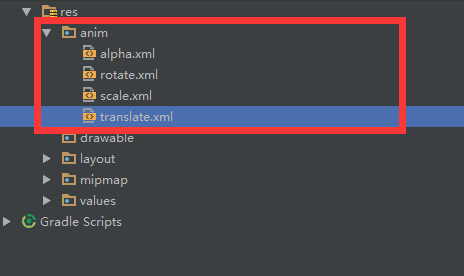 Android動畫----Translate
引言關於動畫的學習,這是第四篇啦,都是最基礎的幾種動畫,梳理一番,對知識的了解就更加清晰啦,轉入正題,介紹今天的主角Translate。Translate動畫顧名思義,T
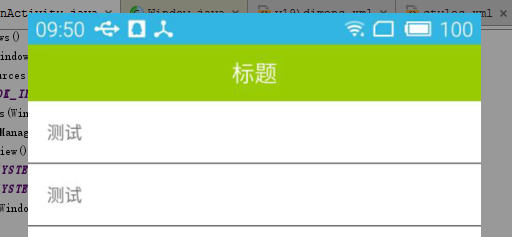 Android UI體驗之全屏沉浸式透明狀態欄樣式
前言: Android 4.4之後谷歌提供了沉浸式全屏體驗, 在沉浸式全屏模式下, 狀態欄、 虛擬按鍵動態隱藏, 應用可以使用完整的屏幕空間, 按
 Android程序 依賴庫引用Gson 報java.lang.NoClassDefFoundError: com/google/gson/Gson 解決方法
Android 程序所依賴一個Library程序B , B 程序中用到格式化json串,轉換成標准json串的要求 public static Strin
 Android開發之實現圖片自動滾動顯示標簽的ViewPager
Android中實現圖片自動滾動的效果非常的常見,我們可以自己動畫去實現功能。但是在Android中提供了一個ViewPager類,實現了滾動效果,在Android的ex