編輯:關於Android編程
蘋果的iphone有語音識別用的是Google的技術,做為Google力推的Android 自然會將其核心技術往Android 系統裡面植入,並結合google 的雲端技術將其發揚光大。
所以Google Voice Recognition在Android 的實現就變得極其輕松。
語音識別,借助於雲端技術可以識別用戶的語音輸入,包括語音控制等技術,下面我們將利用Google 提供的Api 實現這一功能。
功能點為:通過用戶語音將用戶輸入的語音識別出來,並打印在列表上。
* Copyright (C) 2008 The Android Open Source Project
*
* Licensed under the Apache License, Version 2.0 (the "License");
* you may not use this file except in compliance with the License.
* You may obtain a copy of the License at
*
* <a href="http://www.apache.org/licenses/LICENSE-2.0" rel="nofollow" target="_blank">http://www.apache.org/licenses/LICENSE-2.0</a>
*
* Unless required by applicable law or agreed to in writing, software
* distributed under the License is distributed on an "AS IS" BASIS,
* WITHOUT WARRANTIES OR CONDITIONS OF ANY KIND, either express or implied.
* See the License for the specific language governing permissions and
* limitations under the License.
*/


package com.example.android.apis.app;
import com.example.android.apis.R;
import android.app.Activity;
import android.content.Intent;
import android.content.pm.PackageManager;
import android.content.pm.ResolveInfo;
import android.os.Bundle;
import android.speech.RecognizerIntent;
import android.view.View;
import android.view.View.OnClickListener;
import android.widget.ArrayAdapter;
import android.widget.Button;
import android.widget.ListView;
import java.util.ArrayList;
import java.util.List;


/**

* Sample code that invokes the speech recognition intent API.

*/

public class VoiceRecognition extends Activity implements OnClickListener {
private static final int VOICE_RECOGNITION_REQUEST_CODE = 1234;
private ListView mList;


/**

* Called with the activity is first created.

*/

@Override
public void onCreate(Bundle savedInstanceState) {
super.onCreate(savedInstanceState);

// Inflate our UI from its XML layout description.
setContentView(R.layout.voice_recognition);
// Get display items for later interaction

Button speakButton = (Button) findViewById(R.id.btn_speak);
mList = (ListView) findViewById(R.id.list);

// Check to see if a recognition activity is present
PackageManager pm = getPackageManager();
List activities = pm.queryIntentActivities(
new Intent(RecognizerIntent.ACTION_RECOGNIZE_SPEECH), 0);
if (activities.size() != 0) {
speakButton.setOnClickListener(this);
} else {
speakButton.setEnabled(false);
speakButton.setText("Recognizer not present");

}

}


/**

* Handle the click on the start recognition button.

*/
public void onClick(View v) {
if (v.getId() == R.id.btn_speak) {
startVoiceRecognitionActivity();
}

}


/**
* Fire an intent to start the speech recognition activity.
*/
private void startVoiceRecognitionActivity() {
Intent intent = new Intent(RecognizerIntent.ACTION_RECOGNIZE_SPEECH);
intent.putExtra(RecognizerIntent.EXTRA_LANGUAGE_MODEL,
RecognizerIntent.LANGUAGE_MODEL_FREE_FORM);
intent.putExtra(RecognizerIntent.EXTRA_PROMPT, "Speech recognition demo");
startActivityForResult(intent, VOICE_RECOGNITION_REQUEST_CODE);

}


/**
* Handle the results from the recognition activity.
*/

@Override
protected void onActivityResult(int requestCode, int resultCode, Intent data) {
if (requestCode == VOICE_RECOGNITION_REQUEST_CODE && resultCode == RESULT_OK) {
// Fill the list view with the strings the recognizer thought it could have heard
ArrayList matches = data.getStringArrayListExtra(
RecognizerIntent.EXTRA_RESULTS);
mList.setAdapter(new ArrayAdapter(this, android.R.layout.simple_list_item_1,
matches));

}

super.onActivityResult(requestCode, resultCode, data);

}

}
以上就是本文的全部內容,希望對大家的學習有所幫助,也希望大家多多支持本站。
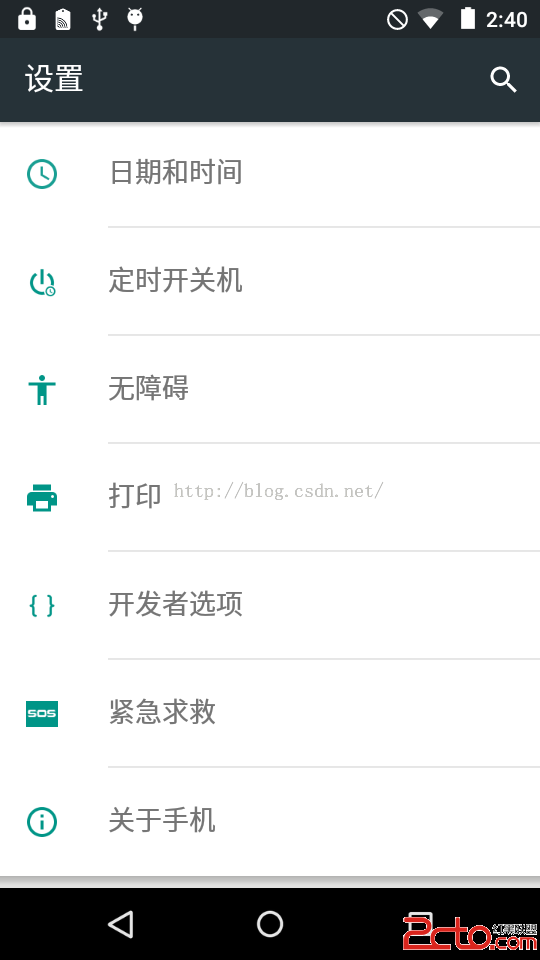 Android系統移植與調試之-------)如何修改Android系統默認顯示
1、首先解決【設置】界面默認顯示【開發者選項】的問題查看源代碼:packages/apps/Settings/src/com/android/settings
 Cocos2d-x 3.2 Lua示例 ClickAndMoveTest(點擊移動測試)
Cocos2d-x 3.2 Lua示例 ClickAndMoveTest(點擊移動測試) 本篇博客介紹Cocos2d-x 3.2Lua示例中點擊移動的例子,在這個例子你可
 Android進階——Preference詳解之Preference系的基本應用和管理(二)
引言前面簡單描述下了Preference的家族構成和基本知識,相信對於Preference早已不會陌生,肯定也躍躍欲試了吧,這篇文章就給大家總結下Preference、P
 Android自定義漂亮的圓形進度條
這幾天對Android中實現畫圓弧及圓弧效果中所實現的效果進行了修改,改為進度圓心進度條,效果如圖所示TasksCompletedView.java 代碼如下import