編輯:關於Android編程
在Android開發中,我們經常遇到Android讀取圖片大小超過屏幕顯示的圖(一般只要顯示一定規格的預覽圖即可),在圖片特別多或者圖片顯示很頻繁的時候要特別注意這個問題,下面介紹個按指定大小讀取圖像的方法。
實現原理:首先獲取圖片文件的圖像高和寬,如果小於指定比例,則直接讀取;如果超過比例則按指定比例壓縮讀取。
捕獲OutOfMemoryError時注意點:後面返回的是null,不要馬上從別的地方再讀圖片,包括R文件中的,不然依然會拋出這個異常,一般在初始化的時候緩存默認圖片,然後顯示緩存中的圖片。
/** 獲取圖像的寬高**/
public static int[] getImageWH(String path) {
	int[] wh = {-1, -1};
 if (path == null) {
 	return wh;
 }
 File file = new File(path);
 if (file.exists() && !file.isDirectory()) {
  try {
   BitmapFactory.Options options = new BitmapFactory.Options();
   options.inJustDecodeBounds = true;
   InputStream is = new FileInputStream(path);
   BitmapFactory.decodeStream(is, null, options);
   wh[0] = options.outWidth;
   wh[1] = options.outHeight;
  }
  catch (Exception e) {
   Log.w(TAG, "getImageWH Exception.", e);
  }
 }
 return wh;
}

public static Bitmap createBitmapByScale(String path, int scale) {
	Bitmap bm = null;
 try {
 	//獲取寬高
  int[] wh = getImageWH(path);
  if (wh[0] == -1 || wh[1] == -1) {
  	return null;
  }

  //讀取圖片
  BitmapFactory.Options options = new BitmapFactory.Options();
  options.inSampleSize = Math.max(wh[0]/scale, wh[1]/scale);
  InputStream is = new FileInputStream(path);
  	bm = BitmapFactory.decodeStream(is, null, options);
 }
 catch (Exception e) {
 	Log.w(TAG, "createBitmapByScale Exception.", e);
 }
 catch (OutOfMemoryError e) {
  Log.w(TAG, "createBitmapByScale OutOfMemoryError.", e);
  //TODO: out of memory deal..
 }
 return bm;
}
以上就是解決Android 讀取圖片大小顯示的問題,有需要的朋友可以參考下。
 Android 智能短信 2
刪除選中的短信:我們刪除短信其實很簡單,但是我們要實現一個對話框去顯示,還需要一個對話框的進度條。刪除短信操作就是操作數據庫就行了。使用內容解析者去操作,但是我們要去看看
 Android UI + Activity + Events
Statement:This archive is created by William Yi and it’s all the harvests which
 ListView 分頁加載更新實例分享
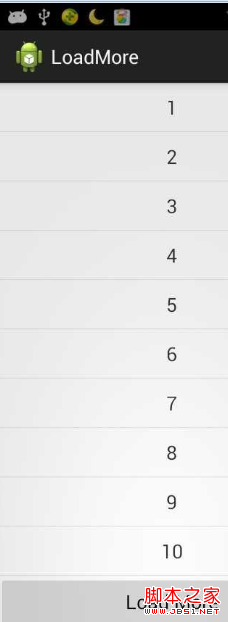
ListView是android中最常用的控件之一。 在實際運用中往往會遇到一次性加載全部數據過多,需要分頁加載增加程序運行效率! 本demo是將更新的監聽放在listv
 Android下屏幕適配
適配:即當前應用在相同的手機上面顯示相同的效果。適配前需要首先確定當前手機所屬像素密度類型(如:xhdpi、hdpi、mdpi等),然後計算其像素密度,按一定比例給出界面