編輯:關於Android編程
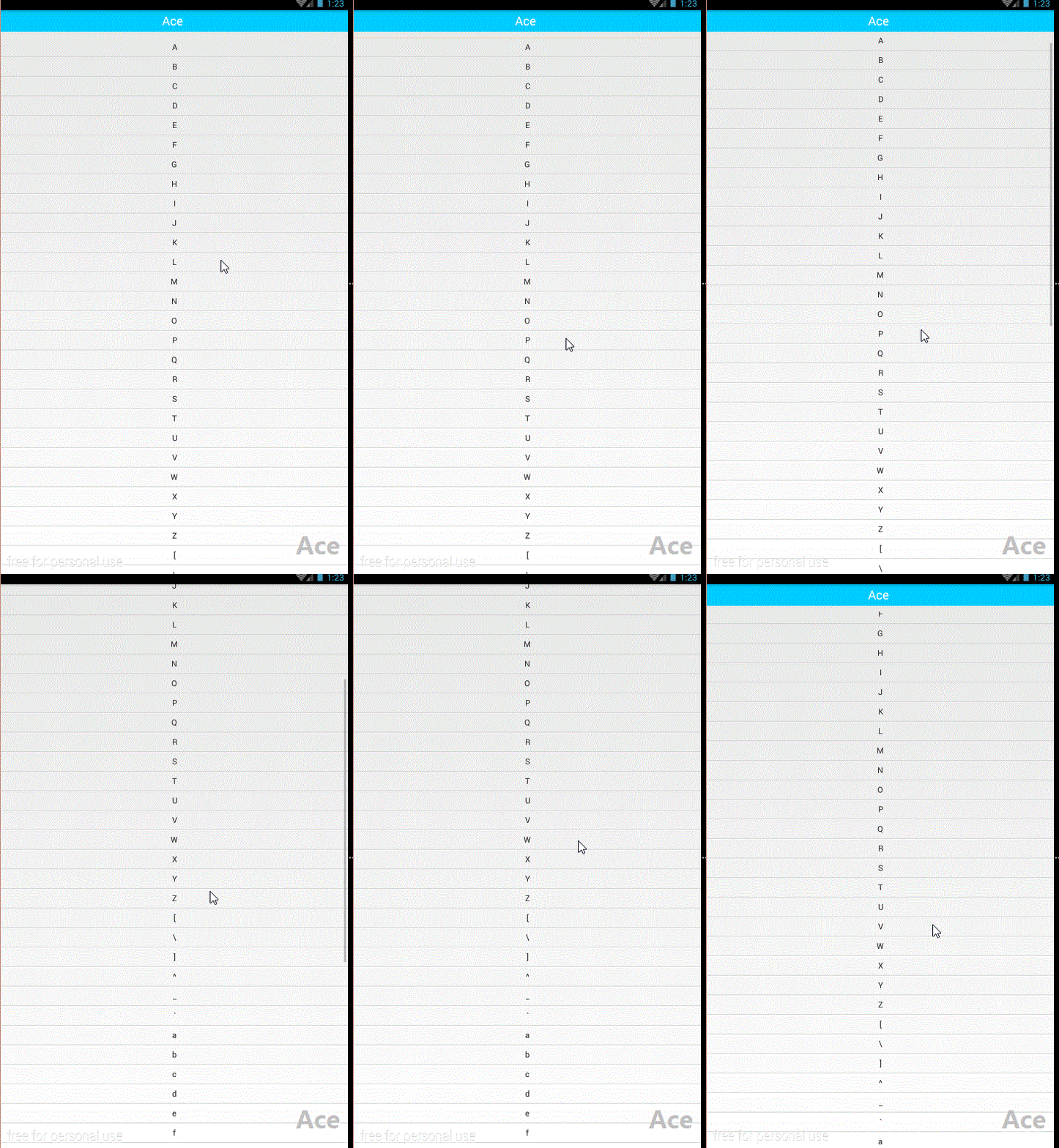
本文實例嘗試模仿實現Android標題顯示隱藏功能,通過給listview設置 mListView.setOnTouchListener 監聽 重寫ontouch方法 監聽手指一動的坐標,當超過ViewConfiguration.get(this).getScaledTouchSlop(); toubar的高度 .當向上滑動超過這個高度顯示touba 向下滑動隱藏。
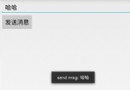
效果圖:
package com.example.hidetitlebardemo;

import android.animation.Animator;
import android.animation.ObjectAnimator;
import android.app.Activity;
import android.os.Bundle;
import android.view.MotionEvent;
import android.view.View;
import android.view.Menu;
import android.view.MenuItem;
import android.view.ViewConfiguration;
import android.view.ViewGroup;
import android.view.Window;
import android.widget.AbsListView;
import android.widget.ListView;
import android.widget.RelativeLayout;
import android.widget.SimpleAdapter;

import java.util.ArrayList;
import java.util.HashMap;
import java.util.List;
import java.util.Map;

public class MainActivity extends Activity {
 private ListView mListView;
 private RelativeLayout mTitle;
 private int mTouchSlop;
 private SimpleAdapter mAdapter;
 private float mFirstY;
 private float mCurrentY;

 @Override
 protected void onCreate(Bundle savedInstanceState) {
 super.onCreate(savedInstanceState);
 requestWindowFeature(Window.FEATURE_NO_TITLE);
 setContentView(R.layout.activity_main);
 mTouchSlop = ViewConfiguration.get(this).getScaledTouchSlop();

 initViews();
 showHideTitleBar(true);

 }

 private void initViews() {
 mListView = (ListView) findViewById(R.id.id_lv);
 mTitle = (RelativeLayout) findViewById(R.id.id_title);

 mAdapter = new SimpleAdapter(this, getData(),
 R.layout.lv_item,
 new String[]{"info"},
 new int[]{R.id.num_info});
 mListView.setAdapter(mAdapter);
 mListView.setOnTouchListener(new View.OnTouchListener() {

 @Override
 public boolean onTouch(View v, MotionEvent event) {
 switch (event.getAction()) {
 case MotionEvent.ACTION_DOWN:
 mFirstY = event.getY();
 break;
 case MotionEvent.ACTION_MOVE:
 mCurrentY = event.getY();
 if (mCurrentY - mFirstY > mTouchSlop) {
 System.out.println("mtouchislop:" + mTouchSlop);
 // 下滑 顯示titleBar
 showHideTitleBar(true);
 } else if (mFirstY - mCurrentY > mTouchSlop) {
 // 上滑 隱藏titleBar
 showHideTitleBar(false);
 }
 break;
 case MotionEvent.ACTION_UP:
 break;
 }
 return false;
 }
 });
 }

 private Animator mAnimatorTitle;
 private Animator mAnimatorContent;

 private void showHideTitleBar(boolean tag) {
 if (mAnimatorTitle != null && mAnimatorTitle.isRunning()) {
 mAnimatorTitle.cancel();
 }
 if (mAnimatorContent != null && mAnimatorContent.isRunning()) {
 mAnimatorContent.cancel();
 }
 if (tag) {
 mAnimatorTitle = ObjectAnimator.ofFloat(mTitle, "translationY", mTitle.getTranslationY(), 0);
 mAnimatorContent = ObjectAnimator.ofFloat(mListView, "translationY", mListView.getTranslationY(), getResources().getDimension(R.dimen.title_height));

 } else {
 mAnimatorTitle = ObjectAnimator.ofFloat(mTitle, "translationY", mTitle.getTranslationY(), -mTitle.getHeight());
 mAnimatorContent = ObjectAnimator.ofFloat(mListView, "translationY", mListView.getTranslationY(),0);
 }
 mAnimatorTitle.start();
 mAnimatorContent.start();

 }


 private List<Map<String, Object>> getData() {
 List<Map<String, Object>> data = new ArrayList<>();
 for (int i = 'A'; i < 'z'; i++) {
 Map<String, Object> map = new HashMap<>();
 map.put("info", (char) i);
 data.add(map);
 }
 return data;
 }


}
布局
<?xml version="1.0" encoding="utf-8"?>
<RelativeLayout android:layout_width="match_parent"
 android:layout_height="match_parent"
 android:orientation="vertical"
 xmlns:android="http://schemas.android.com/apk/res/android">
 <RelativeLayout
 android:id="@+id/id_title"
 android:background="#00ccff"
 android:layout_width="match_parent"
 android:layout_height="40dp">
 <TextView
 android:text="Ace "
 android:layout_centerInParent="true"
 android:textSize="22sp"
 android:textColor="#ffffff"
 android:layout_width="wrap_content"
 android:layout_height="wrap_content" />
 </RelativeLayout>
 <ListView
 android:id="@+id/id_lv"
 android:layout_width="match_parent"
 android:layout_height="match_parent"/>


</RelativeLayout>
希望本文所述對大家學習Android軟件編程有所幫助。
 Android日志Log
日志可以在幫我們開發中調試程序,下面看看Android自帶日志的作用先聲明一個字符串 private static final String TAG = &qu
 基於Android移動終端的微型餐飲管理系統的設計與實現2-側滑菜單
今天我先來寫一下側滑菜單,如圖: 側滑菜單的實現方法有很多,網上也有完整的開源框架,現在如果用Android Studio開發的話,一開始選模板的時候就可以選擇
 Android布局FrameLayout的使用
序:本文介紹FrameLayout兩點:1.FrameLayout是什麼 2.FrameLayout如何設置其內子視圖(例如ImageView)的位置。 1. 什麼是Fr
 Android 動態設置margin
android的view中有setPadding,但是沒有直接的setMargin方法。如果要在代碼中設置該怎麼做呢?可以通過設置view裡面的 LayoutParams