編輯:關於Android編程
在Android開發中,往往要用到自定義的控件來實現我們的需求或效果。在使用自定義
控件時,難免要用到自定義屬性,那怎麼使用自定義屬性呢?
在文件res/values/下新建attrs.xml屬性文件,中定義我們所需要的屬性。
<?xml version="1.0" encoding="utf-8"?>

<resources><!-- resource是跟標簽,可以在裡面定義若干個declare-styleable -->
  <declare-styleable name="custom_view"><!-- name定義了變量的名稱 -->
    <attr name="custom_color" format="color"></attr> <!-- 定義對應的屬性,name定義了屬性的名稱 -->
    <attr name="custom_size" format="dimension"></attr> <!--每一個發生要定義format指定其類型,類型包括
     reference  表示引用,參考某一資源ID
     string  表示字符串
     color  表示顏色值
     dimension  表示尺寸值
     boolean  表示布爾值
     integer  表示整型值
     float  表示浮點值
     fraction  表示百分數
     enum  表示枚舉值
     flag  表示位運算
    -->
 </declare-styleable>
public class CustomTextView extends TextView {
  private int textSize;//自定義文件大小
  private int textColor;//自定義文字顏色

  //自定義屬性,會調用帶兩個對數的構造方法
  public CustomTextView(Context context, AttributeSet attrs) {
    super(context, attrs);
    TypedArray ta = context.obtainStyledAttributes(attrs, R.styleable.custom_view);//TypedArray屬性對象
    textSize = ta.getDimensionPixelSize(R.styleable.custom_view_custom_size, 20);//獲取屬性對象中對應的屬性值
    textColor = ta.getColor(R.styleable.custom_view_custom_color, 0x0000ff);
    setColorAndSize(textColor, textSize);//設置屬性
    ta.recycle();
  }

  public CustomTextView(Context context) {
    super(context);
  }

  private void setColorAndSize(int textColor, int textSize) {
    setTextColor(textColor);
    setTextSize(textSize);
  }

}
<LinearLayout xmlns:android="http://schemas.android.com/apk/res/android"
  xmlns:tools="http://schemas.android.com/tools"
  xmlns:ldm="http://schemas.android.com/apk/res/com.ldm.learn"
  android:layout_width="match_parent"
  android:layout_height="match_parent"
  android:background="#f6f6f6"
  android:orientation="vertical"
  android:padding="10dp" >

  <com.ldm.learn.CustomTextView
    android:layout_width="100dp"
    android:layout_height="100dp"
    android:text="自定義TextView"
    ldm:custom_color="#333333"
    ldm:custom_size="35sp" />

</LinearLayout>
布局說明:
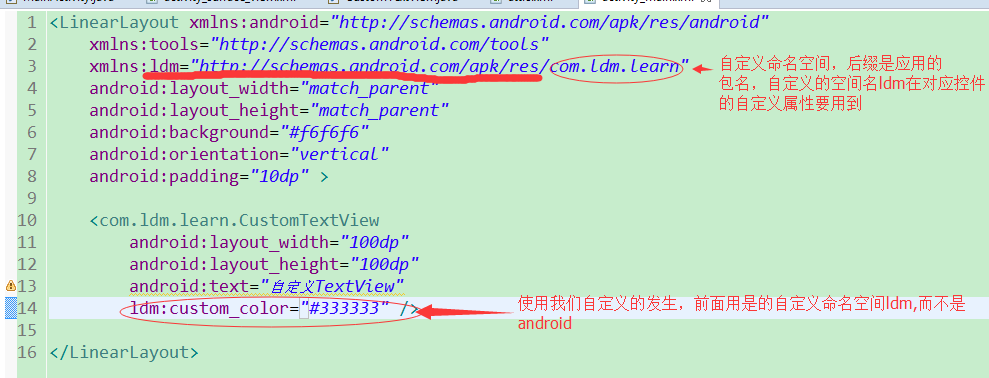
通過以上幾步就可以實現我們想要的自定義屬性效果(用自定義屬性設置文字大小及顏色)啦!
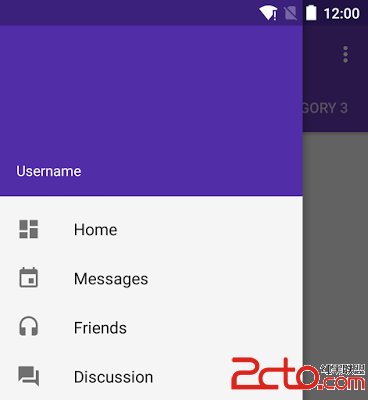 Android Design Support Library最新組件
Android 5.0 Lollipop是Android發布的最具意義的一個版本,這樣說的一個很重要的原因是Material Design的引入,一個新的設計語言刷新了整
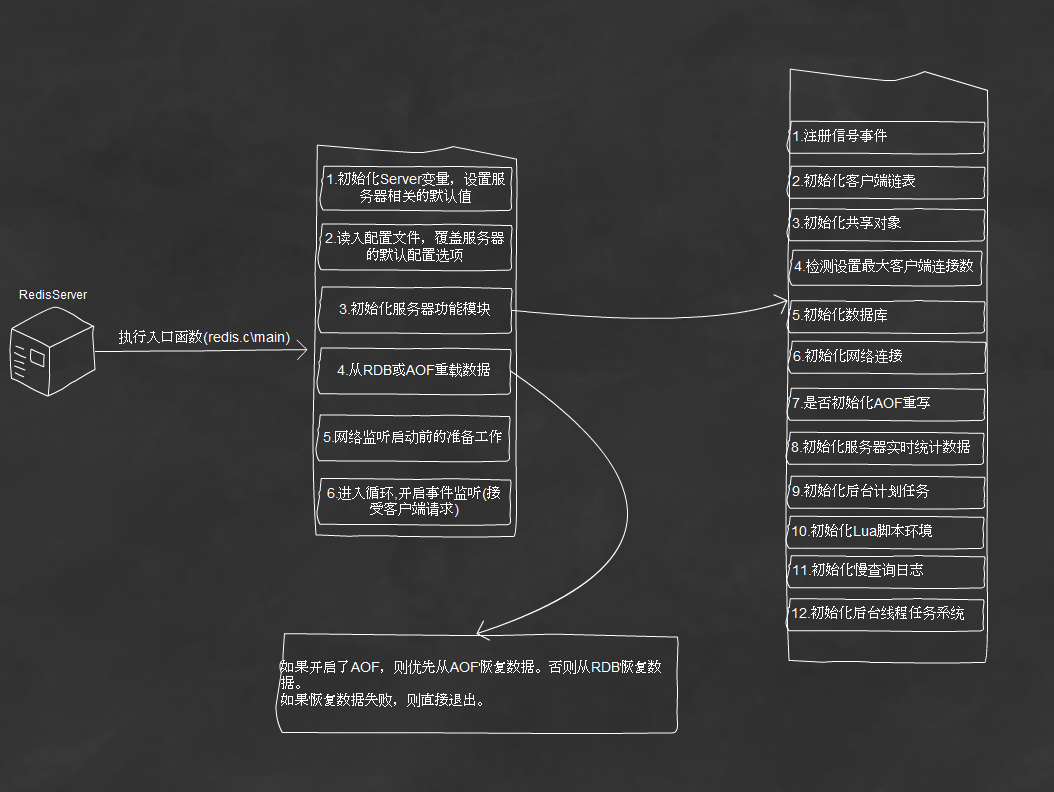 分析Redis架構設計
一、前言因為近期項目中開始使用Redis,為了更好的理解Redis並應用在適合的業務場景,需要對Redis設計與實現深入的理解。我分析流程是按照從main進入,逐步深入分
 【Android】讓HeaderView也參與回收復用機制,自我感覺是優雅的為 RecyclerView 添加 HeaderView (FooterView)的解決方案
本文站在巨人的肩膀上 自我感覺又進了一步而成。基於翔神的大作基礎之上寫的一個為RecyclerView添加HeaderView FooterView 的另一種解決方案,上
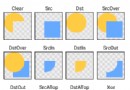 Android基礎入門教程——8.3.4 Paint API之—— Xfermode與PorterDuff詳解(一)
本節引言: 不知道標題這兩個玩意你熟不熟悉啦,如果自己實現過圓角或者圓形圖片,相信對這兩個名詞 並不模式,一時半伙沒想起來?沒關系,下面這個圖你可曾見過?