編輯:關於Android編程
本文實例講述了Android編程獲取網絡時間的方法。分享給大家供大家參考,具體如下:
在網上看到的最常見的方式有:
public static void main(String[] args) throws Exception {
  URL url=new URL("http://www.bjtime.cn");//取得資源對象
  URLConnection uc=url.openConnection();//生成連接對象
  uc.connect(); //發出連接
  long ld=uc.getDate(); //取得網站日期時間
  Date date=new Date(ld); //轉換為標准時間對象
  //分別取得時間中的小時,分鐘和秒,並輸出
  System.out.print(date.getHours()+"時"+date.getMinutes()+"分"+date.getSeconds()+"秒");
}
原理:通過訪問http://www.bjtime.cn網站來獲取
這裡還為大家提供另外一種方式:通過網絡或者GPS的方式。
代碼如下:
LocationManager locMan = (LocationManager) this.getSystemService(MainActivity.LOCATION_SERVICE);
//獲取最近一次知道的時間
long networkTS = locMan.getLastKnownLocation(LocationManager.NETWORK_PROVIDER).getTime();
或者實時的獲取時間:
locMan.requestLocationUpdates(LocationManager.NETWORK_PROVIDER, 0, 0, this); //獲取當前時間
當我們使用requestLocationUpdates時,我們需要實現LocationListener接口。
在LocationListen的回調onLocationChanged當中獲取時間
@Override
public void onLocationChanged(Location location) {
// TODO Auto-generated method stub
long time = location.getTime();
Date date = new Date(time);
System.out.println(time + " NETWORK_PROVIDER " + date);
// System.out.println(STANDARD_TIME + " ");
}
@hnrainll
更多關於Android開發相關內容感興趣的讀者可查看本站專題:《Android開發入門與進階教程》
希望本文所述對大家Android程序設計有所幫助。
 在 Android* 商務應用中實施地圖和地理圍欄特性
摘要 本案例研究討論了如何將地圖和地理定位特性構建到 Android* 商務應用中,包括在 Google Maps* 上覆蓋商店位置,以及在設備進入商店地理圍欄鄰近區
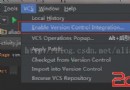 Android Studio Share Project On Github
在Android Studio上將項目導入Github上: Enable Version Control Integration... 2.選擇Git,點擊
 微信怎麼加好友 微信添加好友失敗怎麼辦
相信很多用戶都知道微信基本是怎麼加好友的了,但是部分用戶在加微信好友的時候發現,添加微信好友失敗!?不少微信網友在使用微信添加好友過程中失敗了,這是怎麼回事
 android監聽安裝和卸載示例
BroadcastReceiver 是系統全局廣播監聽類, 其主要方法是onReceive(),自定義的廣播類繼承於它並實現自己的onReceive()處理邏輯Broad