編輯:關於Android編程
本文實例分析了Android編程使用Intent傳遞對象的方法。分享給大家供大家參考,具體如下:
之前的文章中,介紹過Intent的用法,比如啟動活動,發送廣播,啟發服務等,並且可以使用Intent時傳遞一些數據。如下代碼所示:
Intent intent = new Intent(this,SecondActivity.class);
intent.putExtra("info", "I am fine");
startActivity(intent);
在傳遞數據時,使用的方法是putExtra,支持的數據類型有限,如何傳遞對象呢??
在Android中,使用Intent傳遞對象有兩種方式:Serializable序列化方式以及Parcelable串行化方式。
1、Serializable方式
此種方式表示將一個對象轉換成可存儲或者可傳輸的狀態,序列化後的對象可以在網絡上進行傳輸,可以存儲到本地。
對象序列化,只需要實現Serializable類。
package com.example.testapplication;
import java.io.Serializable;
/**
 * 對象序列化
 * @author yy
 *
 */
public class Emp implements Serializable {
  private String name;
  private int age;
  public String getName() {
    return name;
  }
  public void setName(String name) {
    this.name = name;
  }
  public int getAge() {
    return age;
  }
  public void setAge(int age) {
    this.age = age;
  }
}
那麼Intent如何傳遞對象參數呢,查看API發現如下方法:
復制代碼 代碼如下:intent.putExtra(String name, Serializable value);
因此,使用該方法傳遞,如下:
Intent intent = new Intent(this,SecondActivity.class);
intent.putExtra("obj", new Emp());
startActivity(intent);
那麼如何獲取呢?使用如下方法:
復制代碼 代碼如下:Emp emp = (Emp) getIntent().getSerializableExtra("obj");
這樣就獲得了Emp對象了。
2、Parcelable方式
該種方式的實現原理是將一個完整的對象進行分解,使分解的每一部分都是Intent所支持的數據類型。示例如下:
package com.example.testapplication;
import android.os.Parcel;
import android.os.Parcelable;
/**
 * Parcelable方式
 * @author yy
 *
 */
public class Emp2 implements Parcelable{
  private String name;
  private int age;
  public String getName() {
    return name;
  }
  public void setName(String name) {
    this.name = name;
  }
  public int getAge() {
    return age;
  }
  public void setAge(int age) {
    this.age = age;
  }
  @Override
  public int describeContents() {
    return 0;
  }
  @Override
  public void writeToParcel(Parcel dest, int flag) {
    //寫出name
    dest.writeString(name);
    //寫出age
    dest.writeInt(age);
  }
  public static final Parcelable.Creator<Emp2> creator = new Creator<Emp2>() {
    @Override
    public Emp2[] newArray(int size) {
      return new Emp2[size];
    }
    @Override
    public Emp2 createFromParcel(Parcel source) {
      Emp2 emp2 = new Emp2();
      //讀取的順序要和上面寫出的順序一致
      //讀取name
      emp2.name = source.readString();
      emp2.age = source.readInt();
      return emp2;
    }
  };
}
傳遞對象:方式和序列化相同:
Intent intent = new Intent(this,SecondActivity.class);
intent.putExtra("obj", new Emp2());
startActivity(intent);
獲取對象:
復制代碼 代碼如下:Emp2 emp2 = getIntent().getParcelableExtra("obj");
3、區別
Serializable在序列化的時候會產生大量的臨時變量,從而引起頻繁的GC。因此,在使用內存的時候,Parcelable 類比Serializable性能高,所以推薦使用Parcelable類。
Parcelable不能使用在要將數據存儲在磁盤上的情況,因為Parcelable不能很好的保證數據的持續性在外界有變化的情況下。盡管Serializable效率低點, 也不提倡用,但在這種情況下,還是建議你用Serializable 。
希望本文所述對大家Android程序設計有所幫助。
 Android 仿淘寶商品屬性標簽頁
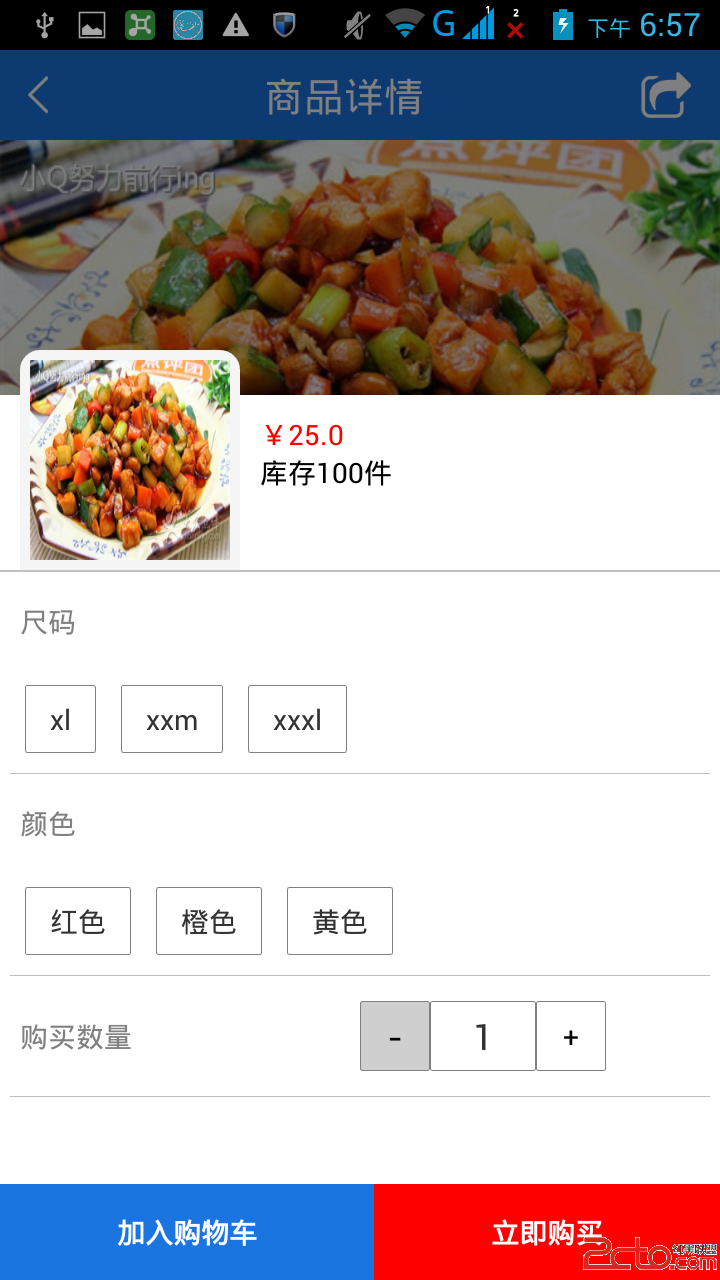
需求1.動態加載屬性,如尺碼,顏色,款式等 由於每件商品的屬性是不確定的,有的商品的屬性是顏色和尺碼,有的是口味,有的是大小,所以這些屬性不能直接寫死到頁面上。2.動態
 滴滴巴士怎麼用 滴滴巴士乘車指南
滴滴巴士是滴滴快車繼滴滴順風車、滴滴快車服務之後推出的又一便民出行服務,特別廣大上班族來說無疑是極好的,再也不用去擠公交、擠地鐵了。下面下載吧小編就給大家講
 Android procrank查看內存使用情況
使用adb shell procrank手機中的sh是經過精簡過的,有些手機可能沒有 procrank 命令,可以使用genymotion模擬器,或是自己安裝procra
 Android 筆記-Fragment 與 Activity之間傳遞數據
Fragment 與 Activity之間傳遞數據有兩種方法,一種是使用setArgument,一種是使用接口回調。下面先學習第一種方法。 (1)使用setArgum