編輯:關於Android編程
在Android系統API中,有兩個Camera類:
第二個應用於手機硬件中的相機相關的操作,本文講述的是利用第一個Camera類實現中軸3D轉換的卡牌翻轉效果,開始之前,先看一下Android系統中的坐標系:
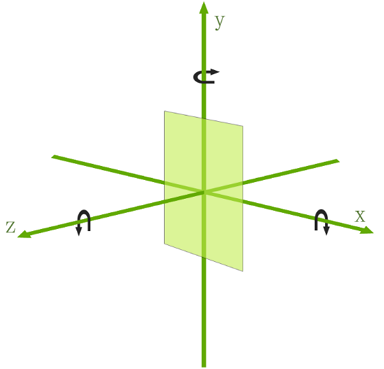
對應於三維坐標系中的三個方向,Camera提供了三種旋轉方法:
調用這三種方法,傳入旋轉角度參數,即可實現視圖沿著坐標軸旋轉的功能。本文的中軸3D旋轉效果就是讓視圖沿著Y軸旋轉的。
系統API Demos中已經為我們提供了一個非常好用的3D旋轉動畫的工具類:
Rotate3dAnimation.java:
package com.feng.androidtest;

import android.graphics.Camera;
import android.graphics.Matrix;
import android.util.Log;
import android.view.animation.Animation;
import android.view.animation.Transformation;

/**
 * An animation that rotates the view on the Y axis between two specified angles.
 * This animation also adds a translation on the Z axis (depth) to improve the effect.
 */
public class Rotate3dAnimation extends Animation {
 private final float mFromDegrees;
 private final float mToDegrees;
 private final float mCenterX;
 private final float mCenterY;
 private final float mDepthZ;
 private final boolean mReverse;
 private Camera mCamera;

 /**
  * Creates a new 3D rotation on the Y axis. The rotation is defined by its
  * start angle and its end angle. Both angles are in degrees. The rotation
  * is performed around a center point on the 2D space, definied by a pair
  * of X and Y coordinates, called centerX and centerY. When the animation
  * starts, a translation on the Z axis (depth) is performed. The length
  * of the translation can be specified, as well as whether the translation
  * should be reversed in time.
  *
  * @param fromDegrees the start angle of the 3D rotation
  * @param toDegrees the end angle of the 3D rotation
  * @param centerX the X center of the 3D rotation
  * @param centerY the Y center of the 3D rotation
  * @param reverse true if the translation should be reversed, false otherwise
  */
 public Rotate3dAnimation(float fromDegrees, float toDegrees,
   float centerX, float centerY, float depthZ, boolean reverse) {
  mFromDegrees = fromDegrees;
  mToDegrees = toDegrees;
  mCenterX = centerX;
  mCenterY = centerY;
  mDepthZ = depthZ;
  mReverse = reverse;
 }

 @Override
 public void initialize(int width, int height, int parentWidth, int parentHeight) {
  super.initialize(width, height, parentWidth, parentHeight);
  mCamera = new Camera();
 }

 @Override
 protected void applyTransformation(float interpolatedTime, Transformation t) {
  final float fromDegrees = mFromDegrees;
  float degrees = fromDegrees + ((mToDegrees - fromDegrees) * interpolatedTime);

  final float centerX = mCenterX;
  final float centerY = mCenterY;
  final Camera camera = mCamera;

  final Matrix matrix = t.getMatrix();

  Log.i("interpolatedTime", interpolatedTime+"");
  camera.save();
  if (mReverse) {
   camera.translate(0.0f, 0.0f, mDepthZ * interpolatedTime);
  } else {
   camera.translate(0.0f, 0.0f, mDepthZ * (1.0f - interpolatedTime));
  }
  camera.rotateY(degrees);
  camera.getMatrix(matrix);
  camera.restore();

  matrix.preTranslate(-centerX, -centerY);
  matrix.postTranslate(centerX, centerY);
 }
}
可以看出, Rotate3dAnimation 總共做了兩件事:在構造函數中賦值了旋轉動畫所需要的參數,以及重寫(override)父類Animation中的applyTransformation()方法,下面分類闡述一下:
activity_main.xml布局文件:
<?xml version="1.0" encoding="utf-8"?>
<RelativeLayout xmlns:android="http://schemas.android.com/apk/res/android"
 xmlns:tools="http://schemas.android.com/tools"
 android:layout_width="fill_parent"
 android:layout_height="fill_parent"
 android:background="@android:color/white" >

 <Button
  android:id="@+id/btn_open"
  android:layout_width="match_parent"
  android:layout_height="wrap_content"
  android:layout_margin="16dp"
  android:onClick="onClickView"
  android:text="打開"
  android:textColor="@android:color/black"
  android:textSize="16sp" />

 <RelativeLayout
  android:id="@+id/rl_content"
  android:layout_width="match_parent"
  android:layout_height="match_parent"
  android:layout_below="@id/btn_open"
  android:layout_marginTop="16dp"
  android:background="@android:color/black">

  <ImageView
   android:id="@+id/iv_logo"
   android:layout_width="match_parent"
   android:layout_height="match_parent"
   android:contentDescription="@null"
   android:src="@drawable/ic_qrcode"
   android:scaleType="centerInside"/>

  <TextView
   android:id="@+id/tv_desc"
   android:layout_width="wrap_content"
   android:layout_height="wrap_content"
   android:padding="16dp"
   android:text="本站。"
   android:textColor="@android:color/white"
   android:textSize="18sp"
   android:visibility="gone"/>
 </RelativeLayout>

</RelativeLayout>
布局中配置了卡牌正面的圖片控件,卡牌背面的文本控件,以及他們的parent容器,也就是本文中的旋轉動畫的執行對象。
MainActivity.java文件:
package com.feng.androidtest;

import android.app.Activity;
import android.os.Bundle;
import android.view.View;
import android.view.animation.AccelerateInterpolator;
import android.view.animation.Animation;
import android.view.animation.Animation.AnimationListener;
import android.view.animation.DecelerateInterpolator;
import android.widget.Button;
import android.widget.ImageView;
import android.widget.RelativeLayout;
import android.widget.TextView;

import com.example.androidtest.R;

public class MainActivity extends Activity {

 private RelativeLayout mContentRl;
 private ImageView mLogoIv;
 private TextView mDescTv;
 private Button mOpenBtn;

 private int centerX;
 private int centerY;
 private int depthZ = 400;
 private int duration = 600;
 private Rotate3dAnimation openAnimation;
 private Rotate3dAnimation closeAnimation;

 private boolean isOpen = false;

 @Override
 protected void onCreate(Bundle savedInstanceState) {
  super.onCreate(savedInstanceState);
  setContentView(R.layout.activity_main);

  mContentRl = (RelativeLayout) findViewById(R.id.rl_content);
  mLogoIv = (ImageView) findViewById(R.id.iv_logo);
  mDescTv = (TextView) findViewById(R.id.tv_desc);
  mOpenBtn = (Button) findViewById(R.id.btn_open);

 }

 /**
  * 卡牌文本介紹打開效果:注意旋轉角度
  */
 private void initOpenAnim() {
  //從0到90度,順時針旋轉視圖,此時reverse參數為true,達到90度時動畫結束時視圖變得不可見,
  openAnimation = new Rotate3dAnimation(0, 90, centerX, centerY, depthZ, true);
  openAnimation.setDuration(duration);
  openAnimation.setFillAfter(true);
  openAnimation.setInterpolator(new AccelerateInterpolator());
  openAnimation.setAnimationListener(new AnimationListener() {

   @Override
   public void onAnimationStart(Animation animation) {

   }

   @Override
   public void onAnimationRepeat(Animation animation) {

   }

   @Override
   public void onAnimationEnd(Animation animation) {
    mLogoIv.setVisibility(View.GONE);
    mDescTv.setVisibility(View.VISIBLE);

    //從270到360度,順時針旋轉視圖,此時reverse參數為false,達到360度動畫結束時視圖變得可見
    Rotate3dAnimation rotateAnimation = new Rotate3dAnimation(270, 360, centerX, centerY, depthZ, false);
    rotateAnimation.setDuration(duration);
    rotateAnimation.setFillAfter(true);
    rotateAnimation.setInterpolator(new DecelerateInterpolator());
    mContentRl.startAnimation(rotateAnimation);
   }
  });
 }

 /**
  * 卡牌文本介紹關閉效果:旋轉角度與打開時逆行即可
  */
 private void initCloseAnim() {
  closeAnimation = new Rotate3dAnimation(360, 270, centerX, centerY, depthZ, true);
  closeAnimation.setDuration(duration);
  closeAnimation.setFillAfter(true);
  closeAnimation.setInterpolator(new AccelerateInterpolator());
  closeAnimation.setAnimationListener(new AnimationListener() {

   @Override
   public void onAnimationStart(Animation animation) {

   }

   @Override
   public void onAnimationRepeat(Animation animation) {

   }

   @Override
   public void onAnimationEnd(Animation animation) {
    mLogoIv.setVisibility(View.VISIBLE);
    mDescTv.setVisibility(View.GONE);

    Rotate3dAnimation rotateAnimation = new Rotate3dAnimation(90, 0, centerX, centerY, depthZ, false);
    rotateAnimation.setDuration(duration);
    rotateAnimation.setFillAfter(true);
    rotateAnimation.setInterpolator(new DecelerateInterpolator());
    mContentRl.startAnimation(rotateAnimation);
   }
  });
 }

 public void onClickView(View v) {
  //以旋轉對象的中心點為旋轉中心點,這裡主要不要再onCreate方法中獲取,因為視圖初始繪制時,獲取的寬高為0
  centerX = mContentRl.getWidth()/2;
   centerY = mContentRl.getHeight()/2;
   if (openAnimation == null) {
   initOpenAnim();
   initCloseAnim();
  }

   //用作判斷當前點擊事件發生時動畫是否正在執行
  if (openAnimation.hasStarted() && !openAnimation.hasEnded()) {
   return;
  }
  if (closeAnimation.hasStarted() && !closeAnimation.hasEnded()) {
   return;
  }

  //判斷動畫執行
  if (isOpen) {
   mContentRl.startAnimation(closeAnimation);

  }else {

   mContentRl.startAnimation(openAnimation);
  }

  isOpen = !isOpen;
  mOpenBtn.setText(isOpen ? "關閉" : "打開");
 }
}
代碼中已對核心的地方做了注釋解釋,主要弄清楚 rotate3dAnimation構造參數中的 fromDegrees和toDegrees、depthZ、reverse參數,同時在動畫中設置了速度插播器,如動畫的前半程使用加速器 AccelerateInterpolator,後半程使用減速器 DecelerateInterpolator,使動畫體驗更加人性化。
以上就是本文的全部內容,希望對大家的學習Android軟件編程有所幫助。
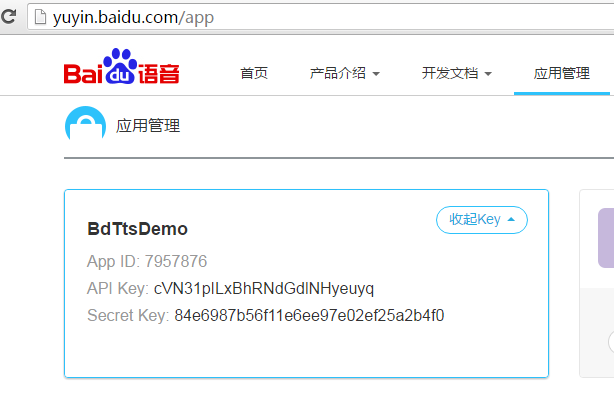 Android Studio應用開發集成百度語音合成使用方法實例講解
首先,語音合成是指將文本信息轉換成聲音。意思就是將文本轉化為聲音,讓你的應用開口說話。國內在業內比較有名的第三方語音合成平台有百度語音和科大訊飛。本文集成的是百度語音合成
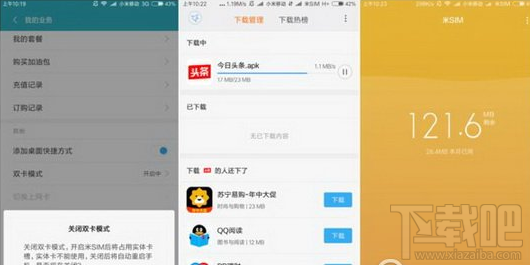 小米sim卡怎麼激活 米sim卡激活方法介紹
小米sim卡怎麼激活?相信很多用戶對於“米SIM”還不是很清楚,更不用說去開通激活了,下文介紹小米sim卡激活圖文教程,一起和小編來
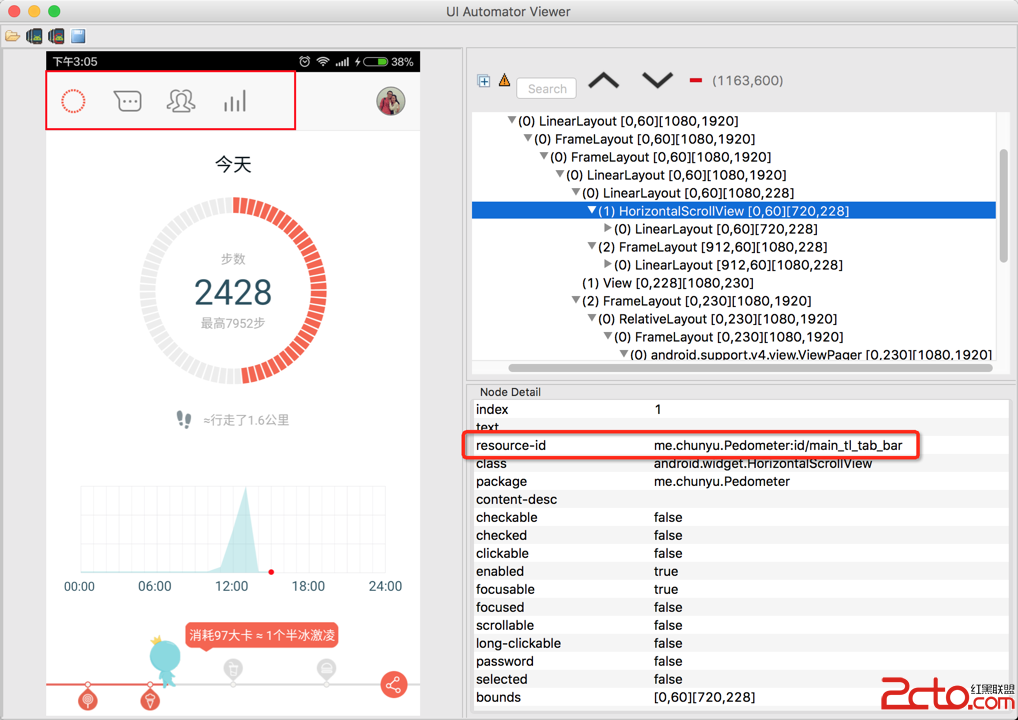 Android開發Tips(3)
1. UIAutomatorViewer自動化測試是Android測試的趨勢, 穩定\復用, 最常用的工具就是Espresso.使用UIAutomatorViewer獲取
 android系統在靜音模式下關閉camera拍照聲音的方法
話說為了防止偷拍,業內有不成文規定,手機公司在做camera時,點擊拍照和錄像鍵的時候,必須要有提示音。因此,google也就非常人性化的將播放拍照聲音的函數,放到了ca