編輯:關於Android編程
本文實例講述了Android學習筆記之應用單元測試。分享給大家供大家參考,具體如下:
第一步:在AndroidManifest.xml中加入如下兩段代碼:
<manifest xmlns:android="http://schemas.android.com/apk/res/android"
  package="com.pccw"
  android:versionCode="1"
  android:versionName="1.0">
 <uses-sdk android:minSdkVersion="8" />
 <application android:icon="@drawable/icon" android:label="@string/app_name">
  <activity android:name=".MainActivity"
     android:label="@string/app_name">
   <intent-filter>
    <action android:name="android.intent.action.MAIN" />
    <category android:name="android.intent.category.LAUNCHER" />
   </intent-filter>
  </activity>
  <!—添加代碼1-->
  <uses-library android:name="android.test.runner"/>
</application>
 <!—添加代碼2-->
  <instrumentation android:name="android.test.InstrumentationTestRunner"
   android:targetPackage="com.pccw" android:label="aaa"/>
</manifest>
1. <uses-library android:name="android.test.runner"/>代表把單元測試框架中的一些依賴庫引入進來
2. <instrumentation android:name="android.test.InstrumentationTestRunner"android:targetPackage="com.pccw" android:label="aaa"/>代表配置單元測試框架的啟動裝置,啟動裝置有好幾個類,可以選擇,一般情況下我們使用上面這個。
3. targetPackage與上面的package相同,代表單元測試框架和當前應用是處於同一個進程中
第二步:編寫業務邏輯,即需要被測試的模塊
public class PersonService {
 public void save(String name){
  String sub = name.substring(6);
 }
 public int add(int a, int b){
  return a+b;
 }
}
第三步:編寫單元測試代碼
public class PersonServiceTest extends AndroidTestCase {
 public void testSave() throws Exception {
  PersonService service = new PersonService();
  service.save(null);
 }
 public void testAdd() throws Exception {
  PersonService service = new PersonService();
  int result = service.add(1, 2);
  Assert.assertEquals(3, result);
 }
}
第四步:打開eclipse中的outline窗口,其中會顯示單元測試類的所有的方法
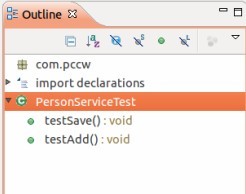
然後想要測試哪個方法,則在哪個測試方法上右鍵鼠標,選擇Run As,然後再選擇Android JUnit Test即可,如果有異常或者錯誤,則會出現如下情況:
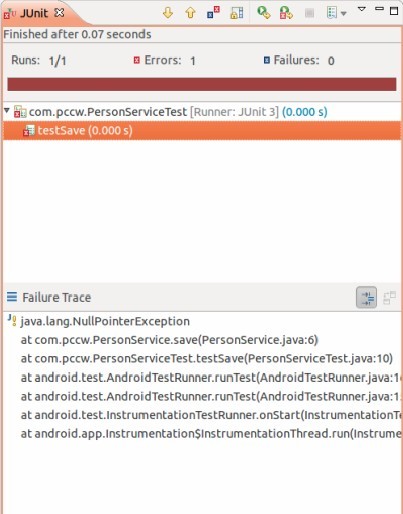
如果是正常的,則會如下:
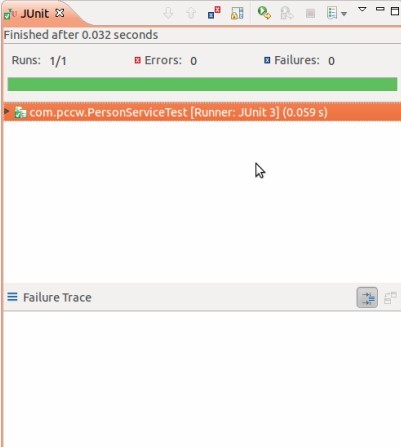
希望本文所述對大家Android程序設計有所幫助。
 Dialog在android中的應用(一)
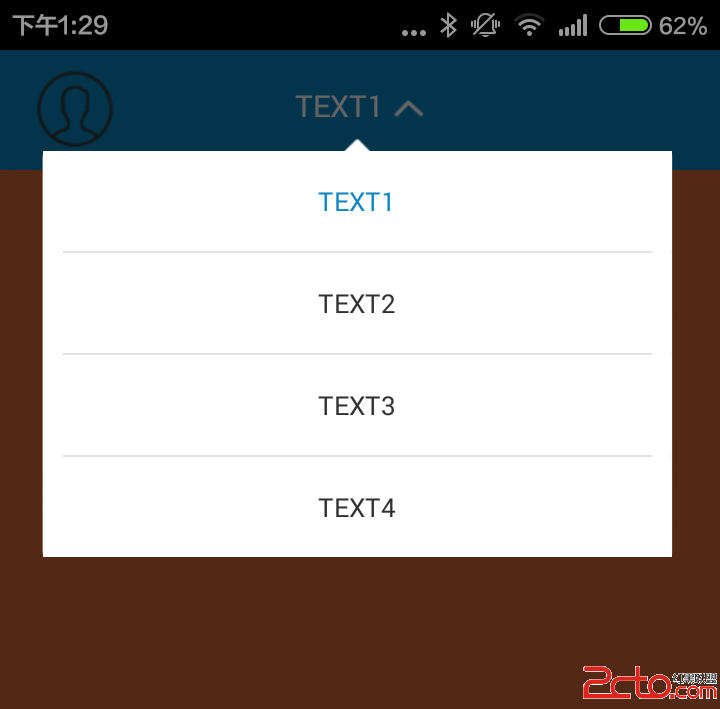
如果做一個如下圖的Dialog,首先要定義樣式: stateUnchanged|adjustResize @null @null
 Android入門之LinearLayout、AbsoluteLayout的用法實例講解
本文實例介紹了Android中LinearLayout、AbsoluteLayout的用法,希望能對於初學Android的朋友起到一點幫助作用。具體內容如下:Androi
 Android Framework是怎麼啟動的?
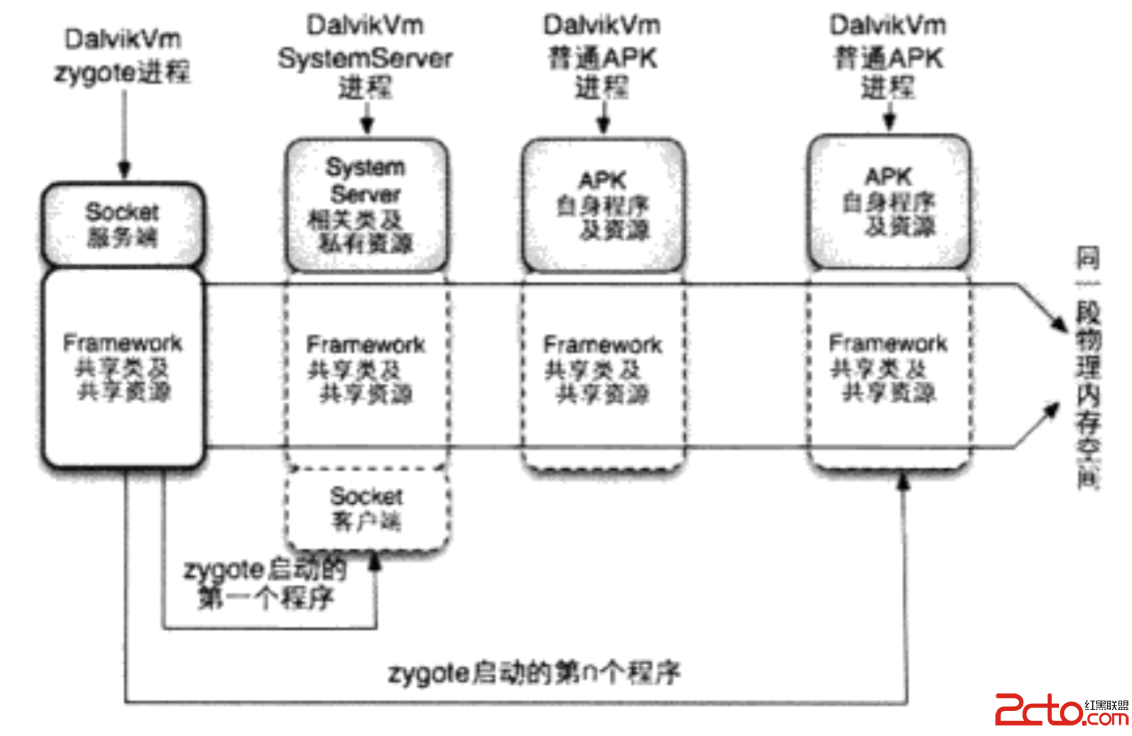
Framework運行環境是怎樣的?安卓系統啟動過程其實是建立一套系統運行需要的環境。Framework運行環境如下:安卓系統中運行的第一個Dalvik虛擬機叫做zygo
 Android 利用ContentProvider獲取聯系人信息
Android 利用ContentProvider獲取聯系人信息。在寫代碼前我們首先看一下運行的效果運行效果如下:點了獲取聯系人就展示如下效果讀取聯系人信息的