編輯:關於Android編程
/**
	 *
	 * 創建快捷方式
	 * @param map 快捷方式圖標
	 * @param appName 快捷方式標題
	 * @param appUrl 快捷方式打開的地址
	 * @param iconUrl 快捷方式圖標地址
	 *
	 * */
	public static void createShortcut(Context activity ,Bitmap map ,String appName ,String appUrl ,String iconUrl){
		Intent shortcut = new Intent(
				"com.android.launcher.action.INSTALL_SHORTCUT");
		shortcut.putExtra(Intent.EXTRA_SHORTCUT_NAME,appName);
		shortcut.putExtra("duplicate", false);// 設置是否重復創建
		Intent intent = new Intent();
		intent.setAction(Intent.ACTION_VIEW) ;
//		intent.addCategory(Intent.CATEGORY_LAUNCHER);
		intent.addFlags(Intent.FLAG_ACTIVITY_NEW_TASK) ;
		intent.addFlags(Intent.FLAG_ACTIVITY_CLEAR_TASK) ;
		intent.setClass(activity, WebViewActivity.class);// 設置第一個頁面
		intent.putExtra("keyword", appUrl);
		intent.putExtra("appName", appName) ;
		intent.putExtra("iconUrl", iconUrl) ;
		shortcut.putExtra(Intent.EXTRA_SHORTCUT_INTENT, intent);
		shortcut.putExtra(Intent.EXTRA_SHORTCUT_ICON, map);
		activity.sendBroadcast(shortcut);
	}
	/**
	 *
	 * 刪除快捷方式
	 * @param shortcutName app名字
	 * @param className 絕對路徑如:getPackageName() + ".WebViewActivity"
	 *
	 * */
	public static void removeShortcut(Context cxt, String shortcutName, String className) {
    Intent shortcutIntent = new Intent(Intent.ACTION_VIEW);
    shortcutIntent.setClassName(cxt, className);
    Intent intent = new Intent("com.android.launcher.action.UNINSTALL_SHORTCUT");
    intent.putExtra(Intent.EXTRA_SHORTCUT_INTENT, shortcutIntent);
    intent.putExtra(Intent.EXTRA_SHORTCUT_NAME, shortcutName);
    cxt.sendBroadcast(intent);
  }
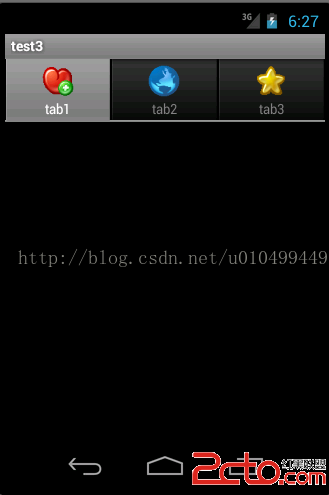 Android 創建標簽式的版面設置 (筆記)
利用TabHost創建標簽式的版面設置,進行不同標簽的切換,顯示不同的背景圖片。效果如下所示: 1、添加6張圖片資源(直接拖入drawable文件夾),分別為gra
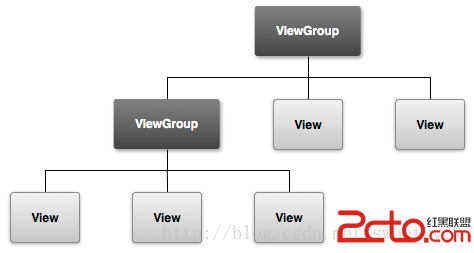 Android學習路線(四)構建一個簡單的UI
Android應用的圖形化用戶界面的構建使用的是View 和 ViewGroup 對象的層次嵌套。 View 對象通常是UI部件,例如 buttons 或者 text
 RecyclerView下拉刷新上拉加載
一 、前言最近實在太忙,一個多禮拜沒有更新文章了,於是今晚加班加點把demo寫出來,現在都12點了才開始寫文章。1.我們的目標把RecyclerView下拉刷新上拉加載更
 Android手把手教你集成高德定位
關於定位,相信大家都不陌生。現在很多App基本都少不了定位的功能,Android本身也提供了定位的功能(LocationManager),但是由於Google牆太厚了,所