編輯:關於Android編程
Android Studio中gradle配置主要是app中build.gradle中的配置,以下是我們項目中的配置,作為參考。
apply plugin: 'com.android.application'

//定義一個函數,加載配置
def loadProperties() {
    //文件
    def proFile = file("../local.properties")
    Properties p = new Properties()
    //讀取文件
    proFile.withInputStream { stream ->
        p.load(stream)
    }
    appReleaseDir = p.appReleaseDir
}

//調用加載配置文件信息
loadProperties()

android {
    //用gradle build命令時,經常由於lint錯誤終止,而這些錯誤又經常是第三方庫中的,我們可以跳過這些錯誤,繼續編譯。
    lintOptions {
    //錯誤不終止
        abortOnError false
    //不檢查release編譯
        checkReleaseBuilds false
    }
    //簽名配置信息
    signingConfigs {
    //簽名配置信息是隱私信息,最好不要直接寫在這個文件中,寫在一個配置文件中,然後將配置文件添加在.ignore文件中,通過上面的loadProperties()函數加載配置文件)
       config {
            //簽名信息寫在gradle.properies文件中,eg:KEYALIAS=appname...,簽名文件在末尾
            keyAlias KEYALIAS
            keyPassword KEYPASSWORD
            //通過文件加載路徑keystore文件
            storeFile file(STOREFILEPATH)
            storePassword STOREPASSWORD
        }

    }
    //編譯sdk版本
    compileSdkVersion 23
    //compileSdkVersion rootProject.ext.compileSdkVersion 如果項目中有多個Module可以寫在project中的build.gradle配置中,進行統一管理

    //編譯工具版本
    buildToolsVersion '23.0.2'
    //buildToolsVersion rootProject.ext.buildToolsVersion 如果項目中有多個Module可以寫在project中的build.gradle配置中,進行統一管理

    //aapt 包裝資源的工具
    aaptOptions.cruncherEnabled = false
    aaptOptions.useNewCruncher = false
    //默認配置信息
    defaultConfig {
        //應用id(一般為應用包名)
        applicationId "......"
        //最小sdk版本
        minSdkVersion 15
        // minSdkVersion rootProject.ext.minSdkVersion   如果項目中有多個Module可以寫在project中的build.gradle配置中,進行統一管理
        //目標sdk版本
        targetSdkVersion 19
        //targetSdkVersion rootProject.ext.targetSdkVersion
        //版本號
        versionCode 21
        //版本名稱
        versionName '1.53'
        //項目存檔名稱
        archivesBaseName = "項目名稱-$versionName"
        ndk {
            moduleName "yibawifisafe" //設置庫(so)文件名稱
            ldLibs "log", "z", "m", "jnigraphics", "android"//引入庫,比如要用到的__android_log_print
            abiFilters "armeabi", "x86", "armeabi-v7a"
            cFlags "-std=c++11 -fexceptions" // C++11
            stl "gnustl_static"
        }
        //使用簽名配置
        signingConfig signingConfigs.config
        //使用dex
        multiDexEnabled true
    }

    //源文件目錄設置
    sourceSets {
        //在main目錄中
        main {
            //assets目錄設置
            assets.srcDirs = ['assets']
            //jni目錄設置
            jni.srcDirs 'src/main/jni'
            //jni庫設置
            jniLibs.srcDir 'src/main/jniLibs'
        }
    }

    //dex配置
    dexOptions {
        //對lib庫先進行dex拆分
        preDexLibraries = false
        //加快編譯速度
        incremental true
        //java最大堆內存4g
        javaMaxHeapSize "4g"
    }

    //BuildTypes 編譯類型
    buildTypes {
        //release
        release {
            //混淆後的zip優化,默認為true,可不寫
            zipAlignEnabled true
            // 移除無用的resource文件
            shrinkResources true
            //是否啟用混淆器
            minifyEnabled true
            //混淆文件配置
            proguardFiles getDefaultProguardFile('proguard-android.txt'), 'proguard-rules.pro'
            //是否保留調試信息
            debuggable false
            //ndk
            ndk {
                // cFlags "-std=c++11 -fexceptions -O3 -D__RELEASE__" // C++11
                // platformVersion  = "19"
                moduleName "yibawifisafe" //設置庫(so)文件名稱
                ldLibs "log", "z", "m", "jnigraphics", "android"//引入庫,比如要用到的__android_log_print
                abiFilters "armeabi", "x86", "armeabi-v7a"//, "x86"
                cFlags "-std=c++11 -fexceptions" // C++11
                stl "gnustl_static"
            }


            //如果希望可以對文件名做修改,如需要針對不同的需求生成不同的文件
            applicationVariants.all { variant ->
                variant.outputs.each { output ->
                    def outputFile = output.outputFile
                    if (outputFile != null && outputFile.name.endsWith('release.apk')) {
                        def timeStamp = new Date().format('yyyyMMddHH');
                        def fileName = "WeShare-${defaultConfig.versionName}" + "-" + timeStamp + "-lj-" + ".apk";
                        output.outputFile = file("${outputFile.parent}/${fileName}")
                    }
                }
            }

             //使用簽名文件
            signingConfig signingConfigs.config
            //jni調試
            jniDebuggable false
        }


        debug {
            //不啟用混淆器
            minifyEnabled false
            //zip壓縮
            zipAlignEnabled true
            //移除無用的resource文件
            shrinkResources false
            //混淆文件配置
            proguardFiles getDefaultProguardFile('proguard-android.txt'), 'proguard-rules.pro'
            保留debug信息
            debuggable true

            ndk {
                cFlags "-std=c++11 -fexceptions -g -D __DEBUG__" // C++11

            }
            //jni調試
            jniDebuggable true
            //使用簽名文件
            signingConfig signingConfigs.config
        }
    }

    //編譯配置
    compileOptions {
    }

    //多渠道打包
    productFlavors {

        //GooglePlay
        googlePlay {
        }
    }
    //所有打包配置(批量處理打包渠道--》manifestPlaceholders:設置打包渠道)
    productFlavors.all {
        //平台id
        flavor -> flavor.manifestPlaceholders = [UMENG_CHANNEL_VALUE: name]
    }
}

//依賴庫(如果一個工程中有多個Module可以將共有的依賴寫在project中的build.gradle中)
dependencies {

    //多個Module共同需要的依賴庫,可以寫project中build.gradle中
    compile rootProject.libRecyclerview
    compile rootProject.libCardview
    compile rootProject.libAppcompat
    compile rootProject.libDesign

    //本地jar包
    compile fileTree(include: ['*.jar'], dir: 'libs')
    //module依賴,應用android-library項目
    compile project(':lib')
    //依賴jar包
    compile files('libs/lite-orm-1.7.0.jar')
    //配置遠程庫
    compile 'com.jakewharton:butterknife:7.0.1'
    compile 'com.github.pwittchen:reactivenetwork:0.1.3'
    compile 'de.hdodenhof:circleimageview:2.0.0'
    compile 'com.github.hotchemi:android-rate:0.5.6'
    compile 'com.facebook.android:facebook-android-sdk:[4,5)'
    compile 'com.github.bumptech.glide:glide:3.7.0'
    compile 'com.gordonwong:material-sheet-fab:1.2.1'
    compile 'com.google.code.gson:gson:2.6.2'
    compile 'com.google.android.gms:play-services-location:9.0.0'
    compile 'com.android.support:multidex:1.0.1'
    compile 'com.google.firebase:firebase-messaging:9.0.0'
    compile 'pl.tajchert:waitingdots:0.2.0'
    compile 'com.google.firebase:firebase-ads:9.0.0'
}

//應用插件
apply plugin: 'com.google.gms.google-services'

//支持maven中央倉庫
repositories {
    mavenCentral()
}
以上是app中build.gradle中的配置
KEYALIAS=...
KEYPASSWORD=......
STOREFILEPATH=.../Key.jks
STOREPASSWORD=.....
//一個變量
def supportVersion = "24.2.0"
ext {
    compileSdkVersion = 24
    buildToolsVersion = "24.0.0"
    minSdkVersion = 15
    targetSdkVersion = 24

    //Glide版本
    glideVersion = "3.7.0"

    //lib
    libAppcompat = "com.android.support:appcompat-v7:${supportVersion}"//使用變量
    libGlide = "com.github.bumptech.glide:glide:${glideVersion}"
    libRecyclerview = "com.android.support:recyclerview-v7:${supportVersion}"
    libCardview = "com.android.support:cardview-v7:${supportVersion}"
    libDesign = "com.android.support:design:${supportVersion}"

    //test lib  版本
    testLibJunit = 'junit:junit:4.12'
}

buildscript {
    //Gradle支持JCenter上獲取構件
    repositories {
        jcenter()
    }
    //依賴gradle的編譯版本
    dependencies {
        classpath 'com.android.tools.build:gradle:2.2.0'

        // NOTE: Do not place your application dependencies here; they belong
        // in the individual module build.gradle files
    }
}
//所有項目支持jcenter()倉庫
allprojects {
    repositories {
        jcenter()
    }
}
//task clean 聲明一個任務,任務名叫clean,任務類型是Delete(也可以是Copy),就是每當修改settings.gradle文件後點擊同步,就會刪除rootProject.buildDir下的文件
task clean(type: Delete) {
    delete rootProject.buildDir
}
 android:自定義HorizontalScrollView實現qq側滑菜單
今天看了鴻洋_大神在慕課網講的qq5.0側滑菜單。學了不少的知識,同時也佩服鴻洋_大神思路的清晰。看了教程課下也自己實現了一下。代碼幾乎完全相同 別噴我啊。。沒辦法 o(
 android面試題集錦
(1):事件分發機制概述首先應該搞清楚兩個問題:事件分發機制分發的是什麼?怎麼進行分發?分發的是MotionEvent事件了,因而我們討論的問題就成了當MotionEve
 Android更改EditText下劃線顏色樣式的方法
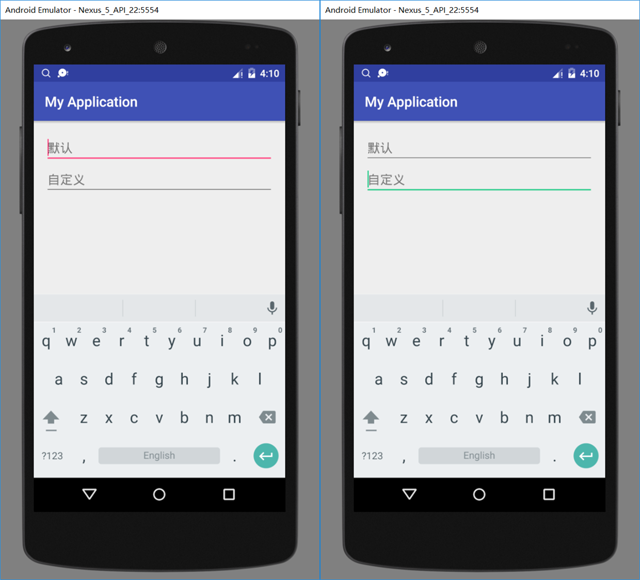
前言相信大家都知道,當使用AppCompatEditText(Edit Text)時,默認的下劃線是跟隨系統的#FF4081的顏色值的,通過改變這個值可以改變所有的顏色樣
 Android編程實現點擊鏈接打開APP功能示例
本文實例講述了Android編程實現點擊鏈接打開APP功能。分享給大家供大家參考,具體如下:在Android中點擊鏈接打開APP是一個很常見的需求。例如,電商為用戶發送優