編輯:關於Android編程
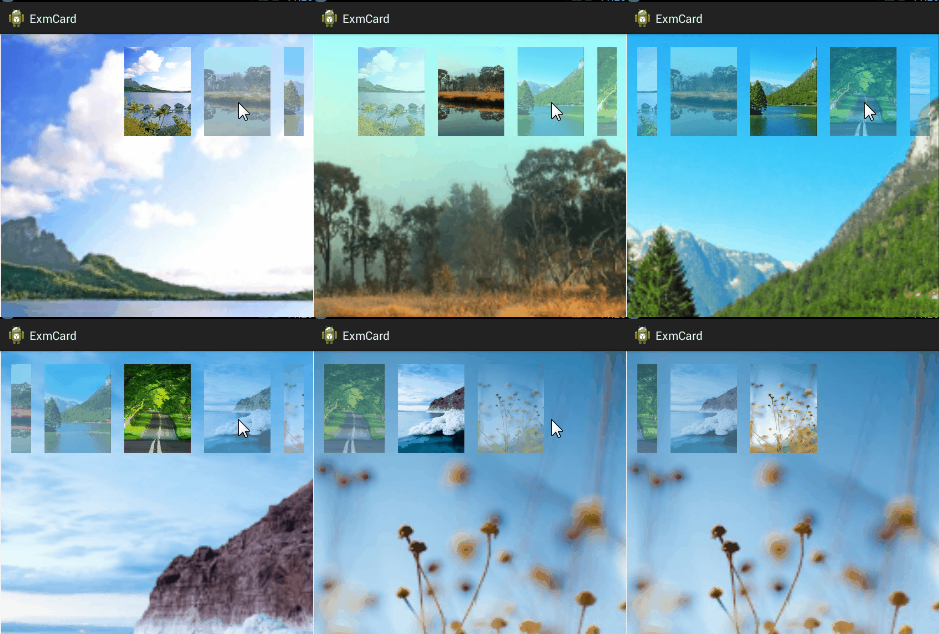
import com.example.exmcard.adapter.GalleryAdapter;
import com.example.exmcard.util.MetricsUtil;

import android.app.Activity;
import android.os.Bundle;
import android.view.View;
import android.widget.AdapterView;
import android.widget.AdapterView.OnItemClickListener;
import android.widget.Gallery;
import android.widget.ImageView;

@SuppressWarnings("deprecation")
public class GalleryActivity extends Activity implements OnItemClickListener {

	private ImageView iv_gallery;
	private Gallery gl_gallery;

	// 圖片數組
	private int[] mImageRes = {
			R.drawable.scene1, R.drawable.scene2,
			R.drawable.scene3, R.drawable.scene4,
			R.drawable.scene5, R.drawable.scene6
			};
	private int dip_pad;

	@Override
	protected void onCreate(Bundle savedInstanceState) {
		super.onCreate(savedInstanceState);
		setContentView(R.layout.activity_gallery);
		dip_pad = MetricsUtil.dip2px(this, 20);

		iv_gallery = (ImageView) findViewById(R.id.iv_gallery);
		iv_gallery.setImageResource(mImageRes[0]);

		gl_gallery = (Gallery) findViewById(R.id.gl_gallery);
		gl_gallery.setPadding(dip_pad, dip_pad, dip_pad, dip_pad);
		gl_gallery.setSpacing(dip_pad);
		gl_gallery.setUnselectedAlpha(0.5f);
		gl_gallery.setAdapter(new GalleryAdapter(this, mImageRes));
		gl_gallery.setOnItemClickListener(this);
	}

	@Override
	public void onItemClick(AdapterView parent, View view, int position, long id) {
		iv_gallery.setImageResource(mImageRes[position]);
	}

}
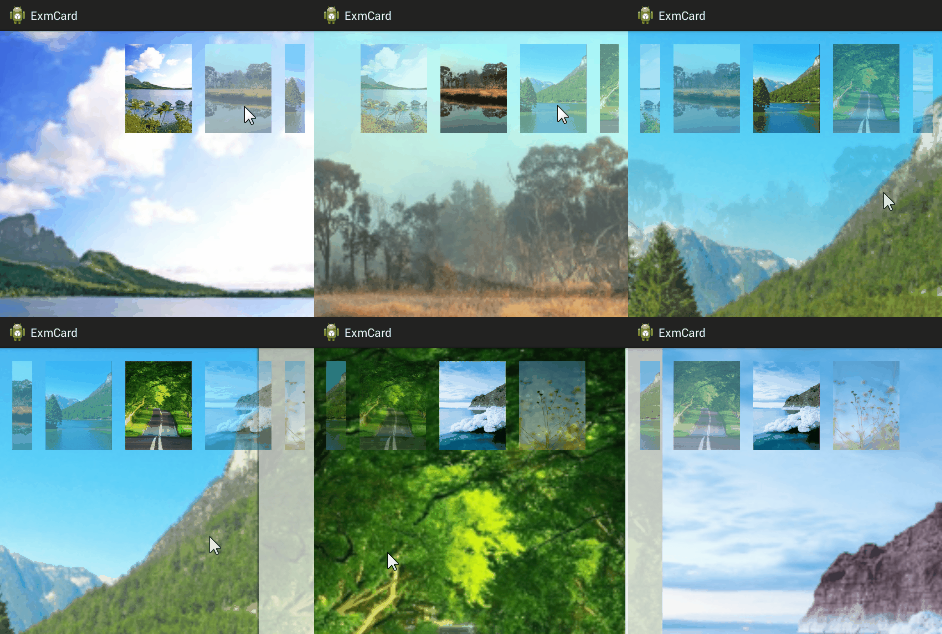
import android.annotation.SuppressLint;
import android.app.Activity;
import android.content.Context;
import android.os.Bundle;
import android.view.GestureDetector;
import android.view.MotionEvent;
import android.view.View;
import android.view.View.OnTouchListener;
import android.view.ViewGroup.LayoutParams;
import android.view.animation.AnimationUtils;
import android.widget.AdapterView;
import android.widget.Gallery;
import android.widget.ImageSwitcher;
import android.widget.AdapterView.OnItemClickListener;
import android.widget.ImageView;
import android.widget.ImageView.ScaleType;
import android.widget.ViewSwitcher.ViewFactory;

import com.example.exmcard.adapter.GalleryAdapter;
import com.example.exmcard.util.MetricsUtil;

@SuppressWarnings("deprecation")
public class SwitcherActivity extends Activity implements
		OnTouchListener, OnItemClickListener {

	private ImageSwitcher is_switcher;
	private Gallery gl_switcher;

	// 圖片數組
	private int[] mImageRes = {
			R.drawable.scene1, R.drawable.scene2,
			R.drawable.scene3, R.drawable.scene4,
			R.drawable.scene5, R.drawable.scene6
			};
	private int dip_pad;

	private GestureDetector mGesture;
	private float mFlipGap = 20f;

	@Override
	protected void onCreate(Bundle savedInstanceState) {
		super.onCreate(savedInstanceState);
		setContentView(R.layout.activity_switcher);
		dip_pad = MetricsUtil.dip2px(this, 20);

		is_switcher = (ImageSwitcher) findViewById(R.id.is_switcher);
		is_switcher.setFactory(new ViewFactoryImpl());
		is_switcher.setImageResource(mImageRes[0]);
		mGesture = new GestureDetector(this, new GestureListener(this));
		is_switcher.setOnTouchListener(this);

		gl_switcher = (Gallery) findViewById(R.id.gl_switcher);
		gl_switcher.setPadding(dip_pad, dip_pad, dip_pad, dip_pad);
		gl_switcher.setSpacing(dip_pad);
		gl_switcher.setUnselectedAlpha(0.5f);
		gl_switcher.setAdapter(new GalleryAdapter(this, mImageRes));
		gl_switcher.setOnItemClickListener(this);
	}

	@Override
	public void onItemClick(AdapterView parent, View view, int position, long id) {
		is_switcher.setInAnimation(AnimationUtils.loadAnimation(this, android.R.anim.fade_in));
		is_switcher.setOutAnimation(AnimationUtils.loadAnimation(this, android.R.anim.fade_out));
		is_switcher.setImageResource(mImageRes[position]);
	}

	public class ViewFactoryImpl implements ViewFactory {

		@Override
		public View makeView() {
			ImageView iv = new ImageView(SwitcherActivity.this);
			iv.setBackgroundColor(0xFFFFFFFF);
			iv.setScaleType(ScaleType.FIT_XY);
			iv.setLayoutParams(new ImageSwitcher.LayoutParams(
					LayoutParams.MATCH_PARENT, LayoutParams.MATCH_PARENT));
			return iv;
		}

	}

	@SuppressLint("ClickableViewAccessibility")
	@Override
	public boolean onTouch(View v, MotionEvent event) {
		mGesture.onTouchEvent(event);
		return true;
	}

	private class GestureListener implements GestureDetector.OnGestureListener {
		private Context mContext;
		private GestureListener(Context context) {
			mContext = context;
		}

		@Override
		public final boolean onDown(MotionEvent event) {
			return true;
		}

		@Override
		public final boolean onFling(MotionEvent e1, MotionEvent e2, float velocityX, float velocityY) {
			if (e1.getX() - e2.getX() > mFlipGap) {
				is_switcher.setInAnimation(AnimationUtils.loadAnimation(mContext,
                        R.anim.push_left_in));
				is_switcher.setOutAnimation(AnimationUtils.loadAnimation(mContext,
                        R.anim.push_left_out));
				int next_pos = (int) (gl_switcher.getSelectedItemId()+1);
				if (next_pos >= mImageRes.length) {
					next_pos = 0;
				}
				is_switcher.setImageResource(mImageRes[next_pos]);
				gl_switcher.setSelection(next_pos);
				return true;
			}
			if (e1.getX() - e2.getX() < -mFlipGap) {
				is_switcher.setInAnimation(AnimationUtils.loadAnimation(mContext,
                        R.anim.push_right_in));
				is_switcher.setOutAnimation(AnimationUtils.loadAnimation(mContext,
                        R.anim.push_right_out));
				int pre_pos = (int) (gl_switcher.getSelectedItemId()-1);
				if (pre_pos < 0) {
					pre_pos = mImageRes.length-1;
				}
				is_switcher.setImageResource(mImageRes[pre_pos]);
				gl_switcher.setSelection(pre_pos);
				return true;
			}
			return false;
		}

		@Override
		public final void onLongPress(MotionEvent event) {
		}

		@Override
		public final boolean onScroll(MotionEvent e1, MotionEvent e2, float distanceX, float distanceY) {
			return false;
		}

		@Override
		public final void onShowPress(MotionEvent event) {
		}

		@Override
		public boolean onSingleTapUp(MotionEvent event) {
			return false;
		}

	}

}
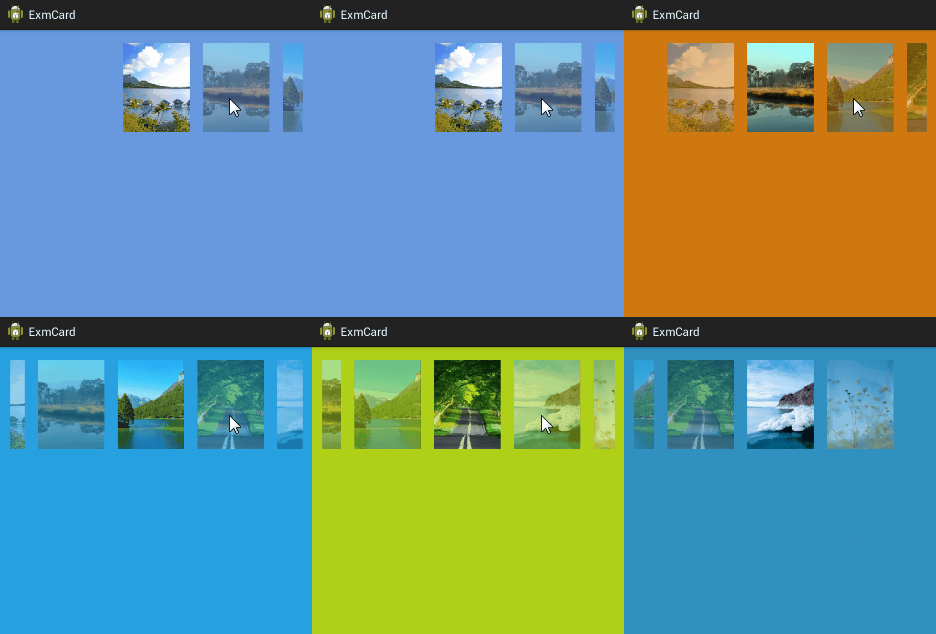
import com.example.exmcard.adapter.GalleryAdapter;
import com.example.exmcard.util.MetricsUtil;

import android.app.Activity;
import android.graphics.Bitmap;
import android.graphics.drawable.BitmapDrawable;
import android.graphics.drawable.Drawable;
import android.os.Bundle;
import android.support.v7.graphics.Palette;
import android.support.v7.graphics.Palette.PaletteAsyncListener;
import android.view.View;
import android.widget.AdapterView;
import android.widget.Gallery;
import android.widget.ImageView;
import android.widget.AdapterView.OnItemClickListener;

@SuppressWarnings("deprecation")
public class PaletteActivity extends Activity implements
		OnItemClickListener, PaletteAsyncListener {

	private ImageView iv_palette;
	private Gallery gl_palette;

	// 圖片數組
	private int[] mImageRes = {
			R.drawable.scene1, R.drawable.scene2,
			R.drawable.scene3, R.drawable.scene4,
			R.drawable.scene5, R.drawable.scene6
			};
	private int dip_pad;

	@Override
	protected void onCreate(Bundle savedInstanceState) {
		super.onCreate(savedInstanceState);
		setContentView(R.layout.activity_palette);
		dip_pad = MetricsUtil.dip2px(this, 20);

		iv_palette = (ImageView) findViewById(R.id.iv_palette);
		showBackground(mImageRes[0]);

		gl_palette = (Gallery) findViewById(R.id.gl_palette);
		gl_palette.setPadding(dip_pad, dip_pad, dip_pad, dip_pad);
		gl_palette.setSpacing(dip_pad);
		gl_palette.setUnselectedAlpha(0.5f);
		gl_palette.setAdapter(new GalleryAdapter(this, mImageRes));
		gl_palette.setOnItemClickListener(this);
	}

	private void showBackground(int res_id) {
		Drawable drawable = getResources().getDrawable(res_id);
		Bitmap bitmap = ((BitmapDrawable)drawable).getBitmap();
		Palette.Builder builder = Palette.from(bitmap);
		builder.generate(this);
	}

	@Override
	public void onItemClick(AdapterView parent, View view, int position, long id) {
		showBackground(mImageRes[position]);
	}

	@Override
	public void onGenerated(Palette palette) {
		Palette.Swatch swatch = palette.getVibrantSwatch();
		if (swatch != null) {
			iv_palette.setBackgroundColor(swatch.getRgb());
		}
	}

}
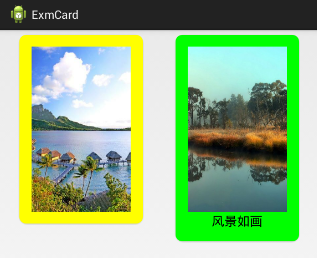
import com.example.exmcard.util.MetricsUtil;

import android.app.Activity;
import android.graphics.Color;
import android.os.Bundle;
import android.support.v7.widget.CardView;

public class CardActivity extends Activity {
	private int dip_pad;
	private int dip_radius;

	@Override
	protected void onCreate(Bundle savedInstanceState) {
		super.onCreate(savedInstanceState);
		setContentView(R.layout.activity_card);
		dip_pad = MetricsUtil.dip2px(this, 20);
		dip_radius = MetricsUtil.dip2px(this, 10);

		CardView cv_one = (CardView) findViewById(R.id.cv_one);
		//cv_one.setCardBackgroundColor(Color.YELLOW);
		cv_one.setRadius(dip_radius);
		cv_one.setContentPadding(dip_pad, dip_pad, dip_pad, dip_pad);
		cv_one.setCardElevation(3f);

		CardView cv_two = (CardView) findViewById(R.id.cv_two);
		cv_two.setCardBackgroundColor(Color.GREEN);
		cv_two.setRadius(dip_radius);
		cv_two.setContentPadding(dip_pad, dip_pad, dip_pad, dip_pad);
		cv_two.setCardElevation(6f);
	}

}
下面是使用CardView的布局文件: Android下保存簡單網頁到本地(包括簡單圖片鏈接轉換)實現代碼
最近在做一個項目涉及到將包含圖片的簡單網頁下載到本地,方便離線時觀看,在這裡分享一下,大家做下簡單修改就可以用到自己的項目中了。(這裡用到了AQuery庫)復制代碼 代碼
 Android ListFragment
Android是在Android 3.0(API level 11)開始引入Fragment的(為了兼容較低版本的設備使用支持庫類)。可以把Fragment看
 Android GPS獲取當前經緯度坐標
APP中可能會遇到一種需求,就是將當前所在位置的坐標傳到服務器上,今天我提供三種途徑去獲取經緯度坐標信息,第一種是通過Android API來實現,第二種通過百度地圖AP
 高德地圖定位失敗解決辦法 高德地圖定位不了怎麼辦
高德地圖提供全國地圖浏覽,地點搜索,交駕車查詢服務。可同時查看商家團購、優惠信息。當你在使用高德地圖中定位失敗後,許多功能都無法實現。那麼,該如何解決高德地