編輯:關於Android編程
google可能為了安全考慮,在5.1.+後調用activitymanager.getRunningAppProcesses()方法只能返回你自己應用的進程,那如何在5.1.+後獲取運行中進程呢?一個大神stackoverflow給出了答案。如果你能熟練的導入第三方庫,那麼相信你可以不用向下看了,如果你選擇向下看,那我會用白話文教你一步步實現。首先到這位答主的github上下載他上傳的開源庫,梯子自備。沒有梯子可以到我的個人百度雲下載:鏈接: http://pan.baidu.com/s/1kVjjPsF 密碼: ag6u

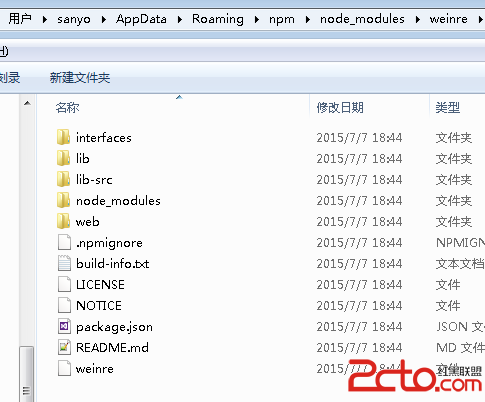
下載完成後解壓目錄結構

我們只需要其中的紅線框住的部分,但是直接導入,肯定會處很多的問題,我們先來處理一部分,打開libsuperuser
 其中你框選的三個文件是我們要注意的。如果要導入的文件中有build.gradle或AndroidManifest.xml、project.properties文件,需要將其用記事本打開後,將裡面的gradle及Android版本修改為自己使用的,如果不知道的話可以新建一個工程或者打開以前建的工程中的相關文件進行對比查看。

修改完成後來到android studio的project視圖下將他粘貼進去

粘貼進去肯定會叫你同步,然後就同步羅,會發現一些問題,其中常見的是提示:
Error:(2, 0) Plugin with id ‘com.github.dcendents.android-maven’ not found
Error:(2, 0) Plugin with id ‘com.jfrog.bintray.gradle’ not found
這是因為有兩個插件我們沒有裝上,我們來到Project下,在那個build.grade裡面添加全局依賴

將這兩個依賴的插件寫上,建議寫一個同步一次分兩次進行,第二次下載需要比較長的時間
       //自動化maven打包插件
        classpath 'com.github.dcendents:android-maven-gradle-plugin:1.3'
       //自動上傳至bintray插件
        classpath "com.jfrog.bintray.gradle:gradle-bintray-plugin:1.0"
填寫好後我們會發現沒有編譯錯誤了,那我們要怎麼去用添加的這個開源庫呢??來到android視圖下的build.gradle(Module.app)下添加依賴

compile 'eu.chainfire:libsuperuser:1.0.0.+'
重新同步後,我們就可以調用裡面的方法了,新建一個ProgressManager類
import android.content.Context;
import android.content.pm.ApplicationInfo;
import android.content.pm.PackageInfo;
import android.content.pm.PackageManager;
import android.os.Build;
import android.os.Parcel;
import android.os.Parcelable;

import java.util.ArrayList;
import java.util.List;

import eu.chainfire.libsuperuser.Shell;

/**
 * @author Jared Rummler
 */
public class ProcessManager {

    private static final String TAG = "ProcessManager";

    private static final String APP_ID_PATTERN;

    static {
        if (Build.VERSION.SDK_INT >= Build.VERSION_CODES.JELLY_BEAN_MR1) {
            // Android 4.2 (JB-MR1) changed the UID name of apps for multiple user account support.
            APP_ID_PATTERN = "u\\d+_a\\d+";
        } else {
            APP_ID_PATTERN = "app_\\d+";
        }
    }

    public static List getRunningProcesses() {
        List processes = new ArrayList<>();
        List stdout = Shell.SH.run("toolbox ps -p -P -x -c");
        for (String line : stdout) {
            try {
                processes.add(new Process(line));
            } catch (Exception e) {
                android.util.Log.d(TAG, "Failed parsing line " + line);
            }
        }
        return processes;
    }

    public static List getRunningApps() {
        List processes = new ArrayList<>();
        List stdout = Shell.SH.run("toolbox ps -p -P -x -c");
        int myPid = android.os.Process.myPid();
        for (String line : stdout) {
            try {
                Process process = new Process(line);
                if (process.user.matches(APP_ID_PATTERN)) {
                    if (process.ppid == myPid || process.name.equals("toolbox")) {
                        // skip the processes we created to get the running apps.
                        continue;
                    }
                    processes.add(process);
                }
            } catch (Exception e) {
                android.util.Log.d(TAG, "Failed parsing line " + line);
            }
        }
        return processes;
    }

    public static class Process implements Parcelable {

        /** User name */
        public final String user;

        /** User ID */
        public final int uid;

        /** Processes ID */
        public final int pid;

        /** Parent processes ID */
        public final int ppid;

        /** virtual memory size of the process in KiB (1024-byte units). */
        public final long vsize;

        /** resident set size, the non-swapped physical memory that a task has used (in kiloBytes). */
        public final long rss;

        public final int cpu;

        /** The priority */
        public final int priority;

        /** The priority, niceness level */
        public final int niceness;

        /** Real time priority */
        public final int realTimePriority;

        /** 0 (sched_other), 1 (sched_fifo), and 2 (sched_rr). */
        public final int schedulingPolicy;

        /** The scheduling policy. Either "bg", "fg", "un", "er", or "" */
        public final String policy;

        /** address of the kernel function where the process is sleeping */
        public final String wchan;

        public final String pc;

        /**
         * Possible states:
         *
         * "D" uninterruptible sleep (usually IO)
         *
         * "R" running or runnable (on run queue)
         *
         * "S" interruptible sleep (waiting for an event to complete)
         *
         * "T" stopped, either by a job control signal or because it is being traced
         *
         * "W" paging (not valid since the 2.6.xx kernel)
         *
         * "X" dead (should never be seen)
         *
         * "Z" defunct ("zombie") process, terminated but not reaped by its parent
         */
        public final String state;

        /** The process name */
        public final String name;

        /** user time in milliseconds */
        public final long userTime;

        /** system time in milliseconds */
        public final long systemTime;

        // Much dirty. Much ugly.
        private Process(String line) throws Exception {
            String[] fields = line.split("\\s+");
            user = fields[0];
            uid = android.os.Process.getUidForName(user);
            pid = Integer.parseInt(fields[1]);
            ppid = Integer.parseInt(fields[2]);
            vsize = Integer.parseInt(fields[3]) * 1024;
            rss = Integer.parseInt(fields[4]) * 1024;
            cpu = Integer.parseInt(fields[5]);
            priority = Integer.parseInt(fields[6]);
            niceness = Integer.parseInt(fields[7]);
            realTimePriority = Integer.parseInt(fields[8]);
            schedulingPolicy = Integer.parseInt(fields[9]);
            if (fields.length == 16) {
                policy = "";
                wchan = fields[10];
                pc = fields[11];
                state = fields[12];
                name = fields[13];
                userTime = Integer.parseInt(fields[14].split(":")[1].replace(",", "")) * 1000;
                systemTime = Integer.parseInt(fields[15].split(":")[1].replace(")", "")) * 1000;
            } else {
                policy = fields[10];
                wchan = fields[11];
                pc = fields[12];
                state = fields[13];
                name = fields[14];
                userTime = Integer.parseInt(fields[15].split(":")[1].replace(",", "")) * 1000;
                systemTime = Integer.parseInt(fields[16].split(":")[1].replace(")", "")) * 1000;
            }
        }

        private Process(Parcel in) {
            user = in.readString();
            uid = in.readInt();
            pid = in.readInt();
            ppid = in.readInt();
            vsize = in.readLong();
            rss = in.readLong();
            cpu = in.readInt();
            priority = in.readInt();
            niceness = in.readInt();
            realTimePriority = in.readInt();
            schedulingPolicy = in.readInt();
            policy = in.readString();
            wchan = in.readString();
            pc = in.readString();
            state = in.readString();
            name = in.readString();
            userTime = in.readLong();
            systemTime = in.readLong();
        }

        public String getPackageName() {
            if (!user.matches(APP_ID_PATTERN)) {
                // this process is not an application
                return null;
            } else if (name.contains(":")) {
                // background service running in another process than the main app process
                return name.split(":")[0];
            }
            return name;
        }

        public PackageInfo getPackageInfo(Context context, int flags)
                throws PackageManager.NameNotFoundException
        {
            String packageName = getPackageName();
            if (packageName == null) {
                throw new PackageManager.NameNotFoundException(name + " is not an application process");
            }
            return context.getPackageManager().getPackageInfo(packageName, flags);
        }

        public ApplicationInfo getApplicationInfo(Context context, int flags)
                throws PackageManager.NameNotFoundException
        {
            String packageName = getPackageName();
            if (packageName == null) {
                throw new PackageManager.NameNotFoundException(name + " is not an application process");
            }
            return context.getPackageManager().getApplicationInfo(packageName, flags);
        }

        @Override
        public int describeContents() {
            return 0;
        }

        @Override
        public void writeToParcel(Parcel dest, int flags) {
            dest.writeString(user);
            dest.writeInt(uid);
            dest.writeInt(pid);
            dest.writeInt(ppid);
            dest.writeLong(vsize);
            dest.writeLong(rss);
            dest.writeInt(cpu);
            dest.writeInt(priority);
            dest.writeInt(niceness);
            dest.writeInt(realTimePriority);
            dest.writeInt(schedulingPolicy);
            dest.writeString(policy);
            dest.writeString(wchan);
            dest.writeString(pc);
            dest.writeString(state);
            dest.writeString(name);
            dest.writeLong(userTime);
            dest.writeLong(systemTime);
        }

        public static final Creator CREATOR = new Creator() {

            public Process createFromParcel(Parcel source) {
                return new Process(source);
            }

            public Process[] newArray(int size) {
                return new Process[size];
            }
        };
    }

}
通過這個類我們就可以獲得運行中的進程了
//獲取運行中進程 ListrunningProcesses = ProcessManager.getRunningProcesses();
但是有很多進程都沒有名字,如果你想讓用戶直觀的管理進程的話可能需要下面這個循環過濾沒有名字的線程
ListProcesses=new ArrayList<>(); PackageManager pm = getPackageManager(); runningProcesses = ProcessManager.getRunningProcesses(); for (ProcessManager.Process runningProcesse : runningProcesses) { String packname = runningProcesse.getPackageName(); try { ApplicationInfo applicationInfo = pm.getApplicationInfo(packname, 0); } catch (PackageManager.NameNotFoundException e) { e.printStackTrace(); continue; } Processes.add(runningProcesse); }
 Android自定義控件
我們在開發的過程中,有時會遇到一些Android系統自帶的控件解決不了我們的需求,比如說我們在開發項目時顯示的圖片輪播,當我們展示的時候不希望圖片變形,還要保證圖片能夠完
 Andorid事件傳遞過程
一個好的應用與用戶的體驗分不開,用戶體驗好就是對事件的處理適當.要處理好Android事件處理,就必須了解Android中事件的傳遞過程.下面是我對Andorid事件的理
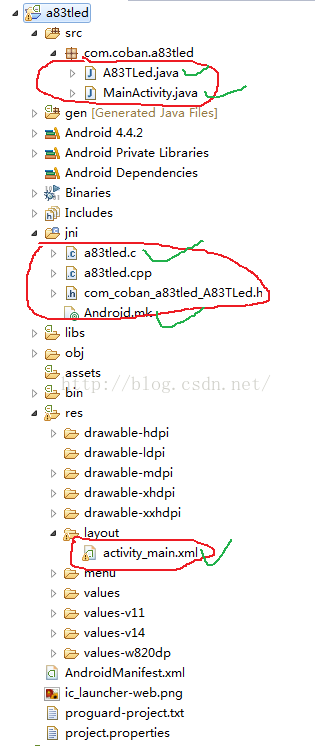 Android 下led 的控制
首先說一下我的開發環境,硬件環境開發板使用的是全志的CQA83T板子,Android開發是windows下的eclipse。關於Android下控制led,主要有兩大部分
 Android使用AChartEngine制作動態心電圖效果
AChartEngine是一個很強大的圖表引擎,我在上學的時候就接觸過,並且利用它做了一個傳感器的應用,想想現在也很久遠了,今天就把這個app的源碼貼出來供其他人研究這款