編輯:關於Android編程
package com.example.baidulocdemo_2;


import com.baidu.location.BDLocationListener;
import com.baidu.location.LocationClient;
import com.baidu.location.LocationClientOption;
import com.baidu.location.LocationClientOption.LocationMode;
import android.content.Context;

/**
 *
 * @author baidu
 *
 */
public class LocationService {
	private LocationClient client = null;
	private LocationClientOption mOption,DIYoption;
	private Object  objLock = new Object();

	/***
	 *
	 * @param locationContext
	 */
	public LocationService(Context locationContext){
		synchronized (objLock) {
			if(client == null){
				client = new LocationClient(locationContext);
				client.setLocOption(getDefaultLocationClientOption());
			}
		}
	}///LocationService

	/***
	 *
	 * @param listener
	 * @return
	 */

	public boolean registerListener(BDLocationListener listener){
		boolean isSuccess = false;
		if(listener != null){
			client.registerLocationListener(listener);
			isSuccess = true;
		}
		return  isSuccess;
	}

	public void unregisterListener(BDLocationListener listener){
		if(listener != null){
			client.unRegisterLocationListener(listener);
		}
	}

	/***
	 *
	 * @param option
	 * @return isSuccessSetOption
	 */
	public boolean setLocationOption(LocationClientOption option){
		boolean isSuccess = false;
		if(option != null){
			if(client.isStarted())
				client.stop();
			DIYoption = option;
			client.setLocOption(option);
		}
		return isSuccess;
	}

	public LocationClientOption getOption(){
		return DIYoption;
	}
	/***
	 *
	 * @return DefaultLocationClientOption
	 */
	public LocationClientOption getDefaultLocationClientOption(){
		if(mOption == null){
			mOption = new LocationClientOption();
			mOption.setLocationMode(LocationMode.Hight_Accuracy);//可選,默認高精度,設置定位模式,高精度,低功耗,僅設備
			mOption.setCoorType("bd09ll");//可選,默認gcj02,設置返回的定位結果坐標系,如果配合百度地圖使用,建議設置為bd09ll;
			mOption.setScanSpan(3000);//可選,默認0,即僅定位一次,設置發起定位請求的間隔需要大於等於1000ms才是有效的
		    mOption.setIsNeedAddress(true);//可選,設置是否需要地址信息,默認不需要
		    mOption.setIsNeedLocationDescribe(true);//可選,設置是否需要地址描述
		    mOption.setNeedDeviceDirect(false);//可選,設置是否需要設備方向結果
		    mOption.setLocationNotify(false);//可選,默認false,設置是否當gps有效時按照1S1次頻率輸出GPS結果
		    mOption.setIgnoreKillProcess(true);//可選,默認true,定位SDK內部是一個SERVICE,並放到了獨立進程,設置是否在stop的時候殺死這個進程,默認不殺死
		    mOption.setIsNeedLocationDescribe(true);//可選,默認false,設置是否需要位置語義化結果,可以在BDLocation.getLocationDescribe裡得到,結果類似於“在北京天安門附近”
		    mOption.setIsNeedLocationPoiList(true);//可選,默認false,設置是否需要POI結果,可以在BDLocation.getPoiList裡得到
		    mOption.SetIgnoreCacheException(false);//可選,默認false,設置是否收集CRASH信息,默認收集
		}
		return mOption;
	}

	public void start(){
		synchronized (objLock) {
			if(client != null && !client.isStarted()){
				client.start();
			}
		}
	}
	public void stop(){
		synchronized (objLock) {
			if(client != null && client.isStarted()){
				client.stop();
			}
		}
	}///stop

}
package com.example.baidulocdemo_2;

import android.app.Activity;
import android.os.Bundle;
import android.view.Menu;
import android.view.MenuItem;
import android.widget.TextView;

//public class MainActivity extends Activity {
//private TextView areaTextView;
//
//	@Override
//	protected void onCreate(Bundle savedInstanceState) {
//		super.onCreate(savedInstanceState);
//		setContentView(R.layout.activity_main);
//	}
//}
import com.baidu.location.BDLocation;
import com.baidu.location.BDLocationListener;
import com.baidu.location.Poi;

import android.app.Activity;
import android.os.Bundle;
import android.text.method.ScrollingMovementMethod;
import android.view.View;
import android.view.View.OnClickListener;
import android.widget.Button;
import android.widget.TextView;

/***
 * 單點定位示例,用來展示基本的定位結果,配置在LocationService.java中 默認配置也可以在LocationService中修改
 * 默認配置的內容自於開發者論壇中對開發者長期提出的疑問內容
 *
 * @author baidu
 *
 */
public class MainActivity extends Activity {
	// private LocationService locationService;
	private LocationService locationService;
	private TextView LocationResult;
	private Button startLocation;

	// BDLocation location = new BDLocation();

	@Override
	protected void onCreate(Bundle savedInstanceState) {
		// TODO Auto-generated method stub
		super.onCreate(savedInstanceState);
		// -----------demo view config ------------
		setContentView(R.layout.activity_main);
		LocationResult = (TextView) findViewById(R.id.areaTextView);
		LocationResult.setMovementMethod(ScrollingMovementMethod.getInstance());
		// startLocation = (Button) findViewById(R.id.addfence);
		locationService = new LocationService(getApplicationContext());
		// mVibrator
		// =(Vibrator)getApplicationContext().getSystemService(Service.VIBRATOR_SERVICE);
		// / WriteLog.getInstance().init(); // 初始化日志
		// SDKInitializer.initialize(getApplicationContext());
		// 獲取locationservice實例,建議應用中只初始化1個location實例,然後使用,可以參考其他示例的activity,都是通過此種方式獲取locationservice實例的
		locationService.registerListener(mListener);
		// 注冊監聽
		int type = getIntent().getIntExtra("from", 0);
		if (type == 0) {
			locationService.setLocationOption(locationService
					.getDefaultLocationClientOption());
		} else if (type == 1) {
			locationService.setLocationOption(locationService.getOption());
		}

		locationService.start();

	}// //onCreate

	/*****
	 * @see copy funtion to you project
	 *      定位結果回調,重寫onReceiveLocation方法,可以直接拷貝如下代碼到自己工程中修改
	 *
	 */
	private BDLocationListener mListener = new BDLocationListener() {

		@Override
		public void onReceiveLocation(BDLocation location) {
			// TODO Auto-generated method stub
			if (null != location
					&& location.getLocType() != BDLocation.TypeServerError) {
				StringBuffer sb = new StringBuffer(256);
				// sb.append("time : ");
				/**
				 * 時間也可以使用systemClock.elapsedRealtime()方法 獲取的是自從開機以來,每次回調的時間;
				 * location.getTime() 是指服務端出本次結果的時間,如果位置不發生變化,則時間不變
				 */
				// sb.append(location.getTime());
				// sb.append("\nerror code : ");
				// sb.append(location.getLocType());
				// sb.append("\nlatitude : ");
				// sb.append(location.getLatitude());
				// sb.append("\nlontitude : ");
				// sb.append(location.getLongitude());
				// sb.append("\nradius : ");
				// sb.append(location.getRadius());
				// sb.append("\nCountryCode : ");
				// sb.append(location.getCountryCode());
				// sb.append("\nCountry : ");
				// sb.append(location.getCountry());
				// sb.append("\ncitycode : ");
				// sb.append(location.getCityCode());
				// sb.append("\ncity : ");
				sb.append(location.getProvince());
				sb.append(location.getCity());
				// sb.append("\nDistrict : ");
				sb.append(location.getDistrict());
				// sb.append("\nStreet : ");
				sb.append(location.getStreet());
				// sb.append("\naddr : ");
				// sb.append(location.getAddrStr());
				// sb.append("\nDescribe: ");
				// sb.append(location.getLocationDescribe());
				// sb.append("\nDirection(not all devices have value): ");
				// sb.append(location.getDirection());
				// sb.append("\nPoi: ");
				if (location.getPoiList() != null
						&& !location.getPoiList().isEmpty()) {
					for (int i = 0; i < location.getPoiList().size(); i++) {
						Poi poi = (Poi) location.getPoiList().get(i);
						sb.append(poi.getName() + ";");
					}
				}
				if (location.getLocType() == BDLocation.TypeGpsLocation) {// GPS定位結果
					sb.append("\nspeed : ");
					sb.append(location.getSpeed());// 單位:km/h
					sb.append("\nsatellite : ");
					sb.append(location.getSatelliteNumber());
					sb.append("\nheight : ");
					sb.append(location.getAltitude());// 單位:米
					sb.append("\ndescribe : ");
					sb.append("gps定位成功");
				} else if (location.getLocType() == BDLocation.TypeNetWorkLocation) {// 網絡定位結果
					// 運營商信息
					sb.append("\noperationers : ");
					sb.append(location.getOperators());
					sb.append("\ndescribe : ");
					sb.append("網絡定位成功");
				} else if (location.getLocType() == BDLocation.TypeOffLineLocation) {// 離線定位結果
					sb.append("\ndescribe : ");
					sb.append("離線定位成功,離線定位結果也是有效的");
				} else if (location.getLocType() == BDLocation.TypeServerError) {
					sb.append("\ndescribe : ");
					sb.append("服務端網絡定位失敗,可以反饋IMEI號和大體定位時間到loc-bugs@baidu.com,會有人追查原因");
				} else if (location.getLocType() == BDLocation.TypeNetWorkException) {
					sb.append("\ndescribe : ");
					sb.append("網絡不同導致定位失敗,請檢查網絡是否通暢");
				} else if (location.getLocType() == BDLocation.TypeCriteriaException) {
					sb.append("\ndescribe : ");
					sb.append("無法獲取有效定位依據導致定位失敗,一般是由於手機的原因,處於飛行模式下一般會造成這種結果,可以試著重啟手機");
				}
				// logMsg(sb.toString());
				LocationResult.setText(sb.toString());
			}
		}

	};

}
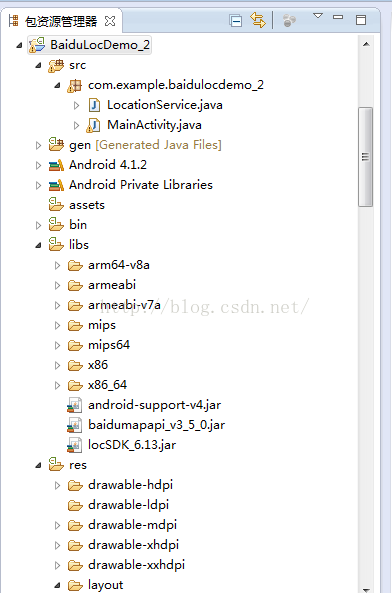
以上親測可用
http://lbsyun.baidu.com/sdk/download?selected=location,在這個網址下載jar文件
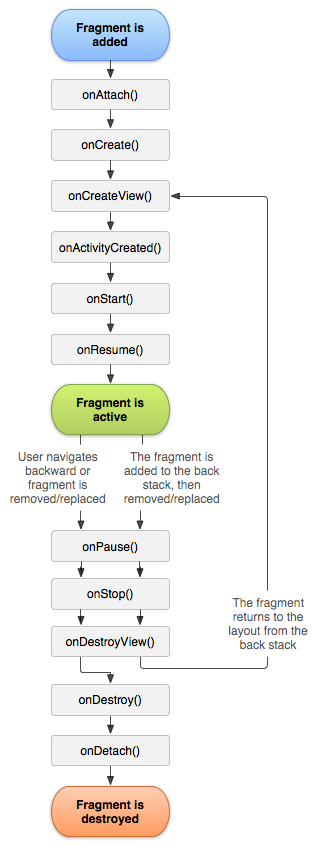 Android中Fragment管理及重疊問題的解決方法
一、Fragment介紹fragment在3.0被引入以後,項目使用fragment越來越多,特別是主界面是底部tab頁點擊切換更換內容,當然啦, Fragment 在項
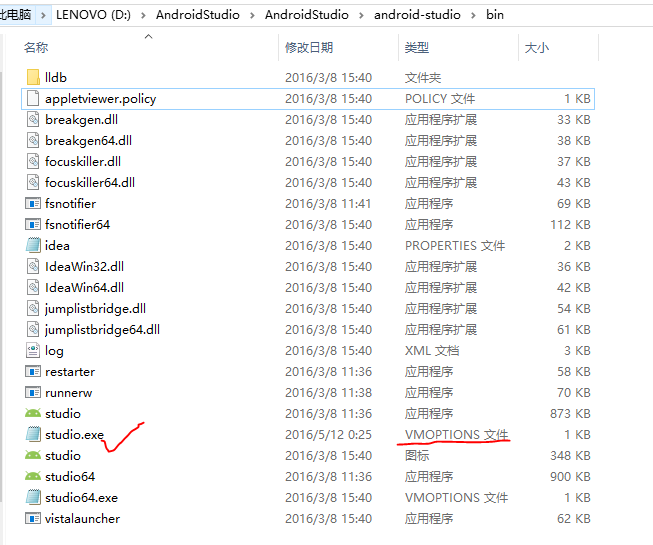 AndroidStudio之Failed to create JVM:erroe code -4問題
幾個月沒有碰Android Studio了,打開時卻突然出現了這樣的錯誤:我可是百事不得其解啊!我最後一次使用的時候都好好的,現在居然說我的Java環境變量有問題。我一看
 Android開發中ListView自定義adapter的封裝
【引入】 我們一般編寫listView的時候順序是這樣的: •需要展示的數據集List<T> •為這個數
 Android中通過訪問本地相冊或者相機設置用戶頭像實例
目前幾乎所有的APP在用戶注冊時都會有設置頭像的需求,大致分為三種情況:(1)通過獲取本地相冊的圖片,經過裁剪後作為頭像。(2)通過啟動手機相機,現拍圖片然後裁剪作為頭像