編輯:關於Android編程
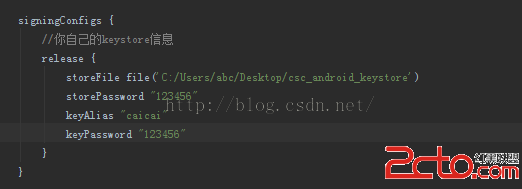
調試時若想直接用正式的簽名包可以在buildType裡配置。
buildTypes {
    debug {
        signingConfig signingConfigs.release
    }
    release {
        minifyEnabled false
        proguardFiles getDefaultProguardFile('proguard-android.txt'), 'proguard-rules.pro'
    }
}
${Value} 是動態配置的。
build.gradle配置如下
productFlavors {

    huawei {
        minSdkVersion 14
        targetSdkVersion 21
        manifestPlaceholders =[Value: huawei]
    }
    xiaomi {
        minSdkVersion 14
        targetSdkVersion 21
        manifestPlaceholders =[Value: xiaomi]
    }
}
代碼中獲取AndroidMainnifest Value的值
//獲取meta字段
public static String getMetaString(Context con,String name){
      ApplicationInfo ai = null;
        try {
            ai = con.getPackageManager().getApplicationInfo(con.getPackageName(), PackageManager.GET_META_DATA);
        } catch (PackageManager.NameNotFoundException e) {
            e.printStackTrace();
        }
        Bundle bundle = ai.metaData;
        return bundle.getString(name);
}
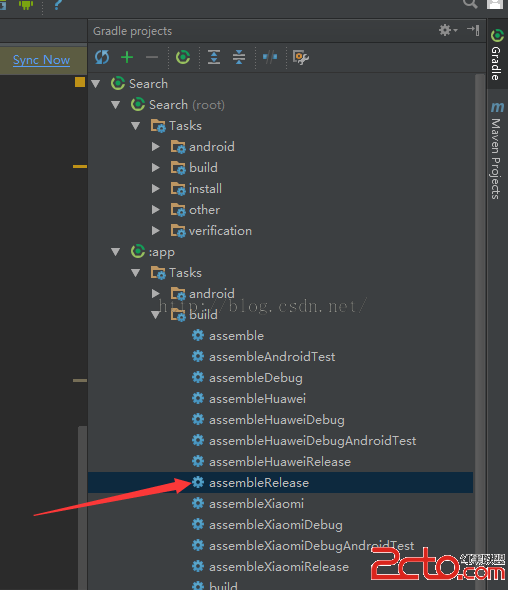
打包時直接使用
最後貼上build.gradle文件。
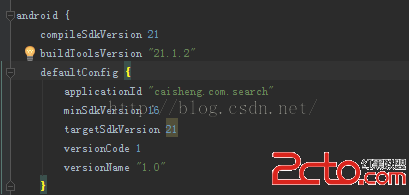
apply plugin: 'com.android.application'

android {
    compileSdkVersion 21
    buildToolsVersion 21.1.2
    defaultConfig {
        applicationId caisheng.com.search
        minSdkVersion 16
        targetSdkVersion 21
        versionCode 1
        versionName 1.0
    }

    signingConfigs {
        //你自己的keystore信息
        release {
            keyAlias 'aolaigo'
            keyPassword '123456'
            storeFile file('E:/test.jks')
            storePassword '123456'
        }
    }
    lintOptions {
        checkReleaseBuilds false
        // Or, if you prefer, you can continue to check for errors in release builds,
        // but continue the build even when errors are found:
        abortOnError false
    }

    buildTypes {
        debug {
            signingConfig signingConfigs.release
        }
        release {
            minifyEnabled false
            proguardFiles getDefaultProguardFile('proguard-android.txt'), 'proguard-rules.pro'
        }
    }


    productFlavors {

        huawei {
            minSdkVersion 14
            targetSdkVersion 21
            manifestPlaceholders =[Value: huawei]
        }
        xiaomi {
            minSdkVersion 14
            targetSdkVersion 21
            manifestPlaceholders =[Value: xiaomi]
        }
    }
}

dependencies {
    compile fileTree(dir: 'libs', include: ['*.jar'])
    // compile (name:'cai',ext:'aar')

    // compile project(':cai')
  /*  compile 'com.facebook.fresco:fresco:0.6.0'
    compile 'com.android.support:appcompat-v7:22.2.0'
    compile 'com.github.liuguangqiang.swipeback:library:1.0.2@aar'
    compile 'com.sothree.slidinguppanel:library:3.1.1'
    compile 'me.dm7.barcodescanner:zbar:1.5'*/
}
 Android 網絡開發框架的選擇
在看android基礎的時候,關於網絡操作一般都會介紹HttpClient以及HttpConnection這兩個包。前者是apache的開源庫,後者是android自帶的
 Android 音樂播放器的開發實例詳解
本文將引導大家做一個音樂播放器,在做這個Android開發實例的過程中,能夠幫助大家進一步熟悉和掌握學過的ListView和其他一些組件。為了有
 android JNI調用
Android jni開發資料--NDK環境搭建 android開發人員注意了 谷歌改良了ndk的開發流程,對於Windows環境下NDK的開發,如果
 Android通訊錄管理(獲取聯系人、通話記錄、短信消息)(二)
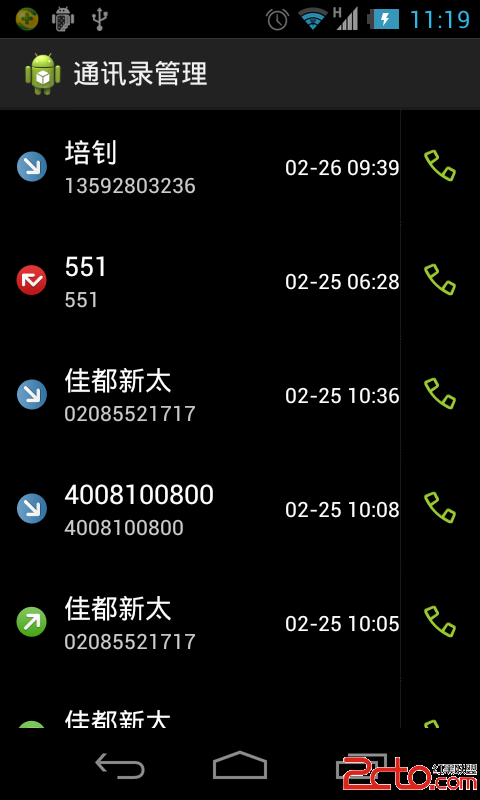
Android通訊錄管理(獲取聯系人、通話記錄、短信消息)(二) 前言:上一篇博客介紹的是獲取聯系人的實現,本篇博客將介紹通話記錄的實現。 同樣的,你可以到這