編輯:關於Android編程
自己做項目,用到的幾個工具類,這裡記一下,以後找到方便
1.一個double類型數據精准四則運算類Arith.java
import java.math.BigDecimal;

public class Arith{
    //默認除法運算精度
    private static final int DEF_DIV_SCALE = 10;
    //這個類不能實例化
    private Arith(){

    }

    /**
     * 提供精確的加法運算。
     * @param v1 被加數
     * @param v2 加數
     * @return 兩個參數的和
     */
    public static double add(double v1,double v2){
        BigDecimal b1 = new BigDecimal(Double.toString(v1));
        BigDecimal b2 = new BigDecimal(Double.toString(v2));
        return b1.add(b2).doubleValue();
    }
    /**
     * 提供精確的減法運算。
     * @param v1 被減數
     * @param v2 減數
     * @return 兩個參數的差
     */
    public static double sub(double v1,double v2){
        BigDecimal b1 = new BigDecimal(Double.toString(v1));
        BigDecimal b2 = new BigDecimal(Double.toString(v2));
        return b1.subtract(b2).doubleValue();
    }
    /**
     * 提供精確的乘法運算。
     * @param v1 被乘數
     * @param v2 乘數
     * @return 兩個參數的積
     */
    public static double mul(double v1,double v2){
        BigDecimal b1 = new BigDecimal(Double.toString(v1));
        BigDecimal b2 = new BigDecimal(Double.toString(v2));
        return b1.multiply(b2).doubleValue();
    }

    /**
     * 提供(相對)精確的除法運算,當發生除不盡的情況時,精確到
     * 小數點以後10位,以後的數字四捨五入。
     * @param v1 被除數
     * @param v2 除數
     * @return 兩個參數的商
     */
    public static double div(double v1,double v2){
        return div(v1,v2,DEF_DIV_SCALE);
    }

    /**
     * 提供(相對)精確的除法運算。當發生除不盡的情況時,由scale參數指
     * 定精度,以後的數字四捨五入。
     * @param v1 被除數
     * @param v2 除數
     * @param scale 表示表示需要精確到小數點以後幾位。
     * @return 兩個參數的商
     */
    public static double div(double v1,double v2,int scale){
        if(scale<0){
            throw new IllegalArgumentException(
                "The scale must be a positive integer or zero");
        }
        BigDecimal b1 = new BigDecimal(Double.toString(v1));
        BigDecimal b2 = new BigDecimal(Double.toString(v2));
        return b1.divide(b2,scale,BigDecimal.ROUND_HALF_UP).doubleValue();
    }

    /**
     * 提供精確的小數位四捨五入處理。
     * @param v 需要四捨五入的數字
     * @param scale 小數點後保留幾位
     * @return 四捨五入後的結果
     */
    public static double round(double v,int scale){
        if(scale<0){
            throw new IllegalArgumentException(
                "The scale must be a positive integer or zero");
        }
        BigDecimal b = new BigDecimal(Double.toString(v));
        BigDecimal one = new BigDecimal("1");
        return b.divide(one,scale,BigDecimal.ROUND_HALF_UP).doubleValue();
    }

}
2.PrefUtils.java
import android.content.Context;
import android.content.SharedPreferences;

public class PrefUtils {

	public static boolean getBoolean(Context context,String key,boolean defalt){
		SharedPreferences sp=context.getSharedPreferences("config",Context.MODE_PRIVATE);
		Boolean b=sp.getBoolean(key, defalt);
		return b;
	}

	public  static void  setBoolean(Context context,String key,Boolean value) {
		SharedPreferences sp=context.getSharedPreferences("config",Context.MODE_PRIVATE);
		sp.edit().putBoolean(key, value).commit();
	}

	public static String getString(Context context,String key,String defalt){
		SharedPreferences sp=context.getSharedPreferences("config",Context.MODE_PRIVATE);
		String s=sp.getString(key, defalt);
		return s;
	}

	public static void SetString(Context context,String key,String value){
		SharedPreferences sp=context.getSharedPreferences("config",Context.MODE_PRIVATE);
		sp.edit().putString(key, value).commit();

	}

	public static int getInt(Context context,String key,int defalt){
		SharedPreferences sp=context.getSharedPreferences("config",Context.MODE_PRIVATE);
		int l=sp.getInt(key, defalt);
		return l;
	}

	public static void SetInt(Context context,String key,int value){
		SharedPreferences sp=context.getSharedPreferences("config",Context.MODE_PRIVATE);
		sp.edit().putInt(key, value).commit();

	}
	public static long getLong(Context context,String key,long defalt){
		SharedPreferences sp=context.getSharedPreferences("config",Context.MODE_PRIVATE);
		long l=sp.getLong(key, defalt);
		return l;
	}

	public static void SetLong(Context context,String key,long value){
		SharedPreferences sp=context.getSharedPreferences("config",Context.MODE_PRIVATE);
		sp.edit().putLong(key, value).commit();

	}
}
3.log日志打印L.java
public class L
{

    private L()
    {
        /* cannot be instantiated */
        throw new UnsupportedOperationException("cannot be instantiated");
    }

    public static boolean isDebug = true;// 是否需要打印bug,可以在application的onCreate函數裡面初始化
    private static final String TAG = "way";

    // 下面四個是默認tag的函數
    public static void i(String msg)
    {
        if (isDebug)
            Log.i(TAG, msg);
    }

    public static void d(String msg)
    {
        if (isDebug)
            Log.d(TAG, msg);
    }

    public static void e(String msg)
    {
        if (isDebug)
            Log.e(TAG, msg);
    }

    public static void v(String msg)
    {
        if (isDebug)
            Log.v(TAG, msg);
    }

    // 下面是傳入自定義tag的函數
    public static void i(String tag, String msg)
    {
        if (isDebug)
            Log.i(tag, msg);
    }

    public static void d(String tag, String msg)
    {
        if (isDebug)
            Log.i(tag, msg);
    }

    public static void e(String tag, String msg)
    {
        if (isDebug)
            Log.i(tag, msg);
    }

    public static void v(String tag, String msg)
    {
        if (isDebug)
            Log.i(tag, msg);
    }
}
4.單位轉換的工具類DensityUtils
public class DensityUtils
{
    private DensityUtils()
    {
        /* cannot be instantiated */
        throw new UnsupportedOperationException("cannot be instantiated");
    }

    /**
     * dp轉px
     *
     * @param context
     * @param val
     * @return
     */
    public static int dp2px(Context context, float dpVal)
    {
        return (int) TypedValue.applyDimension(TypedValue.COMPLEX_UNIT_DIP,
                dpVal, context.getResources().getDisplayMetrics());
    }

    /**
     * sp轉px
     *
     * @param context
     * @param val
     * @return
     */
    public static int sp2px(Context context, float spVal)
    {
        return (int) TypedValue.applyDimension(TypedValue.COMPLEX_UNIT_SP,
                spVal, context.getResources().getDisplayMetrics());
    }

    /**
     * px轉dp
     *
     * @param context
     * @param pxVal
     * @return
     */
    public static float px2dp(Context context, float pxVal)
    {
        final float scale = context.getResources().getDisplayMetrics().density;
        return (pxVal / scale);
    }

    /**
     * px轉sp
     *
     * @param fontScale
     * @param pxVal
     * @return
     */
    public static float px2sp(Context context, float pxVal)
    {
        return (pxVal / context.getResources().getDisplayMetrics().scaledDensity);
    }

}
5.屏幕讀取類ScreenUtils
public class ScreenUtils
{
    private ScreenUtils()
    {
        /* cannot be instantiated */
        throw new UnsupportedOperationException("cannot be instantiated");
    }

    /**
     * 獲得屏幕高度
     *
     * @param context
     * @return
     */
    public static int getScreenWidth(Context context)
    {
        WindowManager wm = (WindowManager) context
                .getSystemService(Context.WINDOW_SERVICE);
        DisplayMetrics outMetrics = new DisplayMetrics();
        wm.getDefaultDisplay().getMetrics(outMetrics);
        return outMetrics.widthPixels;
    }

    /**
     * 獲得屏幕寬度
     *
     * @param context
     * @return
     */
    public static int getScreenHeight(Context context)
    {
        WindowManager wm = (WindowManager) context
                .getSystemService(Context.WINDOW_SERVICE);
        DisplayMetrics outMetrics = new DisplayMetrics();
        wm.getDefaultDisplay().getMetrics(outMetrics);
        return outMetrics.heightPixels;
    }

    /**
     * 獲得狀態欄的高度
     *
     * @param context
     * @return
     */
    public static int getStatusHeight(Context context)
    {

        int statusHeight = -1;
        try
        {
            Class clazz = Class.forName("com.android.internal.R$dimen");
            Object object = clazz.newInstance();
            int height = Integer.parseInt(clazz.getField("status_bar_height")
                    .get(object).toString());
            statusHeight = context.getResources().getDimensionPixelSize(height);
        } catch (Exception e)
        {
            e.printStackTrace();
        }
        return statusHeight;
    }

    /**
     * 獲取當前屏幕截圖,包含狀態欄
     *
     * @param activity
     * @return
     */
    public static Bitmap snapShotWithStatusBar(Activity activity)
    {
        View view = activity.getWindow().getDecorView();
        view.setDrawingCacheEnabled(true);
        view.buildDrawingCache();
        Bitmap bmp = view.getDrawingCache();
        int width = getScreenWidth(activity);
        int height = getScreenHeight(activity);
        Bitmap bp = null;
        bp = Bitmap.createBitmap(bmp, 0, 0, width, height);
        view.destroyDrawingCache();
        return bp;

    }

    /**
     * 獲取當前屏幕截圖,不包含狀態欄
     *
     * @param activity
     * @return
     */
    public static Bitmap snapShotWithoutStatusBar(Activity activity)
    {
        View view = activity.getWindow().getDecorView();
        view.setDrawingCacheEnabled(true);
        view.buildDrawingCache();
        Bitmap bmp = view.getDrawingCache();
        Rect frame = new Rect();
        activity.getWindow().getDecorView().getWindowVisibleDisplayFrame(frame);
        int statusBarHeight = frame.top;

        int width = getScreenWidth(activity);
        int height = getScreenHeight(activity);
        Bitmap bp = null;
        bp = Bitmap.createBitmap(bmp, 0, statusBarHeight, width, height
                - statusBarHeight);
        view.destroyDrawingCache();
        return bp;

    }

}
6.文件操作類FileUtil.java
public class FileUtil {
	private static FileUtil util;

	public static FileUtil init() { // 單例,個人習慣用Init,標准是getInstance
		if (util == null)
			util = new FileUtil();
		return util;
	}

	private FileUtil() {

	}

	private Context context = null;
	public void setContext(Context c){
		this.context = c;
	}
	public Context getContext(){
		return context;
	}

	/**
	 *
	 * @param path傳入路徑字符串
	 * @return File
	 */
	public File creatFileIfNotExist(String path) {
		System.out.println("cr");
		File file = new File(path);
		if (!file.exists()) {
			try {
				new File(path.substring(0, path.lastIndexOf(File.separator)))
						.mkdirs();
				file.createNewFile();

			} catch (IOException e) {
				e.printStackTrace();

			}
		}
		return file;
	}

	/**
	 *
	 * @param path傳入路徑字符串
	 * @return File
	 */
	public File creatDirIfNotExist(String path) {
		File file = new File(path);
		if (!file.exists()) {
			try {
				file.mkdirs();

			} catch (Exception e) {
				e.printStackTrace();

			}
		}
		return file;
	}

	/**
	 *
	 * @param path
	 * @return
	 */
	public boolean IsExist(String path) {
		File file = new File(path);
		if (!file.exists())
			return false;
		else
			return true;
	}

	/**
	 * 創建新的文件,如果有舊文件,先刪除再創建
	 *
	 * @param path
	 * @return
	 */
	public File creatNewFile(String path) {
		File file = new File(path);
		if (IsExist(path))
			file.delete();
		creatFileIfNotExist(path);
		return file;
	}

	/**
	 * 刪除文件
	 *
	 * @param path
	 * @return
	 */
	public boolean deleteFile(String path) {
		File file = new File(path);
		if (IsExist(path))
			file.delete();
		return true;
	}

	// 刪除一個目錄
	public boolean deleteFileDir(String path) {
		boolean flag = false;
		File file = new File(path);
		if (!IsExist(path)) {
			return flag;
		}
		if (!file.isDirectory()) {

			file.delete();
			return true;
		}
		String[] filelist = file.list();
		File temp = null;
		for (int i = 0; i < filelist.length; i++) {
			if (path.endsWith(File.separator)) {
				temp = new File(path + filelist[i]);
			} else {
				temp = new File(path + File.separator + filelist[i]);
			}
			if (temp.isFile()) {

				temp.delete();
			}
			if (temp.isDirectory()) {
				deleteFileDir(path + "/" + filelist[i]);// 先刪除文件夾裡面的文件
			}
		}
		file.delete();

		flag = true;
		return flag;
	}

	// 刪除文件夾
	// param folderPath 文件夾完整絕對路徑

	public void delFolder(String folderPath) {
		try {
			delAllFile(folderPath); // 刪除完裡面所有內容
			String filePath = folderPath;
			filePath = filePath.toString();
			java.io.File myFilePath = new java.io.File(filePath);
			myFilePath.delete(); // 刪除空文件夾
		} catch (Exception e) {
			e.printStackTrace();
		}
	}

	// 刪除指定文件夾下所有文件
	// param path 文件夾完整絕對路徑
	public boolean delAllFile(String path) {
		boolean flag = false;
		File file = new File(path);
		if (!file.exists()) {
			return flag;
		}
		if (!file.isDirectory()) {
			return flag;
		}
		String[] tempList = file.list();
		File temp = null;
		for (int i = 0; i < tempList.length; i++) {
			if (path.endsWith(File.separator)) {
				temp = new File(path + tempList[i]);
			} else {
				temp = new File(path + File.separator + tempList[i]);
			}
			if (temp.isFile()) {
				temp.delete();
			}
			if (temp.isDirectory()) {
				delAllFile(path + "/" + tempList[i]);// 先刪除文件夾裡面的文件
				delFolder(path + "/" + tempList[i]);// 再刪除空文件夾
				flag = true;
			}
		}
		return flag;
	}

	public String[] getFlieName(String rootpath) {
		File root = new File(rootpath);
		File[] filesOrDirs = root.listFiles();
		if (filesOrDirs != null) {
			String[] dir = new String[filesOrDirs.length];
			int num = 0;
			for (int i = 0; i < filesOrDirs.length; i++) {
				if (filesOrDirs[i].isDirectory()) {
					dir[i] = filesOrDirs[i].getName();

					num++;
				}
			}
			String[] dir_r = new String[num];
			num = 0;
			for (int i = 0; i < dir.length; i++) {
				if (dir[i] != null && !dir[i].equals("")) {
					dir_r[num] = dir[i];
					num++;
				}
			}
			return dir_r;
		} else
			return null;
	}

	/**
	 * //獲得流
	 *
	 * @param path
	 * @return
	 * @throws FileNotFoundException
	 * @throws UnsupportedEncodingException
	 */
	public BufferedWriter getWriter(String path) throws FileNotFoundException,
			UnsupportedEncodingException {
		FileOutputStream fileout = null;
		fileout = new FileOutputStream(new File(path));
		OutputStreamWriter writer = null;
		writer = new OutputStreamWriter(fileout, "UTF-8");
		BufferedWriter w = new BufferedWriter(writer); // 緩沖區
		return w;
	}

	public InputStream getInputStream(String path) throws FileNotFoundException {
		// if(Comments.DEBUG) System.out.println("path:"+path);
		FileInputStream filein = null;
		// if(Comments.DEBUG) System.out.println("2");
		// File file = creatFileIfNotExist(path);
		File file = new File(path);
		filein = new FileInputStream(file);
		BufferedInputStream in = null;
		if (filein != null)
			in = new BufferedInputStream(filein);
		return in;
	}

	public boolean StateXmlControl(String path) {
		File f = new File(path);
		if (!f.exists())
			return false;
		if (f.length() == 0)
			return false;
		return true;
	}

	/**
	 * 將InputStream轉換成byte數組
	 *
	 * @param in
	 *            InputStream
	 * @return byte[]
	 * @throws IOException
	 */
	public static byte[] InputStreamTOByte(InputStream in) throws IOException {
		ByteArrayOutputStream outStream = new ByteArrayOutputStream();
		byte[] data = new byte[6 * 1024];
		int count = -1;
		while ((count = in.read(data, 0, 4 * 1024)) != -1)
			outStream.write(data, 0, count);
		data = null;
		return outStream.toByteArray();
	}

	/**
	 * 將OutputStream轉換成byte數組
	 *
	 * @param in
	 *            OutputStream
	 * @return byte[]
	 * @throws IOException
	 */
	public static byte[] OutputStreamTOByte(OutputStream out)
			throws IOException {

		byte[] data = new byte[6 * 1024];
		out.write(data);
		return data;
	}

	/**
	 * 將byte數組轉換成InputStream
	 *
	 * @param in
	 * @return
	 * @throws Exception
	 */
	public static InputStream byteTOInputStream(byte[] in) {
		ByteArrayInputStream is = new ByteArrayInputStream(in);
		return is;
	}

	/**
	 * 將byte數組轉換成OutputStream
	 *
	 * @param in
	 * @return
	 * @throws IOException
	 * @throws Exception
	 */
	public static OutputStream byteTOOutputStream(byte[] in) throws IOException {
		ByteArrayOutputStream out = new ByteArrayOutputStream();
		out.write(in);
		return out;
	}

	/**
	 * 把輸入流中的數據輸入到Path裡的文件裡
	 *
	 * @param path
	 * @param fileName
	 * @param inputStream
	 * @return
	 */
	public File writeFromInputToSD(String path, InputStream inputStream) {
		File file = null;
		OutputStream output = null;
		try {
			file = creatFileIfNotExist(path);
			output = new FileOutputStream(file);
			byte[] buffer = new byte[4 * 1024];
			int temp;
			while ((temp = inputStream.read(buffer)) != -1) {
				output.write(buffer, 0, temp);
			}
			output.flush();
		} catch (Exception e) {
			e.printStackTrace();
		} finally {
			try {
				output.close();
			} catch (Exception e) {
				e.printStackTrace();
			}
		}
		return file;
	}

	/**
	 * 把數據輸入到Path裡的文件裡
	 *
	 * @param path
	 * @param fileName
	 * @param inputStream
	 * @return
	 */
	public File writeFromInputToSD(String path, byte[] b) {
		File file = null;
		OutputStream output = null;
		try {
			file = creatFileIfNotExist(path);
			output = new FileOutputStream(file);
			output.write(b);
			output.flush();
		} catch (Exception e) {
			e.printStackTrace();
		} finally {
			try {
				output.close();
			} catch (Exception e) {
				e.printStackTrace();
			}
		}
		return file;
	}

	/**
	 * 方法:把一段文本保存到給定的路徑中.
	 */
	public void saveTxtFile(String filePath, String text) {
		try {
			// 首先構建一個文件輸出流,用於向文件中寫入數據.
			creatFileIfNotExist(filePath);
			String txt = readTextLine(filePath);
			text = text + txt;
			FileOutputStream out = new FileOutputStream(filePath);
			// 構建一個寫入器,用於向流中寫入字符數據
			OutputStreamWriter writer = new OutputStreamWriter(out, "gb2312");
			writer.write(text);
			// 關閉Writer,關閉輸出流
			writer.close();
			out.close();
		} catch (Exception e) {
			String ext = e.getLocalizedMessage();
			// Toast.makeText(this, ext, Toast.LENGTH_LONG).show();
		}

	}

	public void clearTxtFile(String filePath) {
		try {
			// 首先構建一個文件輸出流,用於向文件中寫入數據.
			String text = "";
			FileOutputStream out = new FileOutputStream(filePath);
			// 構建一個寫入器,用於向流中寫入字符數據
			OutputStreamWriter writer = new OutputStreamWriter(out, "gb2312");
			writer.write(text);
			// 關閉Writer,關閉輸出流
			writer.close();
			out.close();
		} catch (Exception e) {
			String ext = e.getLocalizedMessage();
			// Toast.makeText(this, ext, Toast.LENGTH_LONG).show();
		}
	}

	// 讀取一個給定的文本文件內容,並把內容以一個字符串的形式返回
	public String readTextLine(String textFile) {
		try {
			// 首先構建一個文件輸入流,該流用於從文本文件中讀取數據
			FileInputStream input = new FileInputStream(textFile);
			// 為了能夠從流中讀取文本數據,我們首先要構建一個特定的Reader的實例,
			// 因為我們是從一個輸入流中讀取數據,所以這裡適合使用InputStreamReader.
			InputStreamReader streamReader = new InputStreamReader(input,
					"gb2312");
			// 為了能夠實現一次讀取一行文本的功能,我們使用了 LineNumberReader類,
			// 要構建LineNumberReader的實例,必須要傳一個Reader實例做參數,
			// 我們傳入前面已經構建好的Reder.
			LineNumberReader reader = new LineNumberReader(streamReader);
			// 字符串line用來保存每次讀取到的一行文本.
			String line = null;
			// 這裡我們使用一個StringBuilder來存儲讀取到的每一行文本,
			// 之所以不用String,是因為它每次修改都會產生一個新的實例,
			// 所以浪費空間,效率低.
			StringBuilder allLine = new StringBuilder();
			// 每次讀取到一行,直到讀取完成
			while ((line = reader.readLine()) != null) {
				allLine.append(line);
				// 這裡每一行後面,加上一個換行符,LINUX中換行是”\n”,
				// windows中換行是”\r\n”.
				allLine.append("\n");
			}
			// 把Reader和Stream關閉
			streamReader.close();
			reader.close();
			input.close();
			// 把讀取的字符串返回
			return allLine.toString();
		} catch (Exception e) {
			// Toast.makeText(this, e.getLocalizedMessage(),
			// Toast.LENGTH_LONG).show();
			return "";
		}
	}

	// 轉換dip為px
	public int convertDipOrPx(Context context, int dip) {
		float scale = context.getResources().getDisplayMetrics().density;
		return (int) (dip * scale + 0.5f * (dip >= 0 ? 1 : -1));
	}

	// 轉換px為dip
	public int convertPxOrDip(Context context, int px) {
		float scale = context.getResources().getDisplayMetrics().density;
		return (int) (px / scale + 0.5f * (px >= 0 ? 1 : -1));
	}

	/**
	 * 將px值轉換為sp值,保證文字大小不變
	 *
	 * @param pxValue
	 * @param fontScale
	 *            (DisplayMetrics類中屬性scaledDensity)
	 * @return
	 */
	public int px2sp(Context context, float pxValue) {
		float fontScale = context.getResources().getDisplayMetrics().scaledDensity;
		return (int) (pxValue / fontScale + 0.5f);
	}

	/**
	 * 將sp值轉換為px值,保證文字大小不變
	 *
	 * @param spValue
	 * @param fontScale
	 *            (DisplayMetrics類中屬性scaledDensity)
	 * @return
	 */
	public int sp2px(Context context, float spValue) {
		float fontScale = context.getResources().getDisplayMetrics().scaledDensity;
		return (int) (spValue * fontScale + 0.5f);
	}

	// 把字加長,使其可以滾動,在音樂界面
	public String dealString(String st, int size) {
		int value = size;
		if (st.length() >= value)
			return "  " + st + "  ";
		else {
			int t = (value - st.length()) / 2;
			for (int i = 0; i < t; i++) {
				st = " " + st + "  ";
			}
			return st;
		}
	}

	public String getTimeByFormat(String format) {
		SimpleDateFormat formatter = new SimpleDateFormat(format);
		Date curDate = new Date(System.currentTimeMillis());// 獲取當前時間
		String str = formatter.format(curDate);
		return str;
	}

	public String getDateTimeBylong(long time_data, String dateformat_batt) {
		java.util.Date date = new java.util.Date(time_data);
		SimpleDateFormat format = new SimpleDateFormat(dateformat_batt);
		return format.format(date);
	}

	// 取前面的名字 "."
	public String getNameByFlag(String source, String flag) {
		// String[] source_spli = source.split(flag);
		String s = source.toLowerCase().replace(flag, "");
		return s.trim();
	}

	/**
	 * 取Asset文件夾下文件
	 * @param paramContext
	 * @param paramString
	 * @return
	 * @throws IOException
	 */
	public InputStream getAssetsInputStream(Context paramContext,
			String paramString) throws IOException {
		return paramContext.getResources().getAssets().open(paramString);
	}

	//以省內存的方式讀取圖片
		public Bitmap getBitmap(InputStream is){
			   BitmapFactory.Options opt = new BitmapFactory.Options();
		        opt.inPreferredConfig = Bitmap.Config.RGB_565;
		       opt.inPurgeable = true;
		       opt.inInputShareable = true;
		       opt.inSampleSize = 4;
		          //獲取資源圖片
		       //InputStream is = mContext.getResources().openRawResource(resId);
		           return BitmapFactory.decodeStream(is,null,opt);
		}

}
public class KeyBoardUtils
{
    /**
     * 打卡軟鍵盤
     *
     * @param mEditText
     *            輸入框
     * @param mContext
     *            上下文
     */
    public static void openKeybord(EditText mEditText, Context mContext)
    {
        InputMethodManager imm = (InputMethodManager) mContext
                .getSystemService(Context.INPUT_METHOD_SERVICE);
        imm.showSoftInput(mEditText, InputMethodManager.RESULT_SHOWN);
        imm.toggleSoftInput(InputMethodManager.SHOW_FORCED,
                InputMethodManager.HIDE_IMPLICIT_ONLY);
    }

    /**
     * 關閉軟鍵盤
     *
     * @param mEditText
     *            輸入框
     * @param mContext
     *            上下文
     */
    public static void closeKeybord(EditText mEditText, Context mContext)
    {
        InputMethodManager imm = (InputMethodManager) mContext
                .getSystemService(Context.INPUT_METHOD_SERVICE);

        imm.hideSoftInputFromWindow(mEditText.getWindowToken(), 0);
    }
}
8.網絡連接類NetUtils.java
public class NetUtils
{
    private NetUtils()
    {
        /* cannot be instantiated */
        throw new UnsupportedOperationException("cannot be instantiated");
    }

    /**
     * 判斷網絡是否連接
     *
     * @param context
     * @return
     */
    public static boolean isConnected(Context context)
    {

        ConnectivityManager connectivity = (ConnectivityManager) context
                .getSystemService(Context.CONNECTIVITY_SERVICE);

        if (null != connectivity)
        {

            NetworkInfo info = connectivity.getActiveNetworkInfo();
            if (null != info && info.isConnected())
            {
                if (info.getState() == NetworkInfo.State.CONNECTED)
                {
                    return true;
                }
            }
        }
        return false;
    }

    /**
     * 判斷是否是wifi連接
     */
    public static boolean isWifi(Context context)
    {
        ConnectivityManager cm = (ConnectivityManager) context
                .getSystemService(Context.CONNECTIVITY_SERVICE);

        if (cm == null)
            return false;
        return cm.getActiveNetworkInfo().getType() == ConnectivityManager.TYPE_WIFI;

    }

    /**
     * 打開網絡設置界面
     */
    public static void openSetting(Activity activity)
    {
        Intent intent = new Intent("/");
        ComponentName cm = new ComponentName("com.android.settings",
                "com.android.settings.WirelessSettings");
        intent.setComponent(cm);
        intent.setAction("android.intent.action.VIEW");
        activity.startActivityForResult(intent, 0);
    }

}
9.檢測某程序是否安裝
public static boolean isInstalledApp(Context context, String packageName)
    {
        Boolean flag = false;

        try
        {
            PackageManager pm = context.getPackageManager();
            List pkgs = pm.getInstalledPackages(PackageManager.GET_UNINSTALLED_PACKAGES);
            for (PackageInfo pkg : pkgs)
            {
                // 當找到了名字和該包名相同的時候,返回
                if ((pkg.packageName).equals(packageName))
                {
                    return flag = true;
                }
            }
        }
        catch (Exception e)
        {
            // TODO Auto-generated catch block
            e.printStackTrace();
        }

        return flag;
    }
10.安裝apk文件
/**
     * 安裝.apk文件
     *
     * @param context
     */
    public void install(Context context, String fileName)
    {
        if (TextUtils.isEmpty(fileName) || context == null)
        {
            return;
        }
        try
        {
            Intent intent = new Intent(Intent.ACTION_VIEW);
            intent.setFlags(Intent.FLAG_ACTIVITY_NEW_TASK);
            intent.setAction(android.content.Intent.ACTION_VIEW);
            intent.setDataAndType(Uri.fromFile(new File(fileName)), "application/vnd.android.package-archive");
            context.startActivity(intent);
        }
        catch (Exception e)
        {
            e.printStackTrace();
        }
    }

    /**
     * 安裝.apk文件
     *
     * @param context
     */
    public void install(Context context, File file)
    {
        try
        {
            Intent intent = new Intent(Intent.ACTION_VIEW);
            intent.setDataAndType(Uri.fromFile(file), "application/vnd.android.package-archive");
            context.startActivity(intent);
        }
        catch (Exception e)
        {
            e.printStackTrace();
        }
    }
在strings.xml中添加字符串
string name="text">Hello,%s!
代碼中使用
textView.setText(String.format(getResources().getString(R.string.text),"Android"));
輸出結果:Hello,Android!
private static String DEVICEKEY = "";

    /**
     * 根據mac地址+deviceid
     * 獲取設備唯一編碼
     * @return
     */
    public static String getDeviceKey()
    {
        if ("".equals(DEVICEKEY))
        {
            String macAddress = "";
            WifiManager wifiMgr = (WifiManager)MainApplication.getIns().getSystemService(MainApplication.WIFI_SERVICE);
            WifiInfo info = (null == wifiMgr ? null : wifiMgr.getConnectionInfo());
            if (null != info)
            {
                macAddress = info.getMacAddress();
            }
            TelephonyManager telephonyManager =
                (TelephonyManager)MainApplication.getIns().getSystemService(MainApplication.TELEPHONY_SERVICE);
            String deviceId = telephonyManager.getDeviceId();
            DEVICEKEY = MD5Util.toMD5("android" + Constant.APPKEY + Constant.APPPWD + macAddress + deviceId);
        }
        return DEVICEKEY;
    }
13.獲取手機及SIM卡相關信息
/**
     * 獲取手機及SIM卡相關信息
     * @param context
     * @return
     */
    public static Map getPhoneInfo(Context context) {
        Map map = new HashMap();
        TelephonyManager tm = (TelephonyManager) context
                .getSystemService(Context.TELEPHONY_SERVICE);
        String imei = tm.getDeviceId();
        String imsi = tm.getSubscriberId();
        String phoneMode = android.os.Build.MODEL;
        String phoneSDk = android.os.Build.VERSION.RELEASE;
        map.put("imei", imei);
        map.put("imsi", imsi);
        map.put("phoneMode", phoneMode+"##"+phoneSDk);
        map.put("model", phoneMode);
        map.put("sdk", phoneSDk);
        return map;
    }
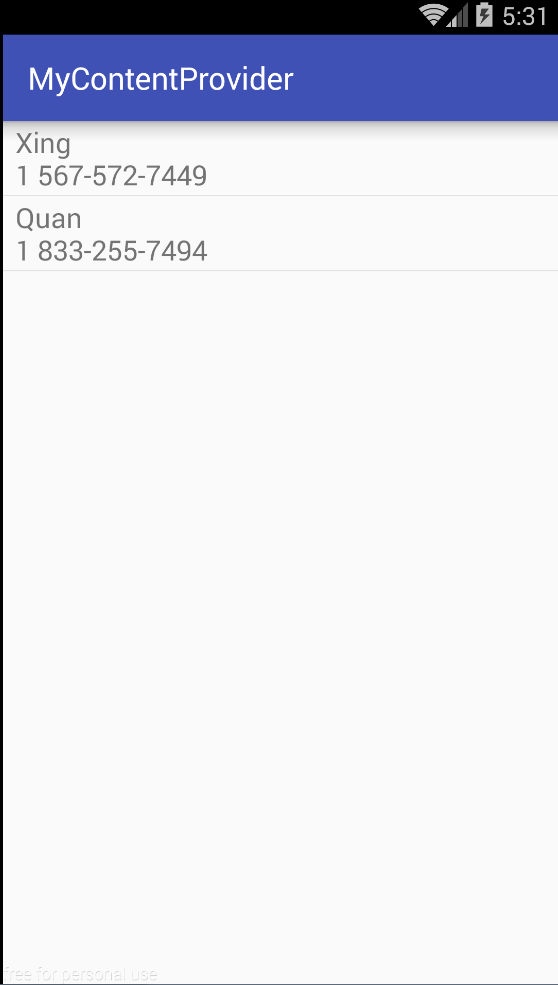 10min了解ContentProvider
我們學的Android 數據持久化的技術包括文件存儲、SharedPreferences 存儲、以及數據庫存儲。不知道你有沒有發現,使用這些持久化技術所保存的數據都只能在
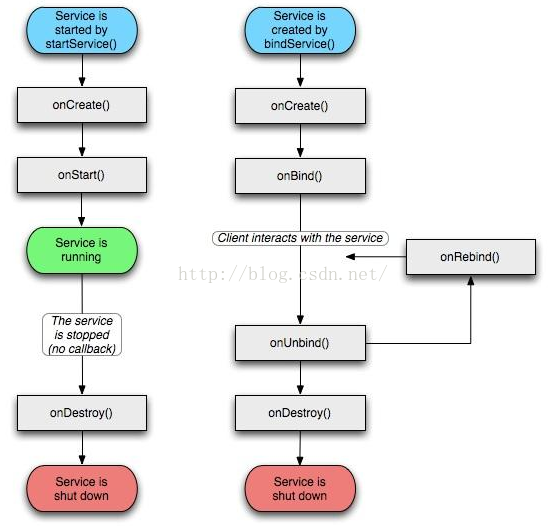 Android Service 你應該掌握的東西
Service 是Android四大組件之一,通常是在後台運行的,執行一些耗時的操作。對於Service 我們需要掌握的知識點有:1、Service 的生命周期2、Ser
 Android adt v22.6.2-1085508 自動創建 appcompat_v7 解決方法,最低版本2.2也不會出現
Android 開發工具升級到22.6.2在創建工程時只要選擇的最低版本低於4.0,就會自動生成一個項目appcompat_v7,沒創建一個新的項目都會自動創建,很是煩惱
 Android Scroll滑動效果實例
相對於在Android2.x版本上出現的長按、點擊事件的效果,不得不說,滑動操作具有