編輯:關於Android編程
   protected void onDraw(Canvas canvas)
   public void buildDrawingCache()
   public void destroyDrawingCache()
   public Bitmap getDrawingCache()
   public void setDrawingCacheEnabled(boolean enabled)
下面是常見的幾個View截屏的示例: 1.View轉Bitmap
public final Bitmap screenShot(View view) {
        if (null == view) {
            throw new IllegalArgumentException("parameter can't be null.");
        }
        view.measure(View.MeasureSpec.UNSPECIFIED, View.MeasureSpec.UNSPECIFIED);
        view.layout(0, 0, view.getMeasuredWidth(), view.getMeasuredHeight());
        view.setDrawingCacheEnabled(true);
        view.buildDrawingCache();
        Bitmap bitmap = view.getDrawingCache();
        return bitmap;
    }
2. Activity轉Bitmap,不帶狀態欄
public final Bitmap screenShot(Activity activity) {
        if (null == activity) {
            throw new IllegalArgumentException("parameter can't be null.");
        }
        View view = activity.getWindow().getDecorView();
        view.setDrawingCacheEnabled(true);
        view.buildDrawingCache();

        Bitmap b1 = view.getDrawingCache();
        Rect frame = new Rect();
        view.getWindowVisibleDisplayFrame(frame);

        int statusBarHeight = frame.top;

        Point point = new Point();
        activity.getWindowManager().getDefaultDisplay().getSize(point);

        int width = point.x;
        int height = point.y;

        Bitmap b2 = Bitmap.createBitmap(b1, 0, statusBarHeight, width, height - statusBarHeight);
        view.destroyDrawingCache();
        return b2;
    }
3. ScrollView轉長Bitmap(類似錘子便簽的截長圖)
 public final Bitmap screenShot(ScrollView scrollView) {
        if (null == scrollView) {
            throw new IllegalArgumentException("parameter can't be null.");
        }
        int height = 0;
        Bitmap bitmap;
        for (int i = 0, s = scrollView.getChildCount(); i < s; i++) {
            height += scrollView.getChildAt(i).getHeight();
            scrollView.getChildAt(i).setBackgroundResource(android.R.drawable.screen_background_light);
        }
        bitmap = Bitmap.createBitmap(scrollView.getWidth(), height, Bitmap.Config.ARGB_8888);
        final Canvas canvas = new Canvas(bitmap);
        scrollView.draw(canvas);
        return bitmap;
    }
 android學習十三(android的通知使用)
通知(Notification)是android系統中比較有特色的一個功能,當某個應用程序希望向用戶發出一些提示信息,而該應用程序又不在前台運行時,就可以借助通知來實現。
 微信支付僅能成功調用一次問題的解決方法(Android)
本人使用Android開發有一段時間了,但是本身沒有系統學,而且多年專注服務端開發,總覺得因為項目需要接觸Android移動端開發只是暫時的,所以沒有太上心,結果碰到一個
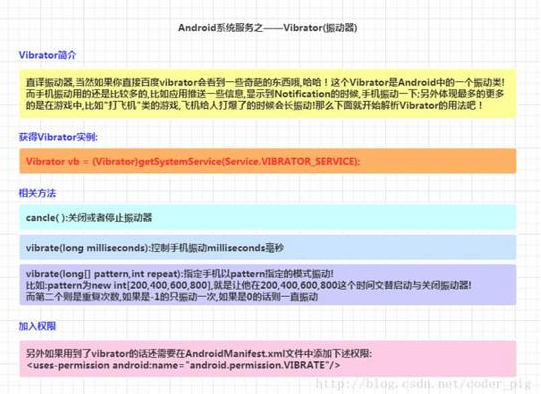 Android入門教程之Vibrator(振動器)
前言:Vibrator簡介: 下面我們就來寫個簡單的例子,來熟悉下這個Vibrator的用法!1.獲得Vibrator實例:Vibrator vb = (Vib
 Android在程序中浏覽網頁
本文是自己學習所做筆記,歡迎轉載,但請注明出處:http://blog.csdn.net/jesson20121020 有時需要在程序中浏覽一些網頁,