編輯:關於Android編程
全都是一些代碼片段,需要可以直接貼過去用
/** 獲取 drawable 的圖片   可以循環   1.圖名    2.drawable 3.包名      **/
    int imgid = getResources().getIdentifier(ic_launcher, drawable, com.example.anywight);
    text.setBackgroundResource(imgid);
/** 通過圖片id獲得Bitmap  **/
    Bitmap bitmap=BitmapFactory.decodeResource(getResources(), R.drawable.ic_launcher);
/** view轉Bitmap **/
public static Bitmap convertViewToBitmap(View view, int bitmapWidth, int bitmapHeight){

    Bitmap bitmap = Bitmap.createBitmap(bitmapWidth, bitmapHeight, Bitmap.Config.ARGB_8888);
    view.draw(new Canvas(bitmap));
    return bitmap;
}
/** 將控件轉換為bitmap **/
	public static Bitmap convertViewToBitMap(View view) {
		// 打開圖像緩存
		view.setDrawingCacheEnabled(true);
		// 必須調用measure和layout方法才能成功保存可視組件的截圖到png圖像文件
		// 測量View大小
		view.measure(MeasureSpec.makeMeasureSpec(0, MeasureSpec.UNSPECIFIED),
				MeasureSpec.makeMeasureSpec(0, MeasureSpec.UNSPECIFIED));
		// 發送位置和尺寸到View及其所有的子View
		view.layout(0, 0, view.getMeasuredWidth(), view.getMeasuredHeight());
		// 獲得可視組件的截圖
		Bitmap bitmap = view.getDrawingCache();
		return bitmap;
	}
public static Bitmap getBitmapFromView(View view){ Bitmap returnedBitmap = Bitmap.createBitmap(view.getWidth(), view.getHeight(), Bitmap.Config.ARGB_8888); Canvas canvas = new Canvas(returnedBitmap); Drawable bgDrawable = view.getBackground(); if (bgDrawable != null) bgDrawable.draw(canvas); else canvas.drawColor(Color.WHITE); view.draw(canvas); return returnedBitmap; }
/**  獲取屏幕截圖的bitmap對象的代碼如下  **/
	public Bitmap getScreenPic(View view){

	    View rootView = view.getRootView();
	    rootView.setDrawingCacheEnabled(true);
	    rootView.buildDrawingCache();
	    // 不明白為什麼這裡返回一個空,有帖子說不能在oncreat方法中調用
	    // 測量View大小
	    rootView.measure(MeasureSpec.makeMeasureSpec(0, MeasureSpec.UNSPECIFIED), MeasureSpec.makeMeasureSpec(0, MeasureSpec.UNSPECIFIED));
	    // 發送位置和尺寸到View及其所有的子View
	    rootView.layout(0, 0, rootView.getMeasuredWidth(), rootView.getMeasuredHeight());
	    // 解決措施,調用上面的measure和layout方法之後,返回值就不再為空
	    // 如果想要創建的是固定長度和寬度的呢?
	    Bitmap bitmap = rootView.getDrawingCache();
	    rootView.destroyDrawingCache();
	    return bitmap;
	}


	/** Drawable → Bitmap **/
	public static Bitmap drawableToBitmap(Drawable drawable){

	    Bitmap bitmap = Bitmap.createBitmap(drawable.getIntrinsicWidth(), drawable.getIntrinsicHeight(), drawable.getOpacity() != PixelFormat.OPAQUE ? Bitmap.Config.ARGB_8888 : Bitmap.Config.RGB_565);
	    Canvas canvas = new Canvas(bitmap);
	    // canvas.setBitmap(bitmap);
	    drawable.setBounds(0, 0, drawable.getIntrinsicWidth(), drawable.getIntrinsicHeight());
	    drawable.draw(canvas);
	    return bitmap;

	}


	/** bitmap → drawable **/
	public static Drawable bitmapToDrawable(Context context,String filename){

	     Bitmap image = null;
	     BitmapDrawable ddd = null;
	        try {
	            AssetManager am = context.getAssets();
	            InputStream is = am.open(filename);
	            image = BitmapFactory.decodeStream(is);
	            ddd = new BitmapDrawable(context.getResources(), image);
	            is.close();
	        } catch (Exception e) {
	        }
	     return ddd;

	}


	/** byte[] → Bitmap **/
	public static Bitmap byteToDrawable(Context context,byte[] bb){
	     Bitmap pp  = BitmapFactory.decodeByteArray(bb, 0, bb.length);
	     return pp;
	}


	/**  Bitmap → byte[]**/
	public static byte[] bitmapToByte(Bitmap bitmap){

	    ByteArrayOutputStream baos = new ByteArrayOutputStream();
	    bitmap.compress(Bitmap.CompressFormat.PNG, 100, baos);
	    byte[] yy = baos.toByteArray();
	    return yy;
	}


	/**  將text  轉換成  bitmap  **/
	public static Bitmap createTxtImage(String txt, int txtSize) {
	    Bitmap mbmpTest = Bitmap.createBitmap(txt.length() * txtSize + 4,
	            txtSize + 4, Config.ARGB_8888);
	    Canvas canvasTemp = new Canvas(mbmpTest);
	    Paint p = new Paint();
	    p.setAntiAlias(true);
	    p.setColor(Color.WHITE);
	    p.setTextSize(txtSize);
	    canvasTemp.drawText(txt, 2, txtSize - 2, p);
	    return mbmpTest;

	}

	/**  顯示將bitmap進行縮放       **/
	public Bitmap  bitmapScanel(Context context){
	    //通過openRawResource獲取一個inputStream對象
	    InputStream inputStream = context.getResources().openRawResource(R.id.backageground);
	    //通過一個InputStream創建一個BitmapDrawable對象
	    BitmapDrawable drawable = new BitmapDrawable(inputStream);
	    //通過BitmapDrawable對象獲得Bitmap對象
	    Bitmap bitmap = drawable.getBitmap();
	    //利用Bitmap對象創建縮略圖
	    bitmap = ThumbnailUtils.extractThumbnail(bitmap, 40, 40);
	    return bitmap;

	 }

	  /**  放大縮小圖片    **/
	public static Bitmap zoomBitmap(Bitmap bitmap,int w,int h){
	    int width = bitmap.getWidth();
	    int height = bitmap.getHeight();
	    Matrix matrix = new Matrix();
	    float scaleWidht = ((float)w / width);
	    float scaleHeight = ((float)h / height);
	    matrix.postScale(scaleWidht, scaleHeight);
	    Bitmap newbmp = Bitmap.createBitmap(bitmap, 0, 0, width, height, matrix, true);
	    return newbmp;
	}


	/** 獲得圓角圖片的方法  **/
	public static Bitmap getRoundedCornerBitmap(Bitmap bitmap,float roundPx){

	    Bitmap output = Bitmap.createBitmap(bitmap.getWidth(), bitmap
	            .getHeight(), Config.ARGB_8888);
	    Canvas canvas = new Canvas(output);

	    final int color = 0xff424242;
	    final Paint paint = new Paint();
	    final Rect rect = new Rect(0, 0, bitmap.getWidth(), bitmap.getHeight());
	    final RectF rectF = new RectF(rect);

	    paint.setAntiAlias(true);
	    canvas.drawARGB(0, 0, 0, 0);
	    paint.setColor(color);
	    canvas.drawRoundRect(rectF, roundPx, roundPx, paint);

	    paint.setXfermode(new PorterDuffXfermode(Mode.SRC_IN));
	    canvas.drawBitmap(bitmap, rect, rect, paint);

	    return output;
	}


	/** 對 bitmap 進行裁剪     **/
	public Bitmap  bitmapClip(Context context , int id , int x , int y){
	     Bitmap map = BitmapFactory.decodeResource(context.getResources(), id);
	     map = Bitmap.createBitmap(map, x, y, 120, 120);
	     return map;
	}


	/**
	 * 圖片的倒影效果
	 */
	public static Bitmap createReflectedImage(Bitmap originalImage) {
	    final int reflectionGap = 4;

	    int width = originalImage.getWidth();
	    int height = originalImage.getHeight();

	    Matrix matrix = new Matrix();
	    matrix.preScale(1, -1);

	    // Create a Bitmap with the flip matrix applied to it.
	    // We only want the bottom half of the image
	    Bitmap reflectionImage = Bitmap.createBitmap(originalImage, 0,
	            height / 2, width, height / 2, matrix, false);

	    // Create a new bitmap with same width but taller to fit reflection
	    Bitmap bitmapWithReflection = Bitmap.createBitmap(width,
	            (height + height / 2), Config.ARGB_8888);

	    // Create a new Canvas with the bitmap that's big enough for
	    // the image plus gap plus reflection
	    Canvas canvas = new Canvas(bitmapWithReflection);
	    // Draw in the original image
	    canvas.drawBitmap(originalImage, 0, 0, null);
	    // Draw in the gap
	    Paint defaultPaint = new Paint();
	    canvas.drawRect(0, height, width, height + reflectionGap, defaultPaint);
	    // Draw in the reflection
	    canvas.drawBitmap(reflectionImage, 0, height + reflectionGap, null);

	    // Create a shader that is a linear gradient that covers the reflection
	    Paint paint = new Paint();
	    LinearGradient shader = new LinearGradient(0,
	            originalImage.getHeight(), 0, bitmapWithReflection.getHeight()
	                    + reflectionGap, 0x70ffffff, 0x00ffffff, TileMode.CLAMP);
	    // Set the paint to use this shader (linear gradient)
	    paint.setShader(shader);
	    // Set the Transfer mode to be porter duff and destination in
	    paint.setXfermode(new PorterDuffXfermode(Mode.DST_IN));
	    // Draw a rectangle using the paint with our linear gradient
	    canvas.drawRect(0, height, width, bitmapWithReflection.getHeight() + reflectionGap, paint);

	    return bitmapWithReflection;
	 }
 Android提高之Activity+Intent用法示例
一般來說。熟悉Android程序設計的人都知道Android有三個基礎組件Activity,Service和BroadcastReceiver,他們都是依賴Intent來
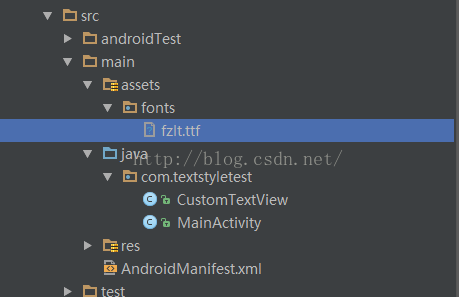 Android APP使用自定義字體實現方法
android系統內置字體android 系統本身內置了一些字體,可以在程序中使用,並且支持在xml配置textView的時候進行修改字體的樣式。支持字段為android
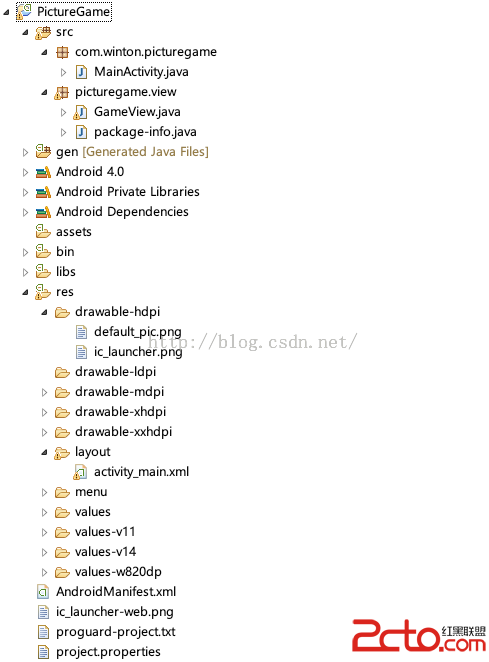 Android畫圖demo
如何在圖片上畫畫呢?這裡寫了一個demo,供大家參考一、先看一眼工程結構工程結構:二、自定義view這個自定義view實現了保留軌跡的功能,代碼如下package pic
 android之ListView使用
android之ListViewListView是android中比較常見並較為復雜的控件之一,它既有默認的模式,又可以實現自定義,通過該控件,可以使UI交互更加多樣化,