編輯:關於Android編程
	/**
	 * 監聽GPS
	 */
	private void initGPS() {
		LocationManager locationManager = (LocationManager) this
				.getSystemService(Context.LOCATION_SERVICE);
		// 判斷GPS模塊是否開啟,如果沒有則開啟
		if (!locationManager
				.isProviderEnabled(android.location.LocationManager.GPS_PROVIDER)) {
			Toast.makeText(TrainDetailsActivity.this, "請打開GPS",
					Toast.LENGTH_SHORT).show();
			AlertDialog.Builder dialog = new AlertDialog.Builder(this);
			dialog.setMessage("請打開GPS");
			dialog.setPositiveButton("確定",
					new android.content.DialogInterface.OnClickListener() {

						@Override
						public void onClick(DialogInterface arg0, int arg1) {

							// 轉到手機設置界面,用戶設置GPS
							Intent intent = new Intent(
									Settings.ACTION_LOCATION_SOURCE_SETTINGS);
							startActivityForResult(intent, 0); // 設置完成後返回到原來的界面

						}
					});
			dialog.setNeutralButton("取消", new android.content.DialogInterface.OnClickListener() {

				@Override
				public void onClick(DialogInterface arg0, int arg1) {
					arg0.dismiss();
				}
			} );
			dialog.show();
		} else {
			// 彈出Toast
//			Toast.makeText(TrainDetailsActivity.this, "GPS is ready",
//					Toast.LENGTH_LONG).show();
//			// 彈出對話框
//			new AlertDialog.Builder(this).setMessage("GPS is ready")
//					.setPositiveButton("OK", null).show();
		}
	}
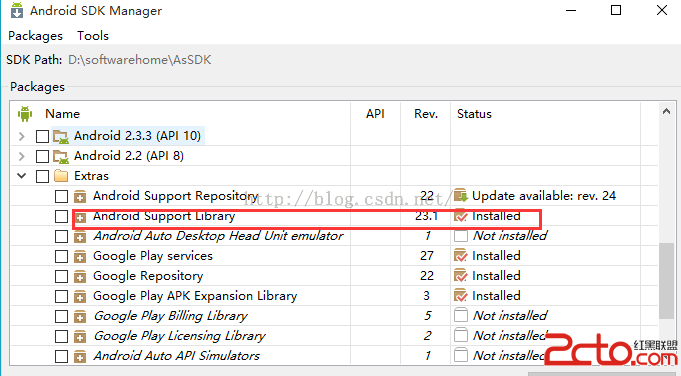 android M 新控件TabLayout 方便快捷實現選項卡功能
1、概述TabLayout是在2015年的google大會上,google發布了新的Android Support Design庫的新組件之一,以此來全面支持Materi
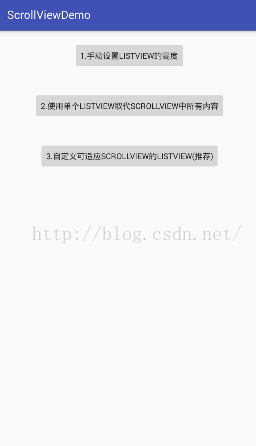 解決ScrollView嵌套ListView問題的三種方法
在實際項目中,我們通常回遇到Scroll嵌套listview,listview顯示不全的問題,有以下三種方案,推薦使用第三種;項目截圖:方案一:手動設置listview的
 Android 仿余額寶數字動畫實現
簡介好久沒有寫博客了,最近公司產品剛發布了,終於有一點休閒的時間了,趁這個空閒的時間,今天給大家寫一個數字動畫的效果,可能在以後的時間,或許大家會用的到,值得大家收藏,直
 Android自定義View之邊框文字、閃爍發光文字
對現有控件進行擴展1、繪制如下所示的兩層背景的TextView創建BorderTextView繼承TextView在構造函數中初始化一些基本數據 //外邊框 mPa