編輯:關於Android編程
ImageView用來顯示動畫,TextView用於提示用戶我們正在加載數據
public static Dialog createAnimationDailog(final Context context) {
		final Dialog dialog = new Dialog(context, R.style.dialog);
		dialog.setContentView(R.layout.dialog_animation);
		ImageView animationView = (ImageView) dialog
				.findViewById(R.id.dialog_animation_img);
		animationView.setBackgroundResource(R.drawable.animation_dialog);
		AnimationDrawable animationDrawable = (AnimationDrawable) animationView
				.getBackground();
		animationDrawable.start();
		final TextView textView = (TextView) dialog
				.findViewById(R.id.dialog_animation_txt);
		Animation animation = AnimationUtils.loadAnimation(context,
				R.anim.animation_dialog_txt);
		// animation的循環播放模式不起作用,只能手動的在動畫播放完之後再播放一次
		animation.setAnimationListener(new AnimationListener() {

			@Override
			public void onAnimationEnd(Animation arg0) {
				Animation anim = AnimationUtils.loadAnimation(context,
						R.anim.animation_dialog_txt);
				textView.startAnimation(anim);
				anim.setAnimationListener(this);
			}

			@Override
			public void onAnimationRepeat(Animation arg0) {
				// TODO Auto-generated method stub
			}

			@Override
			public void onAnimationStart(Animation arg0) {
				// TODO Auto-generated method stub

			}

		});
		// 綁定動畫
		textView.startAnimation(animation);
		return dialog;
	}
ImageView中的幀動畫文件,很簡單的,就三張圖片順序播放。新建res/drawable/animation_dialog.xml
-
-
-
TextView使用的補間動畫文件。新建res/anim/animation_dialog_txt.xml效果圖
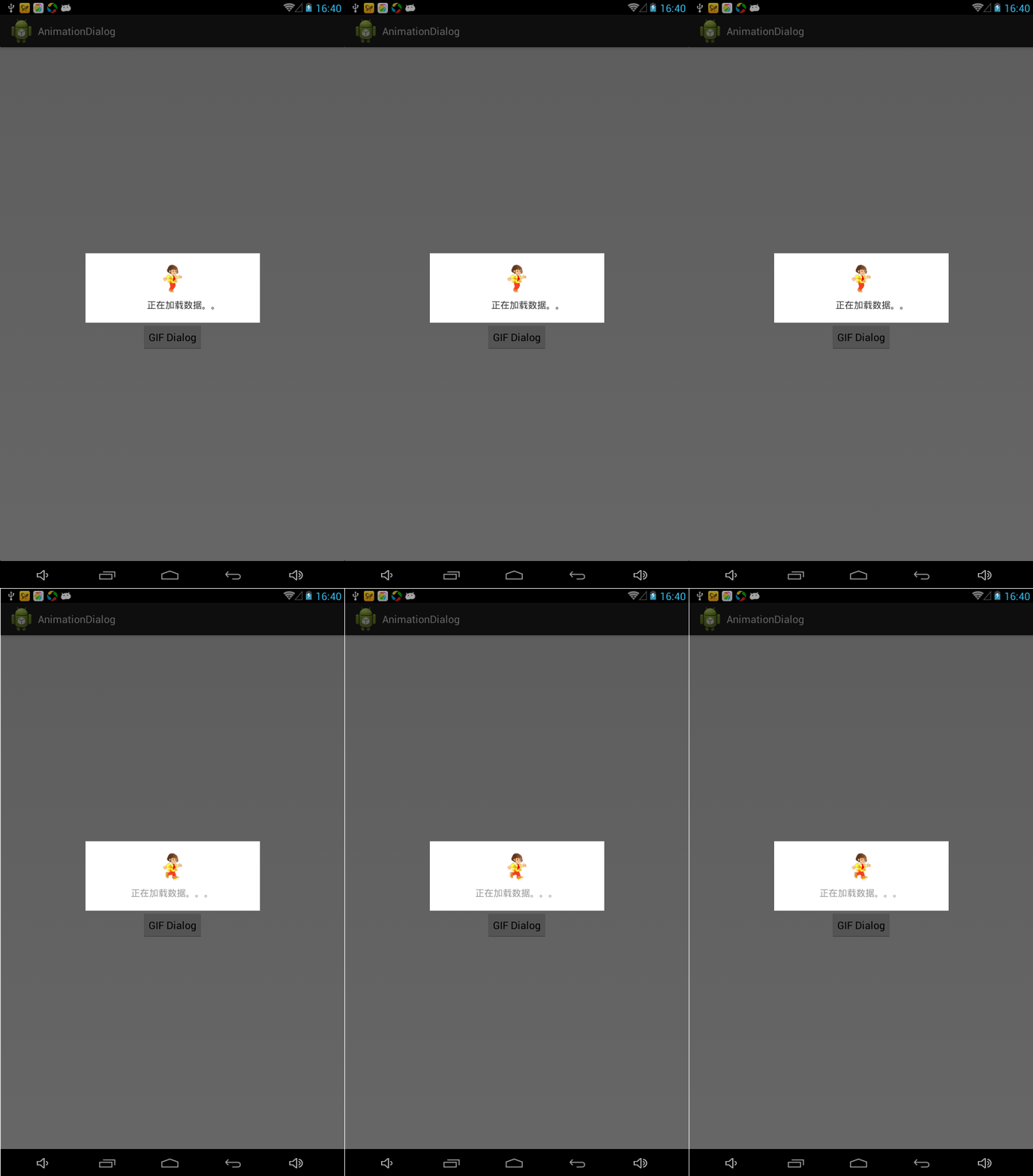
截屏效果太差,實際動畫是很流暢的,相信我。
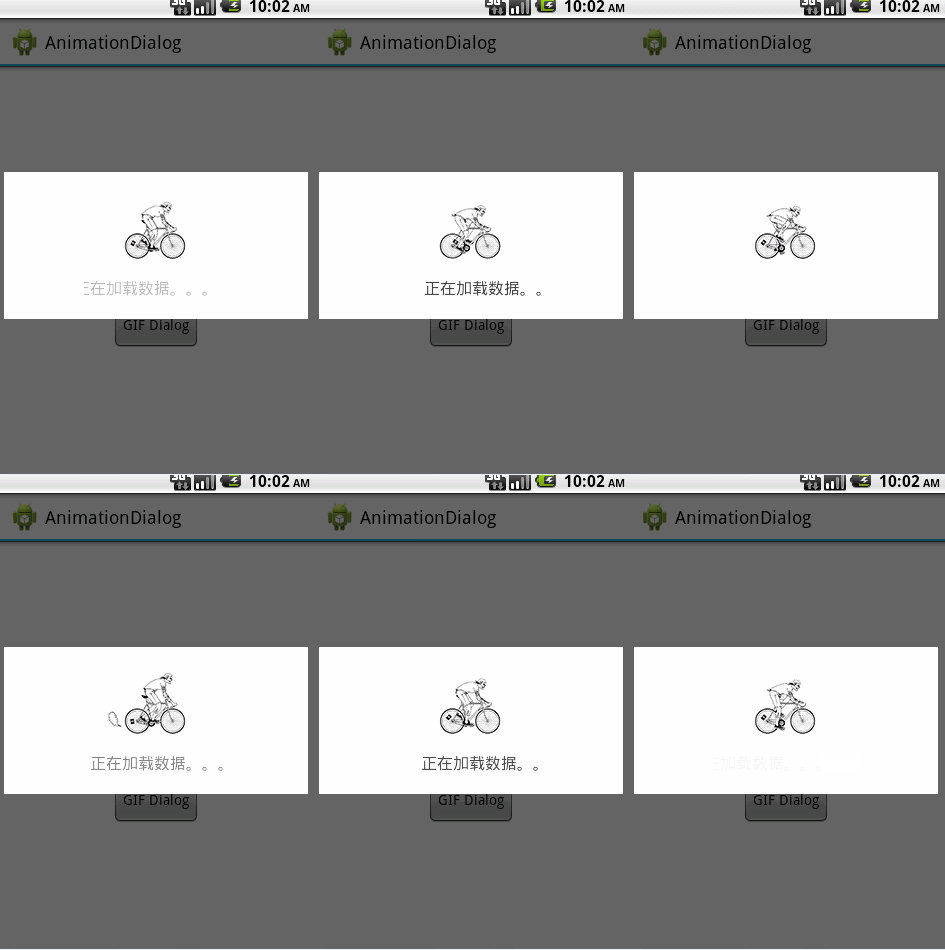
第二種、GIF動態圖實現
public static Dialog createGIFDialog(final Context context) {
		final Dialog dialog = new Dialog(context, R.style.dialog);
		dialog.setContentView(R.layout.dialog_gif);
		GifView gifView = (GifView) dialog.findViewById(R.id.dialog_gifView);
		gifView.setGifImage(R.drawable.ride);
		gifView.showAnimation();
		final TextView textView = (TextView) dialog
				.findViewById(R.id.dialog_gif_txt);
		Animation animation = AnimationUtils.loadAnimation(context,
				R.anim.animation_dialog_txt);

		animation.setAnimationListener(new AnimationListener() {

			@Override
			public void onAnimationEnd(Animation arg0) {
				Animation anim = AnimationUtils.loadAnimation(context,
						R.anim.animation_dialog_txt);
				textView.startAnimation(anim);
				anim.setAnimationListener(this);
			}

			@Override
			public void onAnimationRepeat(Animation arg0) {
				// TODO Auto-generated method stub

			}

			@Override
			public void onAnimationStart(Animation arg0) {
				// TODO Auto-generated method stub

			}

		});
		// 綁定動畫
		textView.startAnimation(animation);
		return dialog;
	}
效果圖
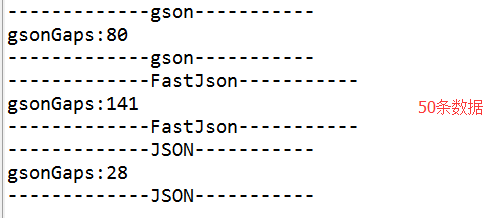 Gson、FastJson、org.JSON到底哪一個效率更高,速度更快
今天無意中再安卓巴士上看到了一片文章《Android開發者應該使用FlatBuffers替代JSON》,嚇得我趕緊看了看,突然感覺自己用了好長時間的JSON解析似乎落伍了
 Android WebView 應用界面開發教程
WebView組件本身就是一個浏覽器實現,Android5.0增強的WebView基於Chromium M37,直接支持WebRTC、WebAudio、WebGL。開發者
 RecyclerView綜合解析
什麼是RecyclerView?RecyclerView其實就是一個在5.0推出的控件,可以用它來代替ListView和GridView,從這一點也能看出來它的特性和Li
 Android RecyclerView打造自動循環效果
先看效果圖主要處理的地方:1、RecyclerView中Adapter的item個人可以無限輪詢.2、RecyclerView自動滑動3、手指按下時滑動停止,手指抬起後繼