編輯:關於Android編程
用了很久圖片壓縮,之前人們一直使用google的官方圖片壓縮方法
final BitmapFactory.Options options = new BitmapFactory.Options();
		options.inJustDecodeBounds = true;
		BitmapFactory.decodeResource(res, resId, options);

		options.inSampleSize = calculateInSampleSize(options, reqWidth,
				reqHeight);
		options.inJustDecodeBounds = false;
		return BitmapFactory.decodeResource(res, resId, options);
public static int calculateInSampleSize(
            BitmapFactory.Options options, int reqWidth, int reqHeight) {
    // Raw height and width of image
    final int height = options.outHeight;
    final int width = options.outWidth;
    int inSampleSize = 1;

    if (height > reqHeight || width > reqWidth) {

        final int halfHeight = height / 2;
        final int halfWidth = width / 2;

        // Calculate the largest inSampleSize value that is a power of 2 and keeps both
        // height and width larger than the requested height and width.
        while ((halfHeight / inSampleSize) > reqHeight
                && (halfWidth / inSampleSize) > reqWidth) {
            inSampleSize *= 2;
        }
    }

    return inSampleSize;
}
仔細看calucelateInSamplesize方法,該算法返回的是一種壓縮比例,仔細一看他的計算過程,你會發現,inSampleSize的變化過程是2-4-8,,而真正進入wile循環時,寬高就已經被看成是小了一半來計算的了,所以,上面那個網站說12M能壓縮到0.75M,就是因為差距太大,如果安卓手機內部壓縮自己的圖片(大概是2M壓縮到100K),所以此時,這個方法就適用於android編碼壓縮了。
所以鄙人針對於android編碼時壓縮,在此對它進行了優化,優化後代碼如下:
運行: culculateInSampleSize(bm,200,300)效果:
/*** 計算壓縮比例值(改進版 by touch_ping)
文件大小從1.12M變成81.75k
最終附上完整壓縮工具類:
package com.example.mqtest;

import java.io.ByteArrayInputStream;
import java.io.ByteArrayOutputStream;

import android.content.res.Resources;
import android.graphics.Bitmap;
import android.graphics.BitmapFactory;
import android.util.Log;

/**
 * 圖片壓縮工具類
 * @author touch_ping
 * 2015-1-5 下午1:29:59
 */
public class BitmapCompressor {
	/**
	 * 質量壓縮
	 * @author ping 2015-1-5 下午1:29:58
	 * @param image
	 * @param maxkb
	 * @return
	 */
	public static Bitmap compressBitmap(Bitmap image,int maxkb) {
		//L.showlog(壓縮圖片);
		ByteArrayOutputStream baos = new ByteArrayOutputStream();
		image.compress(Bitmap.CompressFormat.JPEG, 50, baos);// 質量壓縮方法,這裡100表示不壓縮,把壓縮後的數據存放到baos中
		int options = 100;
//		Log.i(test,原始大小 + baos.toByteArray().length);
		while (baos.toByteArray().length / 1024 > maxkb) { // 循環判斷如果壓縮後圖片是否大於(maxkb)50kb,大於繼續壓縮
//			Log.i(test,壓縮一次!);
			baos.reset();// 重置baos即清空baos
			options -= 10;// 每次都減少10
			image.compress(Bitmap.CompressFormat.JPEG, options, baos);// 這裡壓縮options%,把壓縮後的數據存放到baos中
		}
//		Log.i(test,壓縮後大小 + baos.toByteArray().length);
		ByteArrayInputStream isBm = new ByteArrayInputStream(baos.toByteArray());// 把壓縮後的數據baos存放到ByteArrayInputStream中
		Bitmap bitmap = BitmapFactory.decodeStream(isBm, null, null);// 把ByteArrayInputStream數據生成圖片
		return bitmap;
	}

	/**
	 * http://developer.android.com/training/displaying-bitmaps/load-bitmap.html
	 * 官網:獲取壓縮後的圖片
	 *
	 * @param res
	 * @param resId
	 * @param reqWidth
	 *            所需圖片壓縮尺寸最小寬度
	 * @param reqHeight
	 *            所需圖片壓縮尺寸最小高度
	 * @return
	 */
	public static Bitmap decodeSampledBitmapFromResource(Resources res,
			int resId, int reqWidth, int reqHeight) {
		final BitmapFactory.Options options = new BitmapFactory.Options();
		options.inJustDecodeBounds = true;
		BitmapFactory.decodeResource(res, resId, options);

		options.inSampleSize = calculateInSampleSize(options, reqWidth,
				reqHeight);
		options.inJustDecodeBounds = false;
		return BitmapFactory.decodeResource(res, resId, options);
	}

	/**
	 * 官網:獲取壓縮後的圖片
	 *
	 * @param res
	 * @param resId
	 * @param reqWidth
	 *            所需圖片壓縮尺寸最小寬度
	 * @param reqHeight
	 *            所需圖片壓縮尺寸最小高度
	 * @return
	 */
	public static Bitmap decodeSampledBitmapFromFile(String filepath,
			int reqWidth, int reqHeight) {
		final BitmapFactory.Options options = new BitmapFactory.Options();
		options.inJustDecodeBounds = true;
		BitmapFactory.decodeFile(filepath, options);

		options.inSampleSize = calculateInSampleSize(options, reqWidth,
				reqHeight);
		options.inJustDecodeBounds = false;
		return BitmapFactory.decodeFile(filepath, options);
	}

	public static Bitmap decodeSampledBitmapFromBitmap(Bitmap bitmap,
			int reqWidth, int reqHeight) {
		ByteArrayOutputStream baos = new ByteArrayOutputStream();
		bitmap.compress(Bitmap.CompressFormat.PNG, 90, baos);
		byte[] data = baos.toByteArray();

		final BitmapFactory.Options options = new BitmapFactory.Options();
		options.inJustDecodeBounds = true;
		BitmapFactory.decodeByteArray(data, 0, data.length, options);
		options.inSampleSize = calculateInSampleSize(options, reqWidth,
				reqHeight);
		options.inJustDecodeBounds = false;
		return BitmapFactory.decodeByteArray(data, 0, data.length, options);
	}

	/**
	 * 計算壓縮比例值(改進版 by touch_ping)
	 *
	 * 原版2>4>8...倍壓縮
	 * 當前2>3>4...倍壓縮
	 *
	 * @param options
	 *            解析圖片的配置信息
	 * @param reqWidth
	 *            所需圖片壓縮尺寸最小寬度O
	 * @param reqHeight
	 *            所需圖片壓縮尺寸最小高度
	 * @return
	 */
	public static int calculateInSampleSize(BitmapFactory.Options options,
			int reqWidth, int reqHeight) {

		final int picheight = options.outHeight;
		final int picwidth = options.outWidth;
		Log.i(test, 原尺寸: +  picwidth + * +picheight);

		int targetheight = picheight;
		int targetwidth = picwidth;
		int inSampleSize = 1;

		if (targetheight > reqHeight || targetwidth > reqWidth) {
			while (targetheight  >= reqHeight
					&& targetwidth>= reqWidth) {
				Log.i(test,壓縮: +inSampleSize + 倍);
				inSampleSize += 1;
				targetheight = picheight/inSampleSize;
				targetwidth = picwidth/inSampleSize;
			}
		}

		Log.i(test,最終壓縮比例: +inSampleSize + 倍);
		Log.i(test, 新尺寸: +  targetwidth + * +targetheight);
		return inSampleSize;
	}
}
public static int calculateInSampleSize(
            BitmapFactory.Options options, int reqWidth, int reqHeight) {
    // Raw height and width of image
    final int height = options.outHeight;
    final int width = options.outWidth;
    int inSampleSize = 1;

    if (height > reqHeight || width > reqWidth) {

        final int halfHeight = height / 2;
        final int halfWidth = width / 2;

        // Calculate the largest inSampleSize value that is a power of 2 and keeps both
        // height and width larger than the requested height and width.
        while ((halfHeight / inSampleSize) > reqHeight
                && (halfWidth / inSampleSize) > reqWidth) {
            inSampleSize *= 2;
        }
    }

    return inSampleSize;
}
 android中AutoCompleteTextView的簡單用法(實現搜索歷史)
網上有不少教程,那個提示框字符集都是事先寫好的,例如用一個String[] 數組去包含了這些數據,但是,我們也可以吧用戶輸入的作為歷史記錄保存下面先上我寫的代碼: imp
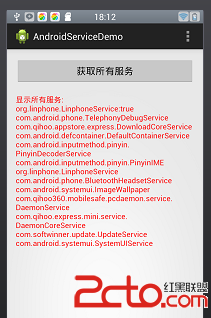 android 獲取設備中已啟動的服務並判斷某一服務是否啟動
我們常常在開發的時候,通過獲取系統已啟動的服務來判斷該服務器是否還需要再啟動。 而本文將介紹android設備中已啟動的服務,並判斷某一服務是啟動 1.根據ACTIV
 Android 中實現分享和第三方登陸---以新浪微博為例
第三方登陸和分享功能在目前大部分APP中都有,分享功能可以將自己覺得有意義的東西分享給身邊的朋友,而第三方登陸可以借助已經有巨大用戶基礎的平台(如QQ和新浪
 詳解Android N適配要點
Google即將發布的Android7.0的預覽版Android_N為我們增加了許多新的特性,其中包括多窗口的支持、通知欄支持直接回復、網絡數據節省開關、以及新的DOZE