編輯:關於Android編程
在Android1.5版本之前,實現掛斷電話是非常容易的事,只需要調用TelephonyManager的endCall()方法就可以了,但在1.5版本之後,Google工程師為了手機的安全期間,把endCall的方法隱藏掉了。所以實現掛斷電話可以通過反射的方法,執行endCall方法。具體實現如下:
TelephonyManager在源碼裡是這樣描述的:Context.getSystemService(Context.TELEPHONY_SERVICE)},我們通過TELEPHONY_SERVICE系統服務調用就可以獲取。
registerService(TELEPHONY_SERVICE, new ServiceFetcher() {
                public Object createService(ContextImpl ctx) {
                    return new TelephonyManager(ctx.getOuterContext());
                }});
而 android.os.ServiceManager 有getService方法
/**
     * Returns a reference to a service with the given name.
     *
     * @param name the name of the service to get
     * @return a reference to the service, or null if the service doesn't exist
     */
    public static IBinder getService(String name) {
        return null;
}/**
* Interface used to interact with the phone. Mostly this is used by the
* TelephonyManager class. A few places are still using this directly.
* Please clean them up if possible and use TelephonyManager insteadl.
*
* {@hide}
*/
interface ITelephony {
/**
* Dial a number. This doesn't place the call. It displays
* the Dialer screen.
* @param number the number to be dialed. If null, this
* would display the Dialer screen with no number pre-filled.
*/
/**
* End call or go to the Home screen
*
* @return whether it hung up
*/
boolean endCall();
我們知道利用綁定服務可以調用裡面的方法,會返回一個IBinder對象,利用IBinder可以調用服務裡的方法。
TelephonyManager實際上就是系統電話服務的代理對象,通過aidl獲取IBinder,然後進一步的進行封裝。代理有限的方法。
TelephonyManager ------------------IBinder-------------------------系統服務
代理對象 aidl
所以實現需要一下步奏:
1 、 反射加載ServiceManager類。
2、 獲取IBinder對象執行getService方法。
3、 在項目中新建com.android.internal.telephony包(包名不能變),然後拷貝ITelephony.aidl。 在新建android.telephony包,拷貝NeighboringCellInfo.aidl 的進程通信接口兩個文件。
4、調用endCall方法。
實現方法如下:
private void endCall() {
			// IBinder iBinder = ServiceManager.getService(TELEPHONY_SERVICE);
			// ServiceManager 是被系統隱藏掉了 所以只能用反射的方法獲取
			try {
				// 加載ServiceManager的字節碼
				Class clazz = CallSMSSafeService.class.getClassLoader()
						.loadClass("android.os.ServiceManager");
				Method method = clazz.getDeclaredMethod("getService",
						String.class);
				IBinder iBinder = (IBinder) method.invoke(null,
						TELEPHONY_SERVICE);
				ITelephony.Stub.asInterface(iBinder).endCall();
			} catch (Exception e) {
				e.printStackTrace();
				Log.i(TAG, "攔截電話異常");
			}

		}
 07_android入門_采用HttpClient的POST方式、GET方式分別實現登陸案例
1.簡介 HttpClient 是 Apache Jakarta Common 下的子項目,可以用來提供高效的、最新的、功能豐富的支持 HTTP 協議的客戶端編程工具包,
 重寫MPAndroidChart顯示標記
MPAndroidChart是實現圖表功能的優秀控件, 可以完成大多數繪制需求. 對於修改第三方庫而言, 優秀的架構是繼承開發, 而不是把源碼拆分出去. MP在顯示標記控
 Android studio中快速try catch的快捷鍵
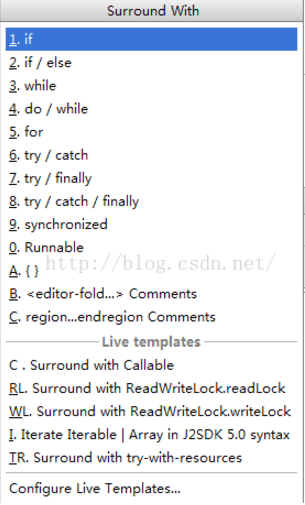
選擇要包裹的代碼塊,然後按下ctrl + alt + t
 微信公眾號解封辦法
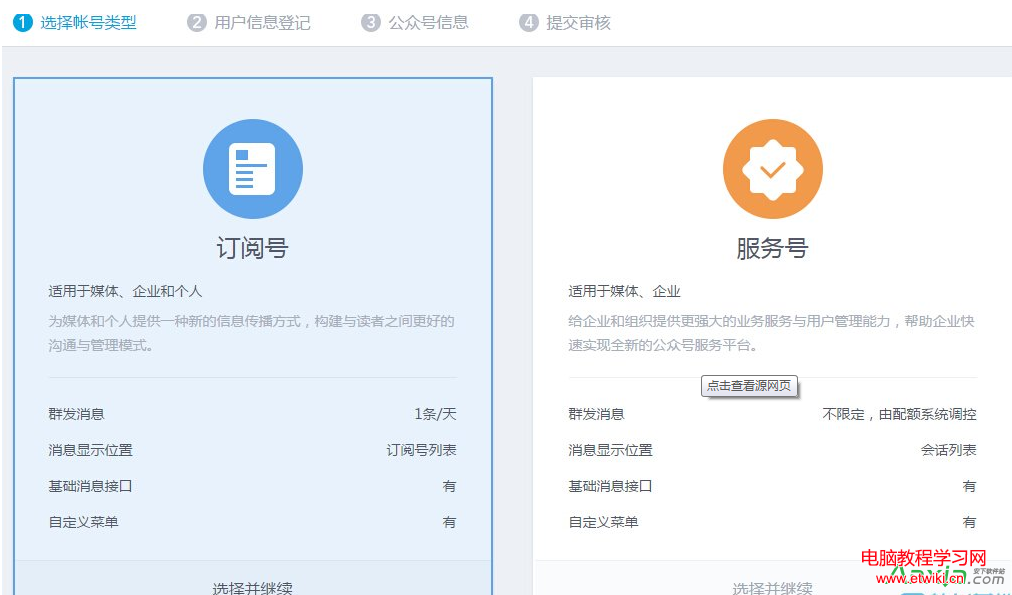
微信朋友圈,大家都知道存在一個公眾號,一個訂閱號和服務號。是個人,企業,媒體向廣大微信用戶發出自己聲音的平台。然後,一句老話“林子大了,什麼鳥都