編輯:關於Android編程
package com.example.yqqmobilesafe.ContactProvider;

import java.util.ArrayList;
import java.util.List;


import android.R.integer;
import android.content.Context;
import android.database.Cursor;
import android.net.Uri;

import android.provider.ContactsContract;


import com.example.yqqmobilesafe.domain.ContactInfo;

public class ContactInfoProvider {
	private Context mContext;
	public ContactInfoProvider(Context context) {
		mContext=context;

	}
	/**
	 * 獲取系統聯系人信息
	 * @return
	 */
	public  List getSystemContactInfos(){
		List infos=new ArrayList();

		// 使用ContentResolver查找聯系人數據
		Cursor cursor = mContext.getContentResolver().query(
			ContactsContract.Contacts.CONTENT_URI, null, null,
			null, null);

		// 遍歷查詢結果,獲取系統中所有聯系人
		while (cursor.moveToNext())
		{
			ContactInfo info=new ContactInfo();
			// 獲取聯系人ID
			String contactId = cursor.getString(cursor
				.getColumnIndex(ContactsContract.Contacts._ID));
			// 獲取聯系人的名字
			String name = cursor.getString(cursor.getColumnIndex(
				ContactsContract.Contacts.DISPLAY_NAME));
			info.setContactName(name);

			// 使用ContentResolver查找聯系人的電話號碼
			Cursor phones = mContext.getContentResolver().query(
				ContactsContract.CommonDataKinds.Phone.CONTENT_URI,
				null,
				ContactsContract.CommonDataKinds.Phone.CONTACT_ID
					+ " = " + contactId, null, null);

			// 遍歷查詢結果,獲取該聯系人的多個電話號碼
			while (phones.moveToNext())
			{
				// 獲取查詢結果中電話號碼列中數據。
				String phoneNumber = phones.getString(phones
					.getColumnIndex(ContactsContract
					.CommonDataKinds.Phone.NUMBER));
				info.setPhoneNumber(phoneNumber);
			}
			phones.close();

			infos.add(info);
			info=null;
		}
		cursor.close();

		return infos;

	}

	/**
	 * 分頁查詢系統聯系人信息
	 * @param pageSize 每頁最大的數目
	 * @param currentOffset 當前的偏移量
	 * @return
	 */
	public List getContactsByPage(int pageSize,int currentOffset) {

		List infos=new ArrayList();
				Uri uri = ContactsContract.CommonDataKinds.Phone.CONTENT_URI;
				String[] projection = { ContactsContract.CommonDataKinds.Phone.DISPLAY_NAME,
										ContactsContract.CommonDataKinds.Phone.DATA1, "sort_key"};
				Cursor cursor = mContext.getContentResolver().query(uri, projection, null, null, "sort_key COLLATE LOCALIZED asc limit " + pageSize + " offset " + currentOffset);
				if (cursor != null) {

					while (cursor.moveToNext()) {

						ContactInfo info=new ContactInfo();
						String contactName = cursor.getString(0);
						String phoneNumber = cursor.getString(1);
						info.setContactName(contactName);
						info.setPhoneNumber(phoneNumber);
						infos.add(info);
						info=null;
					}
					cursor.close();


	}
				return infos;
	}

	/**
	 * 獲得系統聯系人的所有記錄數目
	 * @return
	 */
	public int getAllCounts(){
		int num=0;
		// 使用ContentResolver查找聯系人數據
				Cursor cursor = mContext.getContentResolver().query(
					ContactsContract.Contacts.CONTENT_URI, null, null,
					null, null);

				// 遍歷查詢結果,獲取系統中所有聯系人
				while (cursor.moveToNext())
				{
					num++;
				}
				cursor.close();


		return num;
	}


}
 Android UI設計系列之自定義ListView仿QQ空間阻尼下拉刷新和漸變菜單欄效果(8)
好久沒有寫有關UI的博客了,剛剛翻了一下之前的博客,最近一篇有關UI的博客:Android UI設計系列之自定義Dialog實現各種風格的對話框效果(7) ,實現各種風格
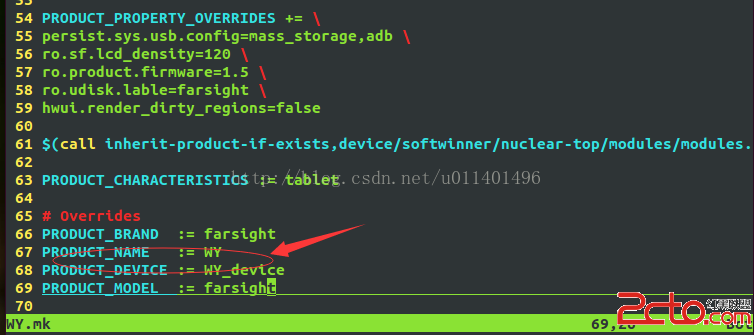 Android系統中添加一個產品----圖文詳解
本文本著開源的精神介紹如何向一個Android系統中添加一個產品的整個過程,按照以下過程筆者有理由相信每個將要從事本行業的人都可以完成,其實添加一個產品並不難,難的是對其
 Android View 事件分發機制 源碼解析 (上)
一直想寫事件分發機制的文章,不管咋樣,也得自己研究下事件分發的源碼,寫出心得~首先我們先寫個簡單的例子來測試View的事件轉發的流程~1、案例為了更好的研究View的事件
 Android Studio下自動生成UML圖
畫類圖是一件挺麻煩的事情。如果有工具能自動生成類圖,那有多好!簡單搜索了一下,還真有。AS (2.1)下面搞一個插件code iris就可以自動生成。1 插件安裝安裝很簡