編輯:關於Android編程
Intent intent=new Intent(); intent.setClassName("com.tencent.mm","com.tencent.mm.app.MMApplication"); startActivity(intent);} catch (Exception e) { Log.i("異常標簽",e);//不要用e.printStackTrace();Android一般都不提倡使用 } 比如,當Intent對象找不到指定的Activity時會出現ActivityNotFoundException異常,我們可以這樣處理: try {
Intent intent=new Intent(); intent.setClassName("com.tencent.mm","com.tencent.mm.app.MMApplication"); startActivity(intent);} catch (ActivityNotFoundException e) { Toast.makeText( PocketSphinxDemo.this, "正在啟動微信客戶端,請稍後...", Toast.LENGTH_SHORT).show(); } 二、常用系統調用 由於項目的需要,自己收集和總結了一些使用intent啟動系統程序源代碼,4.0系統親測都可以使用,分享一下共同學習吧。
(1)撥打電話
     Toast.makeText( PocketSphinxDemo.this, "正在啟動撥號器,請稍後...", Toast.LENGTH_SHORT).show();
     Intent intent1=new Intent();	 //創建一個intent
     intent1.setAction(Intent.ACTION_DIAL);	//設置intent的Action屬性
     intent1.setData(Uri.parse("tel://"));	//設置intent的Date屬性
     startActivity(intent1);	//啟動Activity	//啟動Activity
(2)打開浏覽器
     try{
      Toast.makeText( PocketSphinxDemo.this, "正在啟動浏覽器,請稍後...", Toast.LENGTH_SHORT).show();
      Uri uri=Uri.parse("http://www.baidu.com");	 //將字符串轉換為uri對象
      Intent intent2=new Intent(Intent.ACTION_VIEW,uri);	//創建一個同時指定Action屬性和Data屬性的intent
      intent2.addFlags(Intent.FLAG_ACTIVITY_NEW_TASK);
      startActivity(intent2);	 //啟動Activity
     }catch(ActivityNotFoundException e)
     {
              Toast.makeText(PocketSphinxDemo.this, " 啟動'浏覽器'異常!\n請檢查是否安裝了該應用.", Toast.LENGTH_SHORT).show();
     }
(3)打開地圖
     try{
      Toast.makeText( PocketSphinxDemo.this, "正在打開地圖,請稍後...", Toast.LENGTH_SHORT).show();
      Uri uri=Uri.parse("geo:38.899533,-77.036476");//將字符串轉換為uri對象
      Intent intent3=new Intent();
      intent3.setAction(Intent.ACTION_VIEW);
      intent3.setData(uri);
      intent3.addFlags(Intent.FLAG_ACTIVITY_NEW_TASK);
      startActivity(intent3);
     }
     catch(ActivityNotFoundException e)
     {
               Toast.makeText(PocketSphinxDemo.this, " 啟動'地圖'異常!\n請檢查是否安裝了該應用.", Toast.LENGTH_SHORT).show();
     }
(3)編輯短信(調用發送短信程序)
     Toast.makeText( PocketSphinxDemo.this, "正在打開短信,請稍後...", Toast.LENGTH_SHORT).show();
     Intent intent4=new Intent(Intent.ACTION_VIEW);	//創建一個帶Action屬性的intent
     intent4.setType("vnd.android-dir/mms-sms");
     startActivity(intent4);
(4)查看聯系人
     Toast.makeText( PocketSphinxDemo.this, "正在啟動聯系人,請稍後...", Toast.LENGTH_SHORT).show();
     Intent intent5 = new Intent(Intent.ACTION_VIEW, ContactsContract.Contacts.CONTENT_URI);
     startActivity(intent5);
(5)打開相機
     Toast.makeText( PocketSphinxDemo.this, "正在啟動相機,請稍後...", Toast.LENGTH_SHORT).show();
     Intent intent7=new Intent();
     intent7.setAction(MediaStore.INTENT_ACTION_STILL_IMAGE_CAMERA);	//啟動相機app
     startActivity(intent7);
(6)打開圖庫
     Toast.makeText( PocketSphinxDemo.this, "正在打開圖庫,請稍後...", Toast.LENGTH_SHORT).show();
     Intent intent8 = new Intent();
     intent8.setType("image/*");
     intent8.setAction(Intent.ACTION_GET_CONTENT);
     startActivity(intent8);
(7)打開計算器
     Toast.makeText( PocketSphinxDemo.this, "正在啟動計算器,請稍後...", Toast.LENGTH_SHORT).show();
     Intent intent11 = new Intent();
     intent11.setClassName("com.android.calculator2","com.android.calculator2.Calculator");	//調用setClassName指定了啟動哪個應用程序
     startActivity(intent11);
(8)打開系統設置
     Intent intentSet= new Intent(Settings.ACTION_SETTINGS);
     startActivity(intentSet);
(9)打開時鐘
     try{
     Intent intentclock=new Intent();
              intentclock.setClassName("com.android.deskclock", "com.android.deskclock.DeskClock");
              startActivity(intentclock);
     }
     catch(ActivityNotFoundException e)
      {
               Toast.makeText(PocketSphinxDemo.this, " 啟動'時鐘'異常!\n請檢查是否安裝了該應用.", Toast.LENGTH_SHORT).show();
     }
(10)打開文件管理器
 try{
       Intent intentFile=new Intent();
        intentFile.setAction(Intent.ACTION_VIEW);
       intentFile.setType("text/plain");
      startActivity(intentFile);
     }catch(ActivityNotFoundException e)
     {
         Toast.makeText(PocketSphinxDemo.this, " 啟動'文件管理器'異常!\n請檢查是否安裝了該應用.", Toast.LENGTH_SHORT).show();
     }
(11)打開QQ
try{
      Toast.makeText( PocketSphinxDemo.this, "正在打開QQ聊天工具,請稍後...", Toast.LENGTH_SHORT).show();
      Intent intent12=new Intent();
      intent12.setClassName("com.tencent.mobileqq","com.tencent.mobileqq.activity.SplashActivity");
     intent12.addFlags(Intent.FLAG_ACTIVITY_NEW_TASK);
     startActivity(intent12);
     }
  catch(ActivityNotFoundException e)
  {
       Toast.makeText(PocketSphinxDemo.this, " 啟動'QQ'異常!\n請檢查是否安裝了該應用.", Toast.LENGTH_SHORT).show();
  }
(12)打開微信
 try{
      Toast.makeText( PocketSphinxDemo.this, "正在啟動微信客戶端,請稍後...", Toast.LENGTH_SHORT).show();
      Intent intent4=new Intent();
       intent4.setClassName("com.tencent.mm","com.tencent.mm.ui.LauncherUI");
       intent4.addFlags(Intent.FLAG_ACTIVITY_NEW_TASK);
       startActivity(intent4);
  }
  catch(ActivityNotFoundException e)
  {
       Toast.makeText(PocketSphinxDemo.this, " 啟動'微信'異常!\n請檢查是否安裝了該應用.", Toast.LENGTH_SHORT).show();
  }
(13)重啟手機
String cmd = "su -c reboot";
 try {
          Toast.makeText(PocketSphinxDemo.this, "正在重啟手機,請稍後...", Toast.LENGTH_SHORT).show();
           Runtime.getRuntime().exec(cmd);
     } catch (IOException e) {
            // TODO Auto-generated catch block
           new AlertDialog.Builder(PocketSphinxDemo.this).setTitle("Error").setMessage(
                                         e.getMessage()).setPositiveButton("OK", null).show();
                 }
 詳解Android6.0運行時權限管理
自從Android6.0發布以來,在權限上做出了很大的變動,不再是之前的只要在manifest設置就可以任意獲取權限,而是更加的注重用戶的隱私和體驗,不會再強迫用戶因拒絕
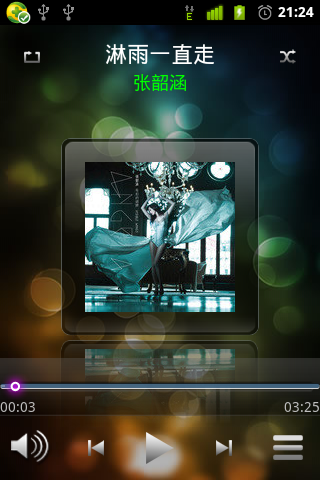 Android應用開發之簡易、大氣音樂播放器實現專輯倒影效果
今天要實現的功能是實現專輯倒影效果,這個功能已經屬於圖像處理方面的了,對圖像處理我不怎麼在行,等一下會介紹一個很實用的工具類,專門用來進行圖像處理的。這個工具類不是我寫的
 ImageView的ScaleType詳解
ScaleType表示ImageView的縮放類型,決定了一張圖片在ImageView控件內如何縮放和顯示。ScaleType的官方文檔:https://develope
 Android MotionEvent詳解
我們已經了解了android觸摸事件傳遞機制,接著我們再來研究一下與觸摸事件傳遞相關的幾個比較重要的類,比如MotionEvent。我們今天就來詳細說明一下這個類的各方面