編輯:關於Android編程
IntentService提供了一種在後台線程中執行任務的方式,適合處理執行時間較長的後台任務。
優點:
(1)IntentService運行在單獨的線程中,不會阻塞UI線程
(2)IntentService不受生命周期的影響
缺點:
(1)不能與UI直接進行交互,可以用Broadcast
(2)順序執行請求,第二個請求只有在第一個請求執行完以後才能執行
(3)請求不能被中斷
使用IntentService的步驟:
(1)在Activity中通過startService啟動service,並傳遞參數。
(2)Service中接收參數,做耗時的處理,處理完畢,發送Broadcat,並把處理結果傳遞出來
(3)Activity中注冊BroadcastReceiver,監聽廣播,更新UI。
看一個例子:
public class MainActivity extends Activity {

	@Override
	protected void onCreate(Bundle savedInstanceState) {
		super.onCreate(savedInstanceState);
		setContentView(R.layout.activity_main);
		Button btn = (Button) this.findViewById(R.id.btn);
		btn.setOnClickListener(new View.OnClickListener() {
			@Override
			public void onClick(View v) {//通過startService啟動service,並傳遞參數。
				Intent mServiceIntent = new Intent(MainActivity.this,RSSPullService.class);
				mServiceIntent.setData(Uri.parse(http://www.baidu.com/));
				MainActivity.this.startService(mServiceIntent);
			}
		});
		//注冊BroadcastReceiver,監聽廣播
		IntentFilter statusIntentFilter = new IntentFilter(Constants.BROADCAST_ACTION);
        // Sets the filter's category to DEFAULT
        statusIntentFilter.addCategory(Intent.CATEGORY_DEFAULT);
		DownloadStateReceiver mDownloadStateReceiver = new DownloadStateReceiver();
		// Registers the DownloadStateReceiver and its intent filters
		LocalBroadcastManager.getInstance(this).registerReceiver(mDownloadStateReceiver, statusIntentFilter);

	}

	private class DownloadStateReceiver extends BroadcastReceiver {
		@Override
		public void onReceive(Context context, Intent intent) {
			String data = intent.getStringExtra(Constants.EXTENDED_DATA);
			Log.e(test, data);
			Toast.makeText(context, data, Toast.LENGTH_SHORT).show();
		}
	}

}
public class RSSPullService extends IntentService {

	public RSSPullService() {
		super(RSSPullService);
	}

	@Override
	protected void onHandleIntent(Intent workIntent) {//接收參數,做耗時的處理,處理完畢,發送Broadcat
		String localUrlString = workIntent.getDataString();
		String data = download(localUrlString);
		Intent localIntent = new Intent(Constants.BROADCAST_ACTION);
	    // Puts the status into the Intent
		localIntent.putExtra(Constants.EXTENDED_DATA, data);
	    // Broadcasts the Intent to receivers in this app.
	    LocalBroadcastManager.getInstance(this).sendBroadcast(localIntent);
	}

	private String download(String localUrlString){
		try{
			URL url = new URL(localUrlString);
			HttpURLConnection conn = (HttpURLConnection)url.openConnection();
			InputStream in = conn.getInputStream();
			ByteArrayOutputStream out = new ByteArrayOutputStream();
			byte[] buff = new byte[1024];
			int len = 0;
			while((len = in.read(buff)) != -1){
				out.write(buff,0,len);
			}
			in.close();
			return new String(out.toByteArray());
		}catch(Exception e){
			e.printStackTrace();
			return ;
		}
	}
}
public class Constants {

	// Defines a custom Intent action
	public static final String BROADCAST_ACTION = com.example.android.threadsample.BROADCAST;

	// Defines the key for the status extra in an Intent
	public static final String EXTENDED_DATA_STATUS = com.example.android.threadsample.STATUS;

	public static final String EXTENDED_DATA = com.example.android.threadsample.DATA;

}
 Android獲取asset下的資源圖片
package cc.testasset; import java.io.InputStream; import android.os.Bundle; import
 android 中ScrollView的使用
android中布局一般都有兩種方式,一種xml聲明,另外一種則是程序聲明: xml:
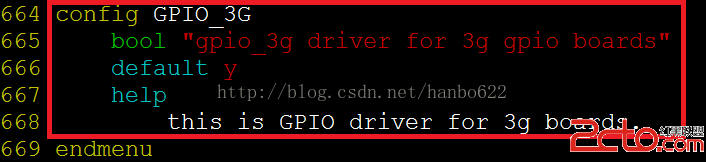 android下調試3G之gpio控制3G上電
如果是自己開發的板子,需要用GPIO引腳控制3G模塊開機/關機時,下面的文章會對你有所幫助,是以處理器IMX6和中興MG3732模塊為例介紹。 一、引腳連接
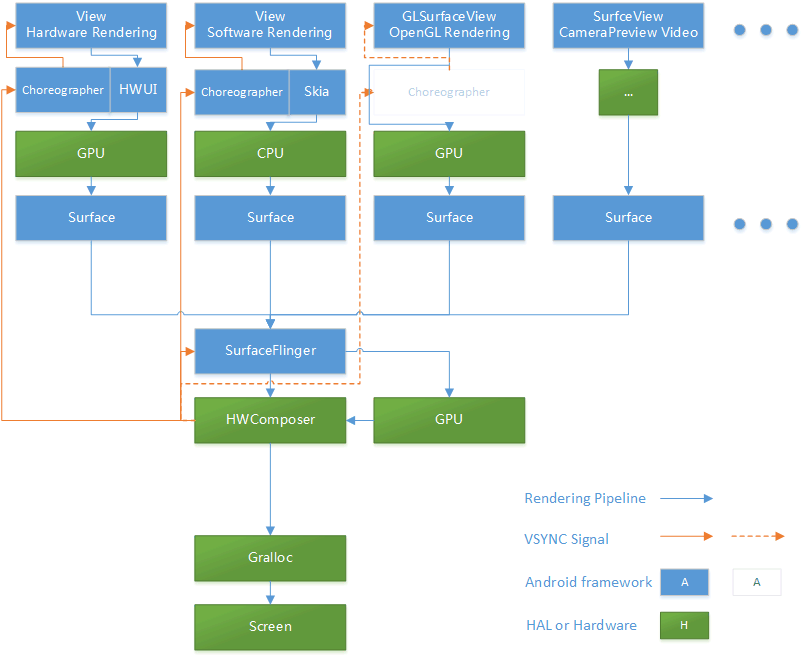 當我們討論流暢度的時候,我們究竟在說什麼?
前言:那些年我們用過的顯示性能指標 相對其他 Android 性能指標(如內存、CPU、功耗等)而言,顯示性能(包括但不僅限於我們常說的“流暢度”)的概念本來就相對復雜