編輯:關於Android編程
首先,為什麼要用aidl
---------------------------------------------------------------------------------------------------------------------------
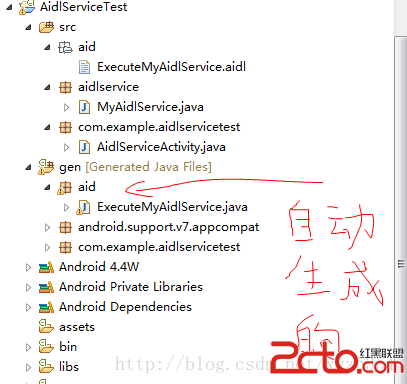
package aid;
interface ExecuteMyAidlService {

	String sayHello();

}
MyAidlService.java文件
package aidlservice;

import aid.ExecuteMyAidlService;
import android.app.Service;
import android.content.Intent;
import android.os.IBinder;
import android.os.RemoteException;


public class MyAidlService extends Service
{
	private static final String TAG = "MyAidlService";
	private ExecuteMyAidlService.Stub mBinder = new ExecuteMyAidlService.Stub() {

		@Override
		public String sayHello() throws RemoteException {
			// TODO Auto-generated method stub
			return "hello ";
		}

    };
	@Override
	public IBinder onBind(Intent intent) {
		// TODO Auto-generated method stub
		return mBinder;
	}

	private void Log(String str) {
        android.util.Log.d(TAG, "------ " + str + "------");
    }
    @Override
    public void onCreate() {
        Log("service create");
    }
    @Override
    public void onStart(Intent intent, int startId) {
        Log("service start id=" + startId);
    }


}
activity裡面沒有東西就不貼了
package com.example.aidlclienttest;

import aid.ExecuteMyAidlService;
import android.support.v7.app.ActionBarActivity;
import android.content.ComponentName;
import android.content.Intent;
import android.content.ServiceConnection;
import android.os.Bundle;
import android.os.IBinder;
import android.os.RemoteException;
import android.view.Menu;
import android.view.MenuItem;
import android.view.View;
import android.view.View.OnClickListener;
import android.widget.Button;
import android.widget.TextView;


public class ClientActivity extends ActionBarActivity {

	 private ExecuteMyAidlService mIaidlServerService = null;
	 private TextView mTextView = null;
	 private Button mButton = null;
	 private ServiceConnection mConnection = new ServiceConnection() {

	        public void onServiceDisconnected(ComponentName name) {
	            mIaidlServerService = null;
	        }
	        public void onServiceConnected(ComponentName name, IBinder service) {
	            mIaidlServerService = ExecuteMyAidlService.Stub.asInterface(service);
	            //aidl通信
	            try {
	            	String mText = "Say hello: " + mIaidlServerService.sayHello();
	            	mTextView.setText(mText);
	            } catch (RemoteException e) {
	                e.printStackTrace();
	            }
	        }
	    };
    @Override
    protected void onCreate(Bundle savedInstanceState) {
        super.onCreate(savedInstanceState);
        setContentView(R.layout.activity_client);
        mTextView = (TextView)findViewById(R.id.helloword);
        mButton = (Button)findViewById(R.id.getServiceFromAidl);
        mButton.setOnClickListener(new OnClickListener(){

			@Override
			public void onClick(View v) {
				// TODO Auto-generated method stub
				Intent service = new Intent("aidl.ExecuteMyAidlService");
				service.setAction("aidl.ExecuteMyAidlService");
                bindService(service, mConnection,BIND_AUTO_CREATE);
			}

        });
    }


    @Override
    public boolean onCreateOptionsMenu(Menu menu) {
        // Inflate the menu; this adds items to the action bar if it is present.
        getMenuInflater().inflate(R.menu.client, menu);
        return true;
    }

    @Override
    public boolean onOptionsItemSelected(MenuItem item) {
        // Handle action bar item clicks here. The action bar will
        // automatically handle clicks on the Home/Up button, so long
        // as you specify a parent activity in AndroidManifest.xml.
        int id = item.getItemId();
        if (id == R.id.action_settings) {
            return true;
        }
        return super.onOptionsItemSelected(item);
    }
}
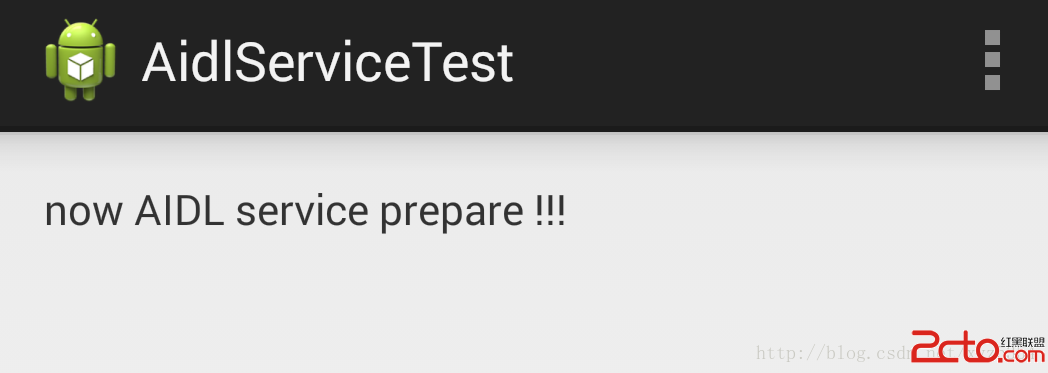
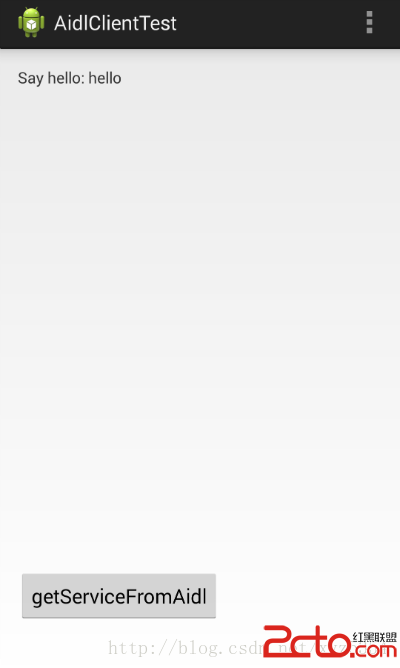
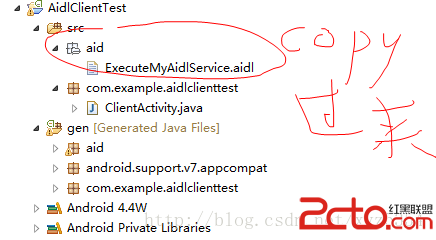
在service端和client端都有.aidl文件,一定要放在單獨的包中,因為兩個app中的MainActivity的包名不相同,會導致兩個.aidl文件內容不同。單獨一個包,只放.aidl文件,就能保證包名和文件內容都是相同的。
 Android控件系列之Button以及Android監聽器使用介紹
學習目的: 1、掌握在Android中如何建立Button 2、掌握Button的常用屬性 3、掌握Button按鈕的點擊事件(監聽器) Button是各種UI中最常用的
 Android實現仿網易新聞主界面設計
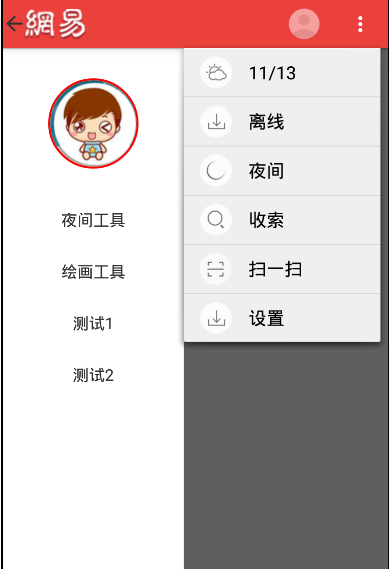
下面先來一張效果圖 根據圖片分析,要實現的有側邊欄DrawerLayout,ActionBar的顏色和菜單以及ActionBarDrawerTogg
 Android初識之Activity組件
之前自己的編程完全是在PC上進行的,而且主要是在算法和數據結構上。由於某些需要加之認識到Android的重要性,且大學走到現在基本上沒什麼課了,空閒時間很多,於是就開始學
 C#之Android手機App開發
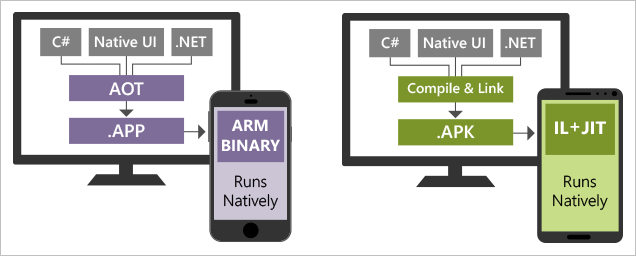
目前Android在全世界市場上大約有75%的占有率,國人Android手機的持有比例更甚,甚至達到90%以上。因此搞計算機的一聽說手機應用開發,一個個都像著了魔似的,既