編輯:關於Android編程
增加快捷方式和刪除快捷方式:
private void addShortcut() {
        Intent shortcut = new Intent(
                "com.android.launcher.action.INSTALL_SHORTCUT");

        // 快捷方式的名稱
        shortcut.putExtra(Intent.EXTRA_SHORTCUT_NAME,
                getString(R.string.app_name));
        shortcut.putExtra("duplicate", false); // 不允許重復創建

        // 指定當前的Activity為快捷方式啟動的對象
        ComponentName comp = new ComponentName(this.getPackageName(),
                getClass().getName());
        shortcut.putExtra(Intent.EXTRA_SHORTCUT_INTENT, new Intent(
                Intent.ACTION_MAIN).setComponent(comp));

        // 快捷方式的圖標
        ShortcutIconResource iconRes = Intent.ShortcutIconResource.fromContext(
                this, R.drawable.icon);
        shortcut.putExtra(Intent.EXTRA_SHORTCUT_ICON_RESOURCE, iconRes);

        sendBroadcast(shortcut);
    }

    /**
     * 刪除程序的快捷方式。
     */
    private void deleteShortcuts() {
        Intent shortcut = new Intent(
                "com.android.launcher.action.UNINSTALL_SHORTCUT");

        // 快捷方式的名稱
        shortcut.putExtra(Intent.EXTRA_SHORTCUT_NAME,
                getString(R.string.app_name));

        // 指定當前的Activity為快捷方式啟動的對象
        ComponentName comp = new ComponentName(this.getPackageName(),
                getClass().getName());
        shortcut.putExtra(Intent.EXTRA_SHORTCUT_INTENT, new Intent(
                Intent.ACTION_MAIN).setComponent(comp));

        sendBroadcast(shortcut);
} public boolean sendEmail(String to[], String subject, String body,
String attachementFilePath) {
final Intent emailIntent = new Intent(
android.content.Intent.ACTION_SEND);
emailIntent.putExtra(android.content.Intent.EXTRA_EMAIL, to);
emailIntent.putExtra(android.content.Intent.EXTRA_SUBJECT, subject);
emailIntent.putExtra(android.content.Intent.EXTRA_TEXT, body);
if (attachementFilePath != null) {
Uri attachmentUri = null;
try {
File file = new File(attachementFilePath);
if (file == null) {
Log.d("[RC] Mail", "File error: " + attachementFilePath);
} else if (!file.exists()) {
Log.d("[RC] Mail", "File does not exist: "
+ attachementFilePath);
} else if (!file.canRead()) {
Log.d("[RC] Mail", "File can't be read: "
+ attachementFilePath);
} else if (!file.isFile()) {
Log.d("[RC] Mail", "Invalid file: " + attachementFilePath);
} else {
attachmentUri = Uri.fromFile(file);
Log.d("[RC] Mail", "Attachement path[size=" + file.length()
+ "]: " + attachementFilePath);
Log.d("[RC] Mail",
"Attachement URI: " + attachmentUri.toString());
}
} catch (java.lang.Throwable ex) {
Log.e("[RC] Mail", "Error: " + ex.toString());
}
if (attachmentUri != null) {
emailIntent.putExtra(Intent.EXTRA_STREAM, attachmentUri);
}
}
emailIntent.setType(PLAIN_TEXT);
List availableSoft = (List) mContext
.getPackageManager().queryIntentActivities(emailIntent,
PackageManager.MATCH_DEFAULT_ONLY);
if (availableSoft.size() <= 0) {
return false;
}
mContext.startActivity(Intent.createChooser(emailIntent, mContext
.getResources().getString(R.string.menu_sendEmail)));
return true;
} //new Intent(Intent.ACTION_VIEW, uri)
public void startActiviyByChromeIfExists(Context context,
Intent intent) {
try {
Log.d("startActiviyByChromeIfExists",
"Intent Scheme: " + intent.getScheme());
} catch (Exception e) {
}
if (context != null && intent != null) {
intent.setFlags(Intent.FLAG_ACTIVITY_NEW_TASK);
List availableSoft = (List) context
.getPackageManager().queryIntentActivities(intent,
PackageManager.MATCH_DEFAULT_ONLY);
for (ResolveInfo info : availableSoft) {
if ("com.android.chrome".equals(info.activityInfo.packageName)) {
intent.setComponent(new ComponentName(
info.activityInfo.packageName,
info.activityInfo.name));
context.startActivity(intent);
return;
}
}
if (availableSoft.size() == 0) {
try {
Toast.makeText(mContext, R.string.setting_no_browser_installed, Toast.LENGTH_LONG).show();
} catch (Exception e) {
Log.e("startActiviyByChromeIfExists", e.getMessage());
}
} else {
context.startActivity(intent);
}
}
}  【57】android圖片印刻,陽刻,素描圖效果處理
介紹我參與開發的妙趣剪紙app使用的圖片處理相關的技術關於妙趣剪紙,各大android商店都可以下載,下面貼出小米商店的鏈接妙趣剪紙下載軟件效果截圖如何實現上面的圖片處理
 Android項目實戰之仿網易頂部導航欄效果
隨著時間的推移現在的軟件要求顯示的內容越來越多,所以要在小的屏幕上能夠更好的顯示更多的內容,首先我們會想到底部菜單欄,但是有時候想網易新聞要顯示的內容太多,而且又想在主頁
 Android布局小結
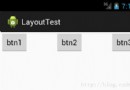
1.FrameLayout 幀布局,效果為多個圖層依次疊加,比如說畫一幅畫,在FrameLayout中先添加背景imageView,再添加其他的事物imageView即可
 Android監聽程序自身被卸載
概述:如果不是一些特殊的情況,我想大家很少會接觸到這個需求。其實Android的Java部分沒有提供相應的接口,這裡需要去調用C的代碼,也就是說要寫JNI了。關於JNI的