編輯:關於Android編程
典型應用場合:
進入某一界面以後,顯示默認值(其實這個也可以通過直接在布局文件中指定)
基本點:
1)SharePreferences所生成的文件最終還是以.xml文件的形式存在於/data/data/應用包名/share_prefs/xxx.xml中
2)SharePreferences適合用於存儲key-value型的數據
基本使用:
存:
Editor editor = sp.edit();//獲取編輯器
		editor.putString(name, name);//存儲數據(還沒進入進入文件)
		editor.putString(phone, phone);
		editor.putString(email, email);
		editor.commit();//提交修改(類似於事務)
sp = getSharedPreferences(data, MODE_PRIVATE);//獲取對象,默認指向當前應用.文件名為data.xml,模式為私有
//	    sp = getPreferences(MODE_PRIVATE);//這時候生成的文件名為MainActivity.xml

		et_name.setText(sp.getString(name, ));
		et_phone.setText(sp.getString(phone, ));
		et_email.setText(sp.getString(email, ));
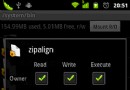
解析:為什麼我們使用getPreferences(MODE_PRIVATE)時生成的文件名為MainActivity.xml呢??如下圖所示:

其實在之前的博客我就提過,這種很類似的函數,在底層實現的時候,很可能就是你調我,我調你的。。。事實勝於雄辯,源碼面前無秘密。。現在我們就去看看Android源碼中這兩個函數就知道了。。。
源碼分析:
先看getSharedPreferences(String name, int mode):
 @Override
    public SharedPreferences getSharedPreferences(String name, int mode) {
        return mBase.getSharedPreferences(name, mode);
    }
接下來,看一下getPreferences(int mode):
 /**
     * Retrieve a {@link SharedPreferences} object for accessing preferences
     * that are private to this activity.  This simply calls the underlying
     * {@link #getSharedPreferences(String, int)} method by passing in this activity's
     * class name as the preferences name.
     *
     * @param mode Operating mode.  Use {@link #MODE_PRIVATE} for the default
     *             operation, {@link #MODE_WORLD_READABLE} and
     *             {@link #MODE_WORLD_WRITEABLE} to control permissions.
     *
     * @return Returns the single SharedPreferences instance that can be used
     *         to retrieve and modify the preference values.
     */
    public SharedPreferences getPreferences(int mode) {
        return getSharedPreferences(getLocalClassName(), mode);
    }
/**
     * Returns class name for this activity with the package prefix removed.
     * This is the default name used to read and write settings.
     *
     * @return The local class name.
     */
    public String getLocalClassName() {
        final String pkg = getPackageName();
        final String cls = mComponent.getClassName();//獲取長類名:包名+類名
        int packageLen = pkg.length();
        if (!cls.startsWith(pkg) || cls.length() <= packageLen
                || cls.charAt(packageLen) != '.') {
            return cls;
        }
        return cls.substring(packageLen+1);//截取包名後面的那一段.也就是類名
    }
例子:
1、MainActivity
package com.example.sharepreferencetest;

import android.os.Bundle;
import android.app.Activity;
import android.content.Context;
import android.content.SharedPreferences;
import android.content.SharedPreferences.Editor;
import android.view.Menu;
import android.view.View;
import android.widget.EditText;

public class MainActivity extends Activity {

	private EditText et_name;
	private EditText et_phone;
	private EditText et_email;
	private SharedPreferences sp;

	@Override
	protected void onCreate(Bundle savedInstanceState) {
		super.onCreate(savedInstanceState);
		setContentView(R.layout.main);

		et_name = (EditText) findViewById(R.id.nameET);
		et_phone = (EditText) findViewById(R.id.phoneET);
		et_email = (EditText) findViewById(R.id.emailET);

		sp = getSharedPreferences(data, MODE_PRIVATE);//獲取對象,默認指向當前應用.文件名為data.xml,模式為私有
//	    sp = getPreferences(MODE_PRIVATE);//這時候生成的文件名為MainActivity.xml

		et_name.setText(sp.getString(name, ));
		et_phone.setText(sp.getString(phone, ));
		et_email.setText(sp.getString(email, ));

	}

	public void onClick(View view){
		String name = et_name.getText().toString();
		String phone = et_phone.getText().toString();
		String email = et_email.getText().toString();


		Editor editor = sp.edit();//獲取編輯器
		editor.putString(name, name);//存儲數據(還沒進入進入文件)
		editor.putString(phone, phone);
		editor.putString(email, email);
		editor.commit();//提交修改(類似於事務)


	}
	@Override
	public boolean onCreateOptionsMenu(Menu menu) {
		// Inflate the menu; this adds items to the action bar if it is present.
		getMenuInflater().inflate(R.menu.main, menu);
		return true;
	}

}
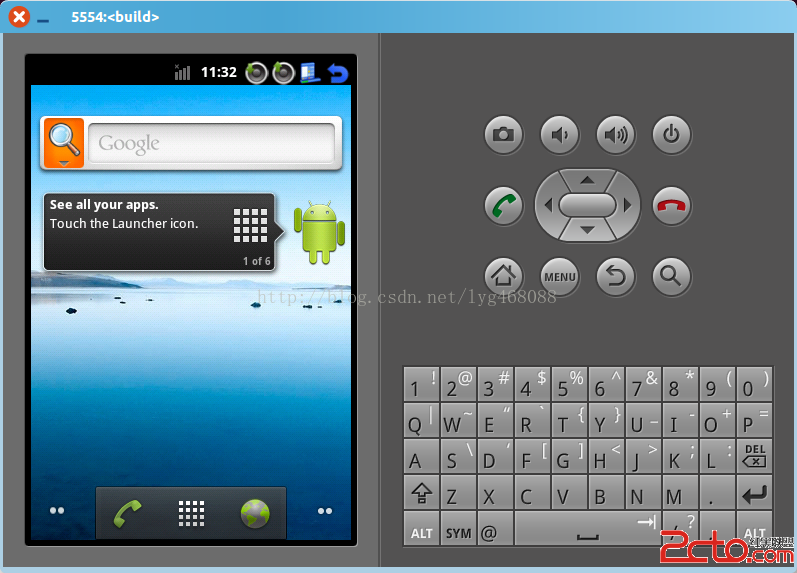
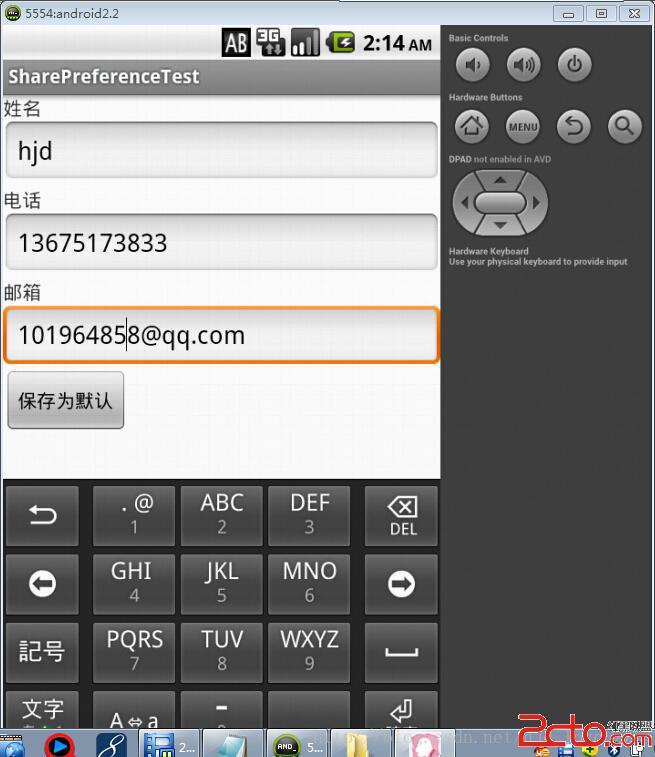
效果圖:
生成的data.xml文件的內容如下:
 Android仿微信實現首字母導航條
本文介紹Android實現首字母導航條,先看張效果圖,具體怎麼實現看代碼吧具體的步驟1.整體布局的顯示 2. 實現A-Z的分組 3. 自定義A-Z的導航條 4. 中間顯示
 android實現文字漸變效果和歌詞進度的效果
要用TextView使用漸變色,那我們就必須要了解LinearGradient(線性漸變)的用法。LinearGradient的參數解釋LinearGradient也稱作
 Android群英傳知識點回顧——第三章:Android控件架構與自定義控件詳解
知識點目錄 3.1 Android控件架構 3.2 View的測量 3.3 View的繪制 3.4 ViewGroup的測量 3.5 ViewGroup的繪制 3.6 自
 Android樹形控件繪制方法
前言作為一個開發者,日常會接觸到很多優秀的軟件,其實,或多或少會有這樣的想法,我能不能開發一個自己軟件,甚至辦公軟件都希望是Markdown的文本,為何用office?我