編輯:關於Android編程
先上效果圖,選擇不同的模塊,滑動會通過動畫形式滑過去,這種適合新聞客戶端多種欄目的展示:
這麼寫Layout:
            <frameLayout
                android:layout_width="fill_parent"
                android:layout_height="wrap_content"
                android:layout_gravity="center_vertical"
                android:paddingLeft="5.0dp"
                android:paddingRight="5.0dp"
                android:paddingTop="3.0dp" >


		//這個可以把子欄目都加到column_title_layout中

            </frameLayout>
- 科技
- 財經
- 體育
- 本地
- 最新
- 百家
- 娛樂
	private void initTab() {
		String[] resource = this.getResources().getStringArray(R.array.all_choice);
		for (int j = 0; j < resource.length; j++) {
			String name = resource[j];
			array.add(name);
		}

		this.columnTitleLayout.removeAllViews();
		int j = this.array.size();
		if (j <= 5) {
			this.scrollToRight.setVisibility(View.INVISIBLE);
			this.scrollToLeft.setVisibility(View.INVISIBLE);

		}
		currTabIndex = 0;
		int i = 0;
		animImage.setBackgroundResource(R.drawable.slidebar);
		for (i = 0; i < array.size(); i++) {
			String str = array.get(i);
			TextView ColumnTextView = new TextView(this);
			ColumnTextView.setText(str);
			ColumnTextView.setTag(i);
			ColumnTextView.setPadding(18, 2, 15, 4);
			ColumnTextView.setOnClickListener(this);
			ColumnTextView.setTextAppearance(this, R.style.column_tx_style);
			LinearLayout.LayoutParams params = new LinearLayout.LayoutParams(LayoutParams.MATCH_PARENT, LayoutParams.MATCH_PARENT);
			columnTitleLayout.addView(ColumnTextView, params);
		}

		TextView MoreColumnTextView = new TextView(this);
		MoreColumnTextView.setTag(i);
		CharSequence localCharSequence = getResources().getText(R.string.more_column);
		MoreColumnTextView.setText(localCharSequence);
		MoreColumnTextView.setPadding(18, 2, 15, 4);
		MoreColumnTextView.setTextAppearance(this, R.style.column_tx_style);
		LinearLayout.LayoutParams params = new LinearLayout.LayoutParams(LayoutParams.MATCH_PARENT, LayoutParams.MATCH_PARENT);
		columnTitleLayout.addView(MoreColumnTextView, params);

	}
在點擊子欄目的時候啟動動畫:
@Override
	public void onClick(View v) {
		int k = (Integer)v.getTag();
		lastTabIndex = currTabIndex;
		currTabIndex = k;
		String text = ((TextView) v).getText().toString();
		if (lastTabIndex != currTabIndex) {


			if (currTabIndex == array.size()) {
				return;
			}
			showAnimation();


		}
	}


動畫采用TranslateAnimation animation.setFillAfter(true);


	private void showAnimation() {

		if (lastTabIndex == currTabIndex) {
			return;
		}
		((TextView) columnTitleLayout.getChildAt(lastTabIndex)).setTextColor(R.drawable.white);
		int widgetItemWidth = ((TextView) columnTitleLayout.getChildAt(lastTabIndex)).getWidth();
		int fromX = lastTabIndex * widgetItemWidth;
		int toX = currTabIndex * widgetItemWidth;
		Log.v("test", "widgetItemWidth" + widgetItemWidth + "fromX:" + fromX + " toX:" + toX);
		TranslateAnimation animation = new TranslateAnimation(fromX, toX, 0, 0);
		animation.setDuration(500);
		animation.setFillAfter(true);
		animation.setAnimationListener(new AnimationListener() {

			@Override
			public void onAnimationStart(Animation animation) {
				((TextView) columnTitleLayout.getChildAt(lastTabIndex)).setTextColor(MainActivity.this.getResources().getColor(R.drawable.gray2));
			}

			@Override
			public void onAnimationRepeat(Animation animation) {
			}

			@Override
			public void onAnimationEnd(Animation animation) {
				((TextView) columnTitleLayout.getChildAt(currTabIndex)).setTextColor(MainActivity.this.getResources().getColor(R.drawable.white));
				lastTabIndex = currTabIndex;
			}
		});
		animImage.startAnimation(animation);
	}


代碼可以在http://download.csdn.net/detail/baidu_nod/7576663下載
 Android 5.0 SharedElement 簡單應用分析(adp-activity-transitions)
好久沒寫點東西了,最近看到了一個轉場動畫比較酷炫,今天就來簡單滴分析一下。先看下今天的效果圖。分析下效果: 進入詳情頁的時候有共享元素,圓形動畫,文字部分的上移動畫,源碼
 Android事件傳遞機制
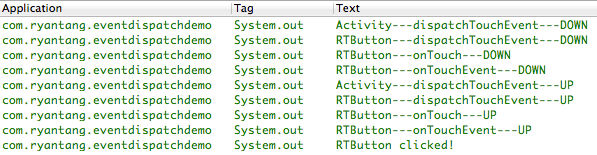
實驗環境OS X 10.9Eclipse(ADT)Android源碼版本:API Level 19(Android 4.4)Android事件構成在Android中,事件
 Android中利用viewflipper動畫切換屏幕效果
整個項目的package com.example.viewflipper;import android.R.integer;import android.app.Acti
 Android項目開發之UI設計器
開發人員可以用以下兩種方式聲明UI:一是通過.xml文件(不帶預覽界面)或者.axml文件(帶預覽界面)來描述;二是用C#代碼實現。 用.axml文件描述用戶界