編輯:關於Android編程
注意:該代碼只適用於當次簡單調用對話框,當遇到用到bundle多次調用或者傳遞信息是需要借助onPrepareDialog,但是這樣的方法已經不被推薦。
該activity代碼裡面實現了多種常用的對話框,android的對話框常見的可以有兩種實現方式:
AlertDialog方式
Dialog樣式的activity方式
該代碼實現的是AlertDialog,生命周期存在於調用的activity。
在開發中,常見的對話框包括幾個部分,標題,正文和按鈕,在實現對話框時候,可以很容易調用api實現。
new AlertDialog.Builder(AlertDialogSamples.this)
                .setIconAttribute(android.R.attr.alertDialogIcon)
                .setTitle(R.string.alert_dialog_two_buttons_title)
                .setPositiveButton(R.string.alert_dialog_ok, new DialogInterface.OnClickListener() {
                    public void onClick(DialogInterface dialog, int whichButton) {


                        /* User clicked OK so do some stuff */
                    }
                })
                .setNegativeButton(R.string.alert_dialog_cancel, new DialogInterface.OnClickListener() {
                    public void onClick(DialogInterface dialog, int whichButton) {


                        /* User clicked Cancel so do some stuff */
                    }
                })
.show();因此我們看到demo中使用的是在onCreateDialog(int id)中生成,而使用showDialog(int id)方法調用。
以下是程序代碼,其中set***開頭的方法是設置對話框樣式的方法,很容易理解,不贅述。
public class AlertDialogSamples extends Activity {
    private static final int DIALOG_YES_NO_MESSAGE = 1;
    private static final int DIALOG_YES_NO_LONG_MESSAGE = 2;
    private static final int DIALOG_LIST = 3;
    private static final int DIALOG_PROGRESS = 4;
    private static final int DIALOG_SINGLE_CHOICE = 5;
    private static final int DIALOG_MULTIPLE_CHOICE = 6;
    private static final int DIALOG_TEXT_ENTRY = 7;
    private static final int DIALOG_MULTIPLE_CHOICE_CURSOR = 8;
    private static final int DIALOG_YES_NO_ULTRA_LONG_MESSAGE = 9;
    private static final int DIALOG_YES_NO_OLD_SCHOOL_MESSAGE = 10;
    private static final int DIALOG_YES_NO_HOLO_LIGHT_MESSAGE = 11;

    private static final int MAX_PROGRESS = 100;

    private ProgressDialog mProgressDialog;
    private int mProgress;
    private Handler mProgressHandler;

    @Override
    protected Dialog onCreateDialog(int id) {
        switch (id) {
        case DIALOG_YES_NO_MESSAGE:
            return new AlertDialog.Builder(AlertDialogSamples.this)
                .setIconAttribute(android.R.attr.alertDialogIcon)
                .setTitle(R.string.alert_dialog_two_buttons_title)
                .setPositiveButton(R.string.alert_dialog_ok, new DialogInterface.OnClickListener() {
                    public void onClick(DialogInterface dialog, int whichButton) {

                        /* User clicked OK so do some stuff */
                    }
                })
                .setNegativeButton(R.string.alert_dialog_cancel, new DialogInterface.OnClickListener() {
                    public void onClick(DialogInterface dialog, int whichButton) {

                        /* User clicked Cancel so do some stuff */
                    }
                })
                .create();
        case DIALOG_YES_NO_OLD_SCHOOL_MESSAGE:
            return new AlertDialog.Builder(AlertDialogSamples.this, AlertDialog.THEME_TRADITIONAL)
                .setIconAttribute(android.R.attr.alertDialogIcon)
                .setTitle(R.string.alert_dialog_two_buttons_title)
                .setPositiveButton(R.string.alert_dialog_ok, new DialogInterface.OnClickListener() {
                    public void onClick(DialogInterface dialog, int whichButton) {
                    }
                })
                .setNegativeButton(R.string.alert_dialog_cancel, new DialogInterface.OnClickListener() {
                    public void onClick(DialogInterface dialog, int whichButton) {
                    }
                })
                .create();
        case DIALOG_YES_NO_HOLO_LIGHT_MESSAGE:
            return new AlertDialog.Builder(AlertDialogSamples.this, AlertDialog.THEME_HOLO_LIGHT)
                .setIconAttribute(android.R.attr.alertDialogIcon)
                .setTitle(R.string.alert_dialog_two_buttons_title)
                .setPositiveButton(R.string.alert_dialog_ok, new DialogInterface.OnClickListener() {
                    public void onClick(DialogInterface dialog, int whichButton) {
                    }
                })
                .setNegativeButton(R.string.alert_dialog_cancel, new DialogInterface.OnClickListener() {
                    public void onClick(DialogInterface dialog, int whichButton) {
                    }
                })
                .create();
        case DIALOG_YES_NO_LONG_MESSAGE:
            return new AlertDialog.Builder(AlertDialogSamples.this)
                .setIconAttribute(android.R.attr.alertDialogIcon)
                .setTitle(R.string.alert_dialog_two_buttons_msg)
                .setMessage(R.string.alert_dialog_two_buttons2_msg)
                .setPositiveButton(R.string.alert_dialog_ok, new DialogInterface.OnClickListener() {
                    public void onClick(DialogInterface dialog, int whichButton) {

                        /* User clicked OK so do some stuff */
                    }
                })
                .setNeutralButton(R.string.alert_dialog_something, new DialogInterface.OnClickListener() {
                    public void onClick(DialogInterface dialog, int whichButton) {

                        /* User clicked Something so do some stuff */
                    }
                })
                .setNegativeButton(R.string.alert_dialog_cancel, new DialogInterface.OnClickListener() {
                    public void onClick(DialogInterface dialog, int whichButton) {

                        /* User clicked Cancel so do some stuff */
                    }
                })
                .create();
        case DIALOG_YES_NO_ULTRA_LONG_MESSAGE:
            return new AlertDialog.Builder(AlertDialogSamples.this)
                .setIconAttribute(android.R.attr.alertDialogIcon)
                .setTitle(R.string.alert_dialog_two_buttons_msg)
                .setMessage(R.string.alert_dialog_two_buttons2ultra_msg)
                .setPositiveButton(R.string.alert_dialog_ok, new DialogInterface.OnClickListener() {
                    public void onClick(DialogInterface dialog, int whichButton) {

                        /* User clicked OK so do some stuff */
                    }
                })
                .setNeutralButton(R.string.alert_dialog_something, new DialogInterface.OnClickListener() {
                    public void onClick(DialogInterface dialog, int whichButton) {

                        /* User clicked Something so do some stuff */
                    }
                })
                .setNegativeButton(R.string.alert_dialog_cancel, new DialogInterface.OnClickListener() {
                    public void onClick(DialogInterface dialog, int whichButton) {

                        /* User clicked Cancel so do some stuff */
                    }
                })
                .create();
        case DIALOG_LIST:
            return new AlertDialog.Builder(AlertDialogSamples.this)
                .setTitle(R.string.select_dialog)
                .setItems(R.array.select_dialog_items, new DialogInterface.OnClickListener() {
                    public void onClick(DialogInterface dialog, int which) {

                        /* User clicked so do some stuff */
                        String[] items = getResources().getStringArray(R.array.select_dialog_items);
                        new AlertDialog.Builder(AlertDialogSamples.this)
                                .setMessage("You selected: " + which + " , " + items[which])
                                .show();
                    }
                })
                .create();
        case DIALOG_PROGRESS:
            mProgressDialog = new ProgressDialog(AlertDialogSamples.this);
            mProgressDialog.setIconAttribute(android.R.attr.alertDialogIcon);
            mProgressDialog.setTitle(R.string.select_dialog);
            mProgressDialog.setProgressStyle(ProgressDialog.STYLE_HORIZONTAL);
            mProgressDialog.setMax(MAX_PROGRESS);
            mProgressDialog.setButton(DialogInterface.BUTTON_POSITIVE,
                    getText(R.string.alert_dialog_hide), new DialogInterface.OnClickListener() {
                public void onClick(DialogInterface dialog, int whichButton) {

                    /* User clicked Yes so do some stuff */
                }
            });
            mProgressDialog.setButton(DialogInterface.BUTTON_NEGATIVE,
                    getText(R.string.alert_dialog_cancel), new DialogInterface.OnClickListener() {
                public void onClick(DialogInterface dialog, int whichButton) {

                    /* User clicked No so do some stuff */
                }
            });
            return mProgressDialog;
        case DIALOG_SINGLE_CHOICE:
            return new AlertDialog.Builder(AlertDialogSamples.this)
                .setIconAttribute(android.R.attr.alertDialogIcon)
                .setTitle(R.string.alert_dialog_single_choice)
                .setSingleChoiceItems(R.array.select_dialog_items2, 0, new DialogInterface.OnClickListener() {
                    public void onClick(DialogInterface dialog, int whichButton) {

                        /* User clicked on a radio button do some stuff */
                    }
                })
                .setPositiveButton(R.string.alert_dialog_ok, new DialogInterface.OnClickListener() {
                    public void onClick(DialogInterface dialog, int whichButton) {

                        /* User clicked Yes so do some stuff */
                    }
                })
                .setNegativeButton(R.string.alert_dialog_cancel, new DialogInterface.OnClickListener() {
                    public void onClick(DialogInterface dialog, int whichButton) {

                        /* User clicked No so do some stuff */
                    }
                })
               .create();
        case DIALOG_MULTIPLE_CHOICE:
            return new AlertDialog.Builder(AlertDialogSamples.this)
                .setIcon(R.drawable.ic_popup_reminder)
                .setTitle(R.string.alert_dialog_multi_choice)
                .setMultiChoiceItems(R.array.select_dialog_items3,
                        new boolean[]{false, true, false, true, false, false, false},
                        new DialogInterface.OnMultiChoiceClickListener() {
                            public void onClick(DialogInterface dialog, int whichButton,
                                    boolean isChecked) {

                                /* User clicked on a check box do some stuff */
                            }
                        })
                .setPositiveButton(R.string.alert_dialog_ok,
                        new DialogInterface.OnClickListener() {
                    public void onClick(DialogInterface dialog, int whichButton) {

                        /* User clicked Yes so do some stuff */
                    }
                })
                .setNegativeButton(R.string.alert_dialog_cancel,
                        new DialogInterface.OnClickListener() {
                    public void onClick(DialogInterface dialog, int whichButton) {

                        /* User clicked No so do some stuff */
                    }
                })
               .create();
            case DIALOG_MULTIPLE_CHOICE_CURSOR:
                String[] projection = new String[] {
                        ContactsContract.Contacts._ID,
                        ContactsContract.Contacts.DISPLAY_NAME,
                        ContactsContract.Contacts.SEND_TO_VOICEMAIL
                };
                Cursor cursor = managedQuery(ContactsContract.Contacts.CONTENT_URI,
                        projection, null, null, null);
                return new AlertDialog.Builder(AlertDialogSamples.this)
                    .setIcon(R.drawable.ic_popup_reminder)
                    .setTitle(R.string.alert_dialog_multi_choice_cursor)
                    .setMultiChoiceItems(cursor,
                            ContactsContract.Contacts.SEND_TO_VOICEMAIL,
                            ContactsContract.Contacts.DISPLAY_NAME,
                            new DialogInterface.OnMultiChoiceClickListener() {
                                public void onClick(DialogInterface dialog, int whichButton,
                                        boolean isChecked) {
                                    Toast.makeText(AlertDialogSamples.this,
                                            "Readonly Demo Only - Data will not be updated",
                                            Toast.LENGTH_SHORT).show();
                                }
                            })
                   .create();
        case DIALOG_TEXT_ENTRY:
            // This example shows how to add a custom layout to an AlertDialog
            LayoutInflater factory = LayoutInflater.from(this);
            final View textEntryView = factory.inflate(R.layout.alert_dialog_text_entry, null);
            return new AlertDialog.Builder(AlertDialogSamples.this)
                .setIconAttribute(android.R.attr.alertDialogIcon)
                .setTitle(R.string.alert_dialog_text_entry)
                .setView(textEntryView)
                .setPositiveButton(R.string.alert_dialog_ok, new DialogInterface.OnClickListener() {
                    public void onClick(DialogInterface dialog, int whichButton) {

                        /* User clicked OK so do some stuff */
                    }
                })
                .setNegativeButton(R.string.alert_dialog_cancel, new DialogInterface.OnClickListener() {
                    public void onClick(DialogInterface dialog, int whichButton) {

                        /* User clicked cancel so do some stuff */
                    }
                })
                .create();
        }
        return null;
    }

    /**
     * Initialization of the Activity after it is first created.  Must at least
     * call {@link android.app.Activity#setContentView(int)} to
     * describe what is to be displayed in the screen.
     */
    @Override
	protected void onCreate(Bundle savedInstanceState) {
        super.onCreate(savedInstanceState);

        setContentView(R.layout.alert_dialog);

        /* Display a text message with yes/no buttons and handle each message as well as the cancel action */
        Button twoButtonsTitle = (Button) findViewById(R.id.two_buttons);
        twoButtonsTitle.setOnClickListener(new OnClickListener() {
            public void onClick(View v) {
                showDialog(DIALOG_YES_NO_MESSAGE);
            }
        });

        /* Display a long text message with yes/no buttons and handle each message as well as the cancel action */
        Button twoButtons2Title = (Button) findViewById(R.id.two_buttons2);
        twoButtons2Title.setOnClickListener(new OnClickListener() {
            public void onClick(View v) {
                showDialog(DIALOG_YES_NO_LONG_MESSAGE);
            }
        });


        /* Display an ultra long text message with yes/no buttons and handle each message as well as the cancel action */
        Button twoButtons2UltraTitle = (Button) findViewById(R.id.two_buttons2ultra);
        twoButtons2UltraTitle.setOnClickListener(new OnClickListener() {
            public void onClick(View v) {
                showDialog(DIALOG_YES_NO_ULTRA_LONG_MESSAGE);
            }
        });


        /* Display a list of items */
        Button selectButton = (Button) findViewById(R.id.select_button);
        selectButton.setOnClickListener(new OnClickListener() {
            public void onClick(View v) {
                showDialog(DIALOG_LIST);
            }
        });

        /* Display a custom progress bar */
        Button progressButton = (Button) findViewById(R.id.progress_button);
        progressButton.setOnClickListener(new OnClickListener() {
            public void onClick(View v) {
                showDialog(DIALOG_PROGRESS);
                mProgress = 0;
                mProgressDialog.setProgress(0);
                mProgressHandler.sendEmptyMessage(0);
            }
        });

        /* Display a radio button group */
        Button radioButton = (Button) findViewById(R.id.radio_button);
        radioButton.setOnClickListener(new OnClickListener() {
            public void onClick(View v) {
                showDialog(DIALOG_SINGLE_CHOICE);
            }
        });

        /* Display a list of checkboxes */
        Button checkBox = (Button) findViewById(R.id.checkbox_button);
        checkBox.setOnClickListener(new OnClickListener() {
            public void onClick(View v) {
                showDialog(DIALOG_MULTIPLE_CHOICE);
            }
        });

        /* Display a list of checkboxes, backed by a cursor */
        Button checkBox2 = (Button) findViewById(R.id.checkbox_button2);
        checkBox2.setOnClickListener(new OnClickListener() {
            public void onClick(View v) {
                showDialog(DIALOG_MULTIPLE_CHOICE_CURSOR);
            }
        });

        /* Display a text entry dialog */
        Button textEntry = (Button) findViewById(R.id.text_entry_button);
        textEntry.setOnClickListener(new OnClickListener() {
            public void onClick(View v) {
                showDialog(DIALOG_TEXT_ENTRY);
            }
        });

        /* Two points, in the traditional theme */
        Button twoButtonsOldSchoolTitle = (Button) findViewById(R.id.two_buttons_old_school);
        twoButtonsOldSchoolTitle.setOnClickListener(new OnClickListener() {
            public void onClick(View v) {
                showDialog(DIALOG_YES_NO_OLD_SCHOOL_MESSAGE);
            }
        });

        /* Two points, in the light holographic theme */
        Button twoButtonsHoloLightTitle = (Button) findViewById(R.id.two_buttons_holo_light);
        twoButtonsHoloLightTitle.setOnClickListener(new OnClickListener() {
            public void onClick(View v) {
                showDialog(DIALOG_YES_NO_HOLO_LIGHT_MESSAGE);
            }
        });

        mProgressHandler = new Handler() {
            @Override
            public void handleMessage(Message msg) {
                super.handleMessage(msg);
                if (mProgress >= MAX_PROGRESS) {
                    mProgressDialog.dismiss();
                } else {
                    mProgress++;
                    mProgressDialog.incrementProgressBy(1);
                    mProgressHandler.sendEmptyMessageDelayed(0, 100);
                }
            }
        };
    }
}
開發者可以使用該代碼依次看一看每個對話框是什麼樣子的
該代碼實現的只是簡單的對話框,對於多次調用或者更新信息等動態信息的對話框是有問題的,因為,他的回調方法只能調用一次,以後多次調用時的數據都是第一次的,不適用於Bundle傳遞數據的使用場景。
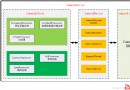 Android Camera HAL3中預覽preview模式下的控制流
本文均屬自己閱讀源碼的點滴總結,轉賬請注明出處謝謝。歡迎和大家交流。qq:1037701636 email:gzzaigcn2009@163.comSoftware:系統
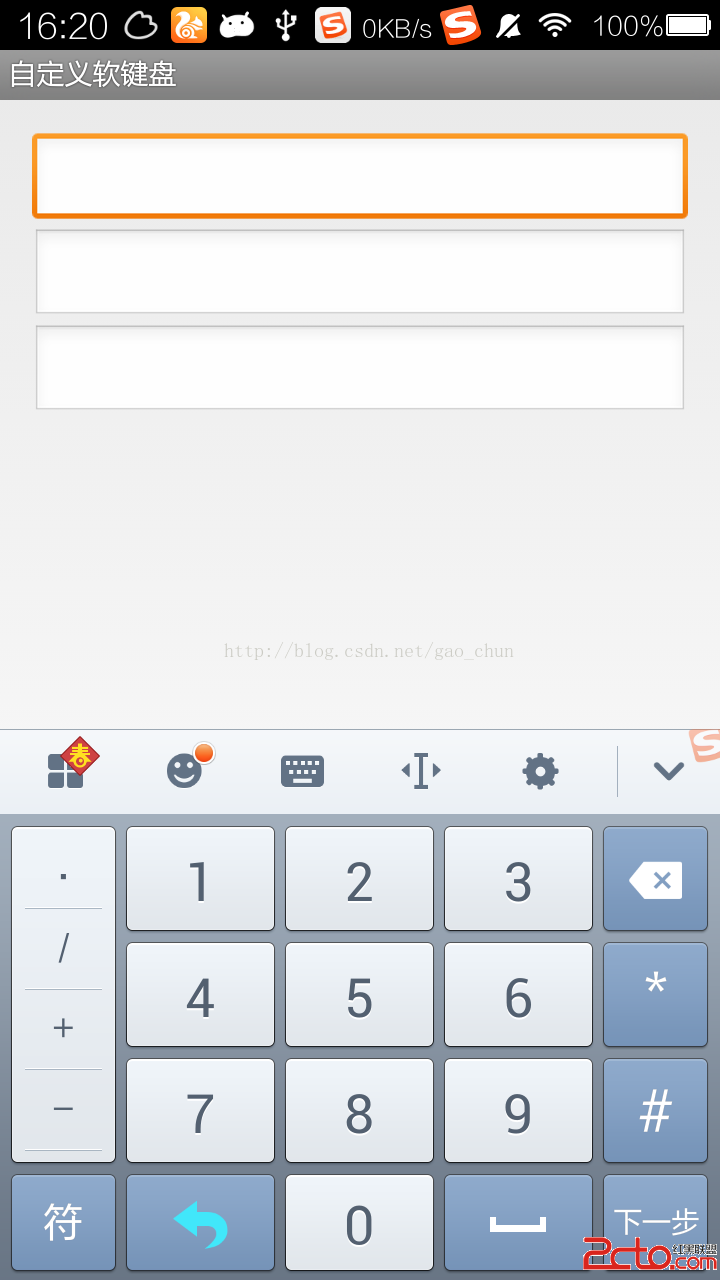 Android 中自定義軟鍵盤
Android 中自定義軟鍵盤 圖一為搜狗輸入法、圖二為自定義密碼鍵盤、圖三為自定義密碼鍵盤 java源文件 package
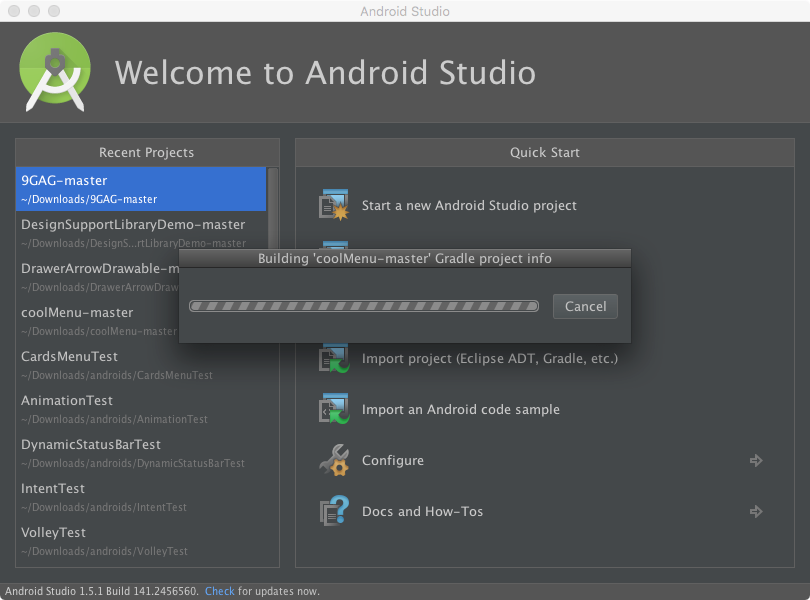 解決Android Studio導入項目非常慢的辦法
前言大家都知道Android Studio目前已經更新到2.0 Preview 6了,作為Google大力推崇的開發工具,相對於Eclipse ADT有著不可比擬的優勢。
 Android開發之電話撥號器和短信發送器實現方法
本文實例講述了Android開發之電話撥號器和短信發送器實現方法。分享給大家供大家參考,具體如下:電話撥號器實現原理:用戶輸入電話號碼,當點擊撥打的時候,由監聽對象捕獲,