編輯:關於Android編程
package com.example.usewebservice;

import org.ksoap2.SoapEnvelope;
import org.ksoap2.serialization.SoapObject;
import org.ksoap2.serialization.SoapSerializationEnvelope;
import org.ksoap2.transport.HttpTransportSE;
import android.os.Bundle;
import android.os.Handler;
import android.os.Looper;
import android.os.Message;
import android.annotation.SuppressLint;
import android.app.Activity;
import android.view.Menu;
import android.view.View;
import android.view.View.OnClickListener;
import android.widget.Button;
import android.widget.EditText;
import android.widget.TextView;
import android.widget.Toast;

public class MainActivity extends Activity
{
	/**
	 *
	 * Android平台調用WebService(手機號碼歸屬地查詢)
	 * @author yejianping
	 * @date 2014-4-3
	 * 要先把ksoap2-android-assembly-2.5.4-jar-with-dependencies.jar這個庫導入到lib裡面
	 *
	 **/
	public EditText text ;
	public Button button;
	public TextView tx;
	public String telephone_number;
	public MyThread thread;
	public Handler handler;

	@SuppressLint("HandlerLeak")
	@Override
	protected void onCreate(Bundle savedInstanceState)
	{
		super.onCreate(savedInstanceState);
		setContentView(R.layout.activity_main);
		text = (EditText)findViewById(R.id.editText1);
		button = (Button)findViewById(R.id.button1);
		thread = new MyThread();
		button.setOnClickListener(new OnClickListener() {

			@Override
			public void onClick(View v)
			{
				// TODO 自動生成的方法存根
			 telephone_number = text.getText().toString().trim();
				if(telephone_number.equals("")||telephone_number.length()<7)
				{
					text.setError("您輸入的手機號碼(段)有誤!");
					text.requestFocus();
				}
				else
				{
					new Thread(thread).start();;
				}
			}
		});

		handler = new Handler() {
			@SuppressLint("HandlerLeak")
			public void handleMessage(Message msg) {
				switch (msg.what) {
				case 0x01:
					Bundle bundle = new Bundle();
	    			bundle = msg.getData();
	    			Toast.makeText(MainActivity.this, bundle.getString("result"), Toast.LENGTH_SHORT).show();
				}
			}
		};

	}


	//創建線程
    public  class MyThread implements Runnable
    {
	   	public void run()
	   	{
      		Looper.prepare();//創建本線程的消息隊列並初始化
      		getTelephoneInfo(telephone_number);
      		Looper.loop();//開始運行消息隊列
	   	}
     }


	public void getTelephoneInfo(String phone_number)
	{
		//命名空間
		String nameSpace = "http://WebXml.com.cn/";
		//調用的方法名稱
		String methodName = "getMobileCodeInfo";
		// webservice的網址
		String URL = "http://webservice.webxml.com.cn/WebServices/MobileCodeWS.asmx";
		//命名空間+方法
		String soapAction = "http://WebXml.com.cn/getMobileCodeInfo";
		// 指定WebService的命名空間和調用的方法名
		SoapObject rpc = new SoapObject(nameSpace, methodName);
		// 設置需調用WebService接口需要傳入的兩個參數mobileCode、userId
		rpc.addProperty("mobileCode", phone_number);
		rpc.addProperty("userId", "");
		// 生成調用WebService方法的SOAP請求信息,並指定SOAP的版本
		SoapSerializationEnvelope envelope = new SoapSerializationEnvelope(SoapEnvelope.VER11);
		envelope.bodyOut = rpc;
		// 設置是否調用的是dotNet開發的WebService
		envelope.dotNet = true;
		// 等價於
		envelope.bodyOut = rpc;
		envelope.setOutputSoapObject(rpc);
		HttpTransportSE transport = new HttpTransportSE(URL);
		try
		{
			// 調用WebService
			transport.call(soapAction, envelope);
		}
		catch (Exception e)
		{
			e.printStackTrace();
		}

		// 獲取返回的數據
		SoapObject object = (SoapObject) envelope.bodyIn;
		// 獲取返回的結果
		String result = object.getProperty("getMobileCodeInfoResult").toString();
		Message msg=new Message();
		Bundle bundle = new Bundle();
		bundle.putString("result", result);
		msg.setData(bundle);
		msg.what = 0x01;
		handler.handleMessage(msg);
		//return result;
		// 將WebService返回的結果顯示在TextView中
		//tx.setText(result);
	}

	@Override
	public boolean onCreateOptionsMenu(Menu menu)
	{
		// Inflate the menu; this adds items to the action bar if it is present.
		getMenuInflater().inflate(R.menu.main, menu);
		return true;
	}

}
xml的代碼為;
 Android_ListView圖片下載三級緩存處理
這次練習的是圖片的三級緩存處理。主要是避免下載圖片過大過多導致的內存洩露的問題,我們要將下載的圖片進行緩存。緩存主要分三級,是首先存儲再強引用LruCache中,存不下之
 音樂播放器(八)桌面小工具(上)
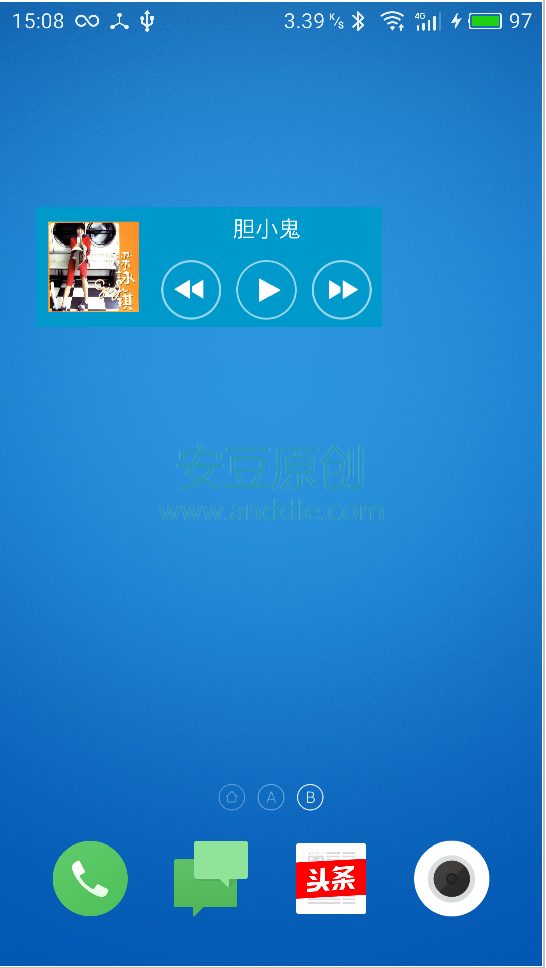
第8節 桌面小工具桌面小工具是可以放置在主界面的、快速控制應用的小助手。例如我們的音樂小工具,它可以幫助用戶在桌面上就完成音樂的暫停、播放、切換等操作,而不需要啟動應用本
 Android基礎入門教程——2.4.15 DrawerLayout(官方側滑菜單)的簡單使用
本節引言: 本節給大家帶來基礎UI控件部分的最後一個控件:DrawerLayout,官方給我們提供的一個側滑菜單 控件,和上一節的ViewPage
 Android中各種Adapter的用法
1.概念 Adapter是連接後端數據和前端顯示的適配器接口,是數據和UI(View)之間一個重要的紐帶。在常見的View(ListView,Grid