編輯:關於Android編程
6.模版頁
(1).加入模版頁可以是將圖片粘貼到網站,最好新建一個文件夾,這樣看起來分類較細
(2).在網站新建項裡建立一個建立一個模版頁,即.master,加入樣式(主標題在div外面寫字,可用左右鍵切換,添加一個Image控件,將ImageUrl選為內連的圖片,最好樣式的長寬住設計視圖裡搞好,不然就得用相應的 td的 width ="15%" bordergrouder-color="Grey" 或: 來改,)
(3).修改本來繼承其他網頁模版的代碼:
protected void Page_PreInit(object sender, EventArgs e)
{
this.MasterPageFile = "~/MasterPage2.master";
}
7.HttpHandler的使用
(1). 在ProcessRequest 事件中寫反饋頁面
(2).在Config的System.web下的Httphandler 下add自己的 verb, path寫被訪問的後綴名 (隨便寫), type 是(寫為絕對路徑)
具體代碼如下:
//這裡的type沒有引入命名空間,所以就不存在 完整路徑,直接是類名
using System;
using System.Collections.Generic;
using System.Linq;
using System.Web;
///
///MyHttpHandler 的摘要說明
///
public class MyHttpHandler:IHttpHandler //記住是IHttpHandler ,不是IHttpAnyHandler。。。。。。
{
public MyHttpHandler()
{
//
//TODO: 在此處添加構造函數邏輯
//
}
public bool IsReusable
{
get { return false; }
}
public void ProcessRequest(HttpContext context) //這是一個返回請求的頁面,依然用HttpResponse 的實例去Write網頁..........
{
//對於錯誤報告等返回很有效,也可以作為Session的驗證。。。不反饋前台.............
//也可以返回與前台頁面相同的頁面,不過要write包的麻煩些
記住是在這個事件裡寫
HttpResponse response = context.Response;
response.Write("");
response.Write("");
response.Write(" 這是來MyHandler的相應 ");
response.Write("");
response.Write("");
response.Write(" 這是來MyHandler的相應
");
response.Write("");
}
}
在Web.config中:
8.Http模塊的IHttpModule類的使用(類模塊,類似與模版類模版)
(1).一般的方法是繼承的IHttpModule,裡面有Begin 的require 即在客戶端的Http請求具體頁面發過來的之前,就先請求該模塊的事件,類似的類方法還有End require,即在最後的請求中才請求該模塊的信息(一般放的是頁腳的版權信息,每頁必有)
(2).該類的事件都是在HTML的頁面之外的情況...
(3).在Inti裡寫初始化,連續兩次按tab鍵,出方法
using System;
using System.Collections.Generic;
using System.Linq;
using System.Web;
///
///MyHttpMudule 的摘要說明
///
public class MyHttpMudule:IHttpModule
{
public MyHttpMudule()
{
//
//TODO: 在此處添加構造函數邏輯
//
}
public void Dispose()
{
return;
}
public void Init(HttpApplication context)
{
context.BeginRequest += new EventHandler(context_BeginRequest); //連續按兩次Tab鍵出下面的方法
context.EndRequest += new EventHandler(context_EndRequest);
context.AcquireRequestState += new EventHandler(context_AcquireRequestState);
}
/*
void context_AcquireRequestState(object sender, EventArgs e)
{
HttpApplication application = sender as HttpApplication;
System.Web.SessionState.HttpSessionState session = application.Session; //獲取Session
if (null == session["username"])
{
HttpResponse response = application.Response;
response.Redirect("~/UserLogin.aspx");
response.Redirect("~/UserLogin.aspx/"); //導向到新的頁面去,用response.Redirect 重定向
但是這裡會造成死循環,因為每個頁面都會重復進行Session的驗證,由於Session裡為空,所以會跳回自己
response.Redirect("~/UserLogin.aspx");
application.Server.Transfer("~/UserLogin.aspx");//解決的辦法代替 response.Redirect("~/UserLogin.aspx");
//這裡直接請求UserLogin.aspx,而不經過Session模塊
}*/
//或者在之前判斷一下是否是UserLogin.aspx頁面,如果是,就不需判斷,直接返回
void context_AcquireRequestState(object sender, EventArgs e)
{
HttpApplication application = sender as HttpApplication;
string filepath = application.Request.FilePath;//返回請求的文件路徑
string FileName = VirtualPathUtility.GetFileName(filepath);//返回文件的最後的完整文件名
if (FileName == "UserLogin.aspx") return; //導向到新的頁面去,用response.Redirect 重定向,跳轉到新的頁面
System.Web.SessionState.HttpSessionState session = application.Session; //獲取Session
if (null == session["username"])
{
HttpResponse response = application.Response;
response.Redirect("~/UserLogin.aspx");
/*
response.Redirect("~/UserLogin.aspx/"); //導向到新的頁面去,用response.Redirect 重定向
但是這裡會造成死循環,因為每個頁面都會重復進行Session的驗證,由於Session裡為空,所以會跳回自己
response.Redirect("~/UserLogin.aspx");
application.Server.Transfer("~/UserLogin.aspx");//解決的辦法代替 response.Redirect("~/UserLogin.aspx");
* 在後綴名不變的情況下直接顯示轉移網頁的內容,該方法不會再次模擬提交的客戶端,所以不會再次經過Http模塊,該模塊可以隨時的進行加刪,所以很方便,這是單點登錄的很好技巧
*/
//或者在之前判斷一下是否是UserLogin.aspx頁面,如果是,就不需判斷,直接返回
}
}
void context_EndRequest(object sender, EventArgs e)
{
HttpApplication application = sender as HttpApplication;
HttpResponse response = application.Response;
response.Write("這是一個來自HTTP模塊的版權信息
");//通過源碼可以看出,是在html的題尾
}
void context_BeginRequest(object sender, EventArgs e)//這是在未請求default 頁面之前進行的,即所有頁面都會有的東西,但是要在config中的httphandler裡注冊,所以可以使用這個作為session。。。。。。全局網站驗證
{
HttpApplication applicition = sender as HttpApplication;
HttpResponse response = applicition.Response;
response.Write("這是一個來自HTTP模塊的題頭
");//通過源碼可以看出,是在所有html最前面
}
} AsyncTask的三個屬性值和四個步驟
最近學到用AsyncTask來處理有關網絡的操作。雖然代碼看上去不是很復雜,但仍有很多地方有疑惑。所以研讀了一下API文檔,在這裡把我學到的和練習的代碼展示出來。如有錯誤
 Android Context上下文理解
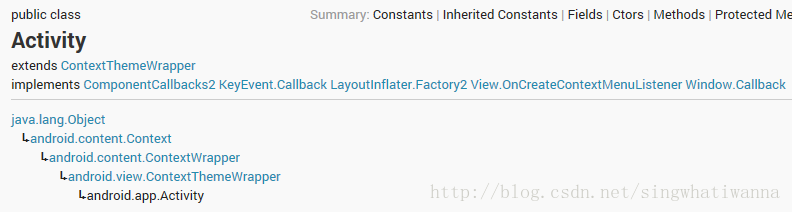
Android中有個我們熟悉又陌生的對象Context(上下文),當我們啟動Activity的時候需要上下文,當我們使用dialog的時候我們需要上下文,但是上下文對象到
 ImageView的ScaleType詳解
ScaleType表示ImageView的縮放類型,決定了一張圖片在ImageView控件內如何縮放和顯示。ScaleType的官方文檔:https://develope
 Android編程使用ListView實現數據列表顯示的方法
本文實例講述了Android編程使用ListView實現數據列表顯示的方法。分享給大家供大家參考,具體如下:要將數據庫中的數據列表顯示在屏幕上,我們要使用ListView