編輯:關於Android編程
在android中默認的控件是不支持gif格式的圖片的,只能顯示圖片的第一幀,這裡需要借助於Movie類。將圖片進行解析播放。下面使用一種純代碼的自定義控件,這種方式使用方便,但不支持像ImageView之類的組件直接通過設置屬性可以設置要播放的動畫。這裡是通過構造方法將圖片在R文件下的ID傳入。代碼如下:
GifView:
package com.home.gif;

import java.io.IOException;

import android.content.Context;
import android.graphics.Canvas;
import android.graphics.Movie;
import android.util.AttributeSet;
import android.view.View;

public class GifView extends View {
	private Movie movie;
	private long movieStart;

	public GifView(Context context, AttributeSet attrs, int defStyle) {
		super(context, attrs, defStyle);
		init(context);
	}

	public GifView(Context context, AttributeSet attrs) {
		super(context, attrs);
		init(context);
	}

	public GifView(Context context) {
		super(context);
		init(context);
	}

	public GifView(Context context, int gifId) {
		super(context);
		init(context, gifId);
	}

	private void init(Context context) {
		try {
			movie = Movie.decodeStream(context.getAssets().open("loading.gif"));
		} catch (IOException e) {
			e.printStackTrace();
		}
	}

	private void init(Context context, int gifId) {
		try {
			movie = Movie.decodeStream(getResources().openRawResource(gifId));
		} catch (Exception e) {
			e.printStackTrace();
		}
	}

	public void onDraw(Canvas canvas) {
		long now = android.os.SystemClock.uptimeMillis();
		if (movieStart == 0) { // 第一幀
			movieStart = now;
		}
		if (movie != null) {
			int dur = movie.duration();
			if (dur == 0) {
				dur = 1000;
			}
			int relTime = (int) ((now - movieStart) % dur);
			movie.setTime(relTime);
			movie.draw(canvas, 0, 0);
			invalidate();
		}
	}
}
MainActivity:
package com.home.testgif;

import com.home.gif.GifView;
import android.os.Bundle;
import android.app.Activity;

public class MainActivity extends Activity {

	@Override
	protected void onCreate(Bundle savedInstanceState) {
		super.onCreate(savedInstanceState);
//		setContentView(new GifView(this));
		setContentView(new GifView(this, R.drawable.animation));
	}

}
注意:有些4.0以上系統的手機啟動了硬件加速功能之後會導致GIF動畫播放不出來,因此我們需要在AndroidManifest.xml中去禁用硬件加速功能,可以通過指定android:hardwareAccelerated屬性來完成
android:hardwareAccelerated="false"
 一起學android之設置ListView數據顯示的動畫效果
效果圖: 平時我們要實現ListView數據顯示時的動畫效果,可以使用LayoutAnimationController為ListView設置動畫效果,並通過L
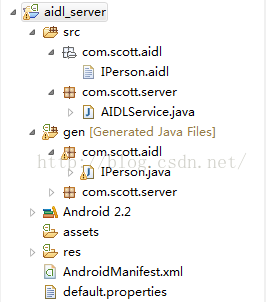 接口定義語言AIDL實現進程間的通信
在Android中,如果我們需要在不同進程間實現通信,就需要用到AIDL技術去完成。AIDL(Android Interface Definition Language)
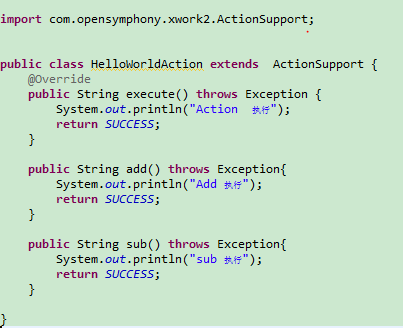 struts2動態方法調用
本來不想寫關於struts2的學習筆記了,由於感覺關於struts2的理論知識比較簡單,所以才打算不寫,但是在學習過程中,特別是在Myeclipse中編碼練習的時候,遇到
 android設置軟鍵盤搜索鍵以及監聽搜索鍵點擊時發生兩次事件的問題解決
如圖所示,有時候為了布局美觀,在搜索時沒有搜索按鈕,而是調用軟件盤上的按鈕。調用的實現只需要在XML在輸入框中加入android:imeOptions=actionSe