編輯:關於Android編程
package xiaosi.location;

import android.app.Activity;
import android.os.Bundle;
import android.view.View;
import android.view.View.OnClickListener;
import android.widget.Button;
import android.widget.ImageView;

public class LocationActivity extends Activity {
    /** Called when the activity is first created. */
	private ImageView img = null;
	private Button button = null;
    @Override
    public void onCreate(Bundle savedInstanceState) {
        super.onCreate(savedInstanceState);
        setContentView(R.layout.main);

        img = (ImageView)findViewById(R.id.image);
        button = (Button)findViewById(R.id.button);
        button.setOnClickListener(new buttonListener());
    }
    public class buttonListener implements OnClickListener{

		public void onClick(View v)
		{
			int[] location = new int[2];
	        img.getLocationOnScreen(location);
	        int x = location[0];
	        int y = location[1];
	        System.out.println(x:+x+y:+y);
            System.out.println(Left:+img.getLeft());
			System.out.println(Right:+img.getRight());
			System.out.println(Top:+img.getTop());
			System.out.println(Bottom:+img.getBottom());
		}
    }
}

getLocationOnScreen
getLocationInWindow
getLeft
如果在Activity的OnCreate()事件輸出那些參數,是全為0,要等UI控件都加載完了才能獲取到這些。
 Android中的基本控件(上)--按鈕控件Button
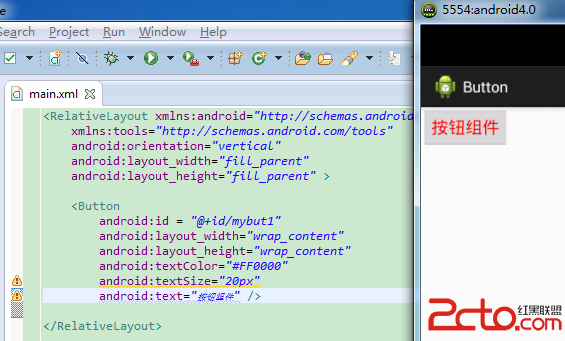
Button類的繼承結構: java.lang.Object ? android.view.View ?android.widget.TextView ?an
 Android 常見的四種對話框實例講解
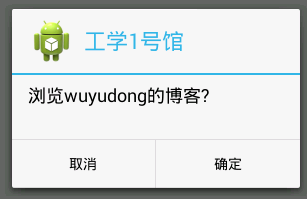
1、對話框通知(Dialog Notification)當你的應用需要顯示一個進度條或需要用戶對信息進行確認時,可以使用對話框來完成。下面代碼將打開一個如圖所示的對話框:
 《從JAVA到Android》JAVA篇之認識JAVA
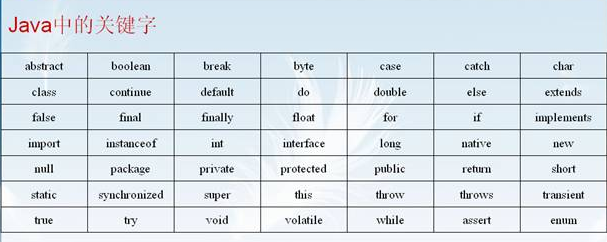
標識符和關鍵字 基本數據類型 常量與變量 運算符 數據類型轉換 注釋及代碼編寫規范等1、標識符和關鍵字通俗的講,標識符就是程序員自己起的一個名稱(包括變量名,類名,方法名
 Android開發中遇到端口號占用問題解決方法
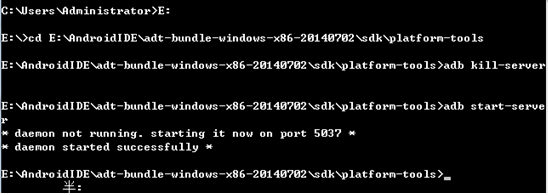
Android開發的時候經常遇到端口號被占用的問題,經常使程序無法運行,很煩人。我總結了一個很好的方法,非常實用。方法如下: (1):方法1:第一步:1:netstat