編輯:關於Android編程
package com.example.handlerdemo;

import java.util.Timer;
import java.util.TimerTask;

import android.os.Bundle;
import android.os.Handler;
import android.os.Message;
import android.app.Activity;
import android.view.Menu;
import android.view.View;
import android.view.animation.AccelerateInterpolator;
import android.view.animation.TranslateAnimation;
import android.widget.ImageView;
import android.widget.TextView;

public class MainActivity extends Activity {

    private int animCount = -1;
    Timer timer = new Timer(true);
    Message message;
    TextView tv_1, tv_2, tv_3, tv_4, tv_5;
    private static Handler handler;

    @Override
    protected void onCreate(Bundle savedInstanceState) {
        super.onCreate(savedInstanceState);
        setContentView(R.layout.activity_main);

        tv_1 = (TextView) this.findViewById(R.id.tv_1);
        tv_2 = (TextView) this.findViewById(R.id.tv_2);
        tv_3 = (TextView) this.findViewById(R.id.tv_3);
        tv_4 = (TextView) this.findViewById(R.id.tv_4);
        tv_5 = (TextView) this.findViewById(R.id.tv_5);
        animPost();
    }

    private void animPost() {

        // new Thread() {
        // public void run() {
        //
        // // while (animCount < 5) {
        // // try {
        // // Message message = handler.obtainMessage();
        // // message.arg1 = animCount;
        // // handler.sendMessage(message);
        // // animCount++;
        // // Thread.sleep(2000);
        // //
        // // } catch (InterruptedException e) {
        // // e.printStackTrace();
        // // }
        //
        //
        // }
        // }.start();

        handler = new Handler() {
            public void handleMessage(Message msg) {
                switch (msg.what) {
                case 0:
                    if (animCount == 0) {
                        startAnimation(tv_1);

                    } else if (animCount == 1) {
                        startAnimation(tv_2);

                    } else if (animCount == 2) {
                        startAnimation(tv_3);

                    } else if (animCount == 3) {
                        startAnimation(tv_4);

                    } else if (animCount == 4) {
                        startAnimation(tv_5);
                    }
                    break;
                }
                super.handleMessage(msg);
            }
        };

        TimerTask task = new TimerTask() {
            @Override
            public void run() {
                // TODO Auto-generated method stub
                if (message == null) {
                    message = new Message();
                } else {
                    message = Message.obtain();
                }
                message.what = 0;
                handler.sendMessage(message);
                animCount = animCount + 1;
                System.out.print(animCount);
            }
        };

        timer.schedule(task, 0, 3000);
    }

    // 左右擺動
    private void startAnimation(View paramView) {
        TranslateAnimation localTranslateAnimation = new TranslateAnimation(2,
                0.0F, 2, -0.05F, 1, 0.0F, 1, 0.0F);
        localTranslateAnimation.setDuration(1000);
        localTranslateAnimation.setInterpolator(new AccelerateInterpolator());
        localTranslateAnimation.setRepeatCount(1);

        // paramView.setAnimation(localTranslateAnimation);
        // localTranslateAnimation.start();
        paramView.startAnimation(localTranslateAnimation);//這個方式沒有問題
    }

    @Override
    public boolean onCreateOptionsMenu(Menu menu) {
        // Inflate the menu; this adds items to the action bar if it is present.
        getMenuInflater().inflate(R.menu.main, menu);
        return true;
    }

}
結果動畫只是執行了一遍,開始我以為是使用Timer以及Handler邏輯的問題,換了幾個方案都不行。最後無奈,試著從動畫入手,改一下動畫的啟動方式。開始用的是
paramView.setAnimation(localTranslateAnimation);
localTranslateAnimation.start();
這個方法,這是組件設置動畫效果,然後動畫開始啟動。當然還有組件啟動動畫的方式,我就試著換這種,發現問題解決了。那到底是什麼原因導致的呢?搜了一下,網上沒有這方面的資料。那只能去看api了。
 android 學習-Android Fragment 深度解析
有過一些面試經驗的人基本都深有體會,每次面試一般都會問到Fragment的知識,所以,今天我就單獨把Fragment拿出來與大家分享一下. 會涉及到Fragment如
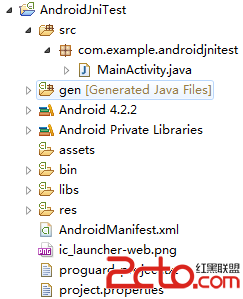 Eclipse下的Android JNI 開發
1 創建Android工程 首先建立一個名為AndroidJniTest的Android工程,包名默認為com.example.androidjnitest,src目錄
 Android獲取手機通話記錄的方法
Android如何獲取手機通話記錄,本文為大家揭曉。獲取手機通話記錄流程:1、 獲取ContentResolver; ContentResolver resolver =
 Android——ListView與適配器
1.抽屜布局 Drawer 2.