編輯:關於Android編程
情境:布局文件中有ScrollView,ScrollView中有個EditView,布局底部有一個控件(見下面布局代碼),程序一啟動EditView就獲取焦點,彈出軟鍵盤,將這個底部的控件也頂上去了,感覺不太好,所以我就想監聽下軟鍵盤彈出,此時去隱藏底部控件,軟鍵盤隱藏時則顯示底部控件。
初始:


android api提供了使得軟鍵盤的彈出與隱藏的方式,比如
if(getWindow().getAttributes().softInputMode==WindowManager.LayoutParams.SOFT_INPUT_STATE_UNSPECIFIED)
        {
         //隱藏軟鍵盤
            getWindow().setSoftInputMode(WindowManager.LayoutParams.SOFT_INPUT_STATE_HIDDEN);
        }
,但是並未提供監聽軟鍵盤的彈出與隱藏的方法。
由於彈出與隱藏軟鍵盤勢必會引起layout布局的變化,監聽布局的變化然後計算偏移,即可算出是否時顯示或隱藏,有兩種解決方案。
1、自定義View,修改OnLayout()方法,比如
public class ResizeLayout extends LinearLayout {
    private InputListener mListener;

    public interface InputListener {
        void OnInputListener(boolean isHideInput);
    }

    public void setOnResizeListener(InputListener l) {
        mListener = l;
    }

    public ResizeLayout(Context context, AttributeSet attrs) {
        super(context, attrs);
    }

    private boolean mHasInit = false;
    private boolean mHasKeyboard = false;
    private int mHeight;

    @Override
    protected void onLayout(boolean changed, int l, int t, int r, int b) {
        // TODO Auto-generated method stub
        super.onLayout(changed, l, t, r, b);
        if (!mHasInit) {
            mHasInit = true;
            mHeight = b;
            System.out.println("mHeight= " + b);
        }
        else {
            mHeight = mHeight < b ? b : mHeight;
        }

        if (mHasInit && mHeight > b) { // mHeight代表鍵盤的真實高度 ,b代表在窗口中的高度 mHeight>b
            mHasKeyboard = true;
            mListener.OnInputListener(false);
        }
        if (mHasInit && mHasKeyboard && mHeight == b) { // mHeight = b
            mHasKeyboard = false;
            mListener.OnInputListener(true);
        }
    }
2、在activity中獲取ViewGroup的高度變化
 @Override
    protected void onCreate(Bundle savedInstanceState) {
        super.onCreate(savedInstanceState);
        /*// 隱藏標題欄
        requestWindowFeature(Window.FEATURE_NO_TITLE);
        // 隱藏狀態欄
        getWindow().setFlags(WindowManager.LayoutParams.FLAG_FULLSCREEN,
                WindowManager.LayoutParams.FLAG_FULLSCREEN);*/
        setContentView(R.layout.activity_main);
        final LinearLayout lin = (LinearLayout) findViewById(R.id.lin);
        final TextView txt = (TextView) findViewById(R.id.txt);

        lin.getViewTreeObserver().addOnGlobalLayoutListener(new ViewTreeObserver.OnGlobalLayoutListener() {
            @Override
            public void onGlobalLayout() {
                Rect rect = new Rect();
                lin.getWindowVisibleDisplayFrame(rect);
                int rootInvisibleHeight = lin.getRootView().getHeight() - rect.bottom;
                Log.d(TAG, "lin.getRootView().getHeight()=" + lin.getRootView().getHeight() + ",rect.bottom=" + rect.bottom + ",rootInvisibleHeight=" + rootInvisibleHeight);
                if (rootInvisibleHeight <= 100) {
                //軟鍵盤隱藏啦
                    txt.postDelayed(new Runnable() {
                        @Override
                        public void run() {
                            txt.setVisibility(View.VISIBLE);
                        }
                    },100);
                } else {
                    ////軟鍵盤彈出啦
                    txt.setVisibility(View.GONE);
                }
            }
        });
    }
題外話:測試時發現通過設置全屏getWindow().setFlags(WindowManager.LayoutParams.FLAG_FULLSCREEN,
WindowManager.LayoutParams.FLAG_FULLSCREEN);也可以達到相同目的,但是全屏就違背了我的初衷。個人推薦第二種方法,因為遇到一個客戶的設備在開啟指紋識別的相冊鎖時,第一種方法不好使。
在查資料的過程中看到有些開發者希望軟鍵盤彈出時把底部控件頂上去的情形,方法同上。
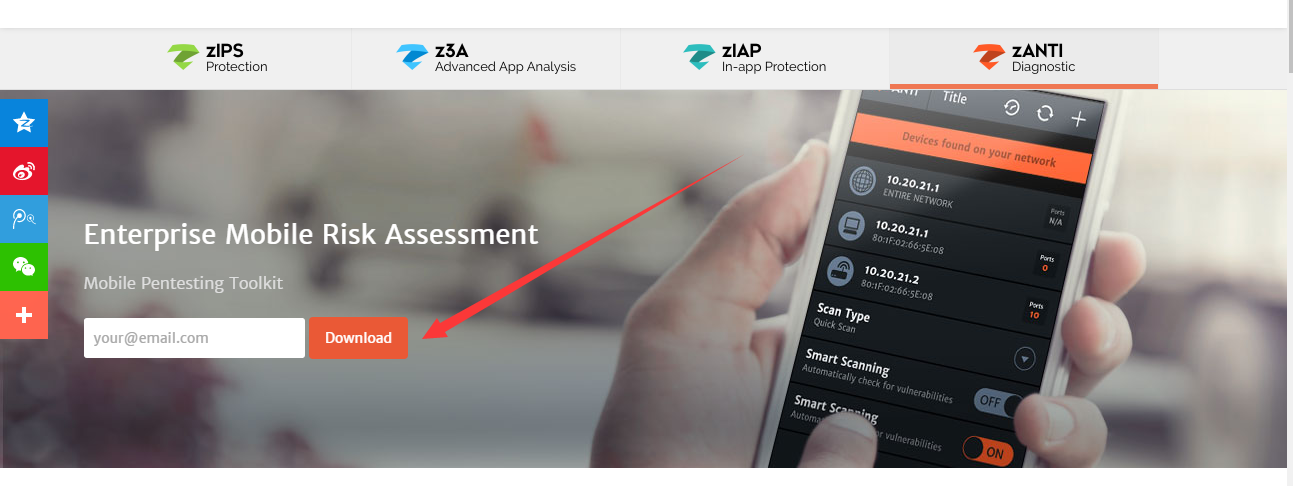 Android平台滲透測試套件--zANTI2.5
0x00 前言zANTI是一款Android平台下的滲透測試工具,支持嗅探已連接的網絡、支持中間人攻擊測試、端口掃描、Cookie獲取及路由安全測試等操作。該工具是由以色
 如何利用工具提高你的Android代碼質量(Checkstyle、Findbugs、PMD)
在這篇文章中,我將通過不同的自動化工具如CheckStyle,FindBugs,PMD以及Android Lint來介紹(如何)提高你的安卓代碼質量。通過自動化的方式檢查
 Android 組件樣式定制方法詳解
前言android中有很多現成的組件可以使用,但是android上面的程序很多時候用系統自帶的組件都不太合適,主要是樣式可能不是我們想要的。這個時候我們就需要定制一些樣式
 android防止反編譯系列:如何對抗JD-GUI
又到周末一個人侘在家裡無事可干,這就是程序員的悲哀啊。好了我們利用周末的時間繼續介紹android apk防止反編譯技術的另一種方法。一、對抗JD-GUI原理通常在對ap