編輯:關於Android編程
Android TV listview及焦點處理
Android TV上的listview ,因為沒有touch事件,只能通過按鍵處理,因此,用到listview時需要特殊處理:
1.復雜的view需要獲取焦點,需要設置:
setItemsCanFocus(true)
同時需要設置下能獲取焦點view的屬性:
android:focusable="true
這樣子級view就可以獲取獲取焦點。
2.view中需要獲取焦點需要高亮框效果,可以在view畫外框:
package com.cn21.ecloud.tv.ui.widget;

import android.content.Context;
import android.graphics.Canvas;
import android.graphics.Rect;
import android.graphics.drawable.Drawable;
import android.util.AttributeSet;
import android.widget.RelativeLayout;

public class SelectedRelativeLayout extends RelativeLayout{
  private Drawable mFloatDrawable;
  private Rect mTempRect = new Rect();

  public SelectedRelativeLayout(Context context) {
    this(context, null, 0);
  }

  public SelectedRelativeLayout(Context context, AttributeSet attrs) {
    this(context, attrs, 0);
  }

  public SelectedRelativeLayout(Context context, AttributeSet attrs, int defStyleAttr) {
    super(context, attrs, defStyleAttr);
    mFloatDrawable = getResources().getDrawable(R.drawable.item_float_rectangle);
  }

  @Override
  protected void dispatchDraw(Canvas canvas) {
    super.dispatchDraw(canvas);
    if (hasFocus()) {
      if (mFloatDrawable != null) {
        final int w = getMeasuredWidth();
        final int h = getMeasuredHeight();
        mFloatDrawable.getPadding(mTempRect);
        mFloatDrawable.setBounds(-mTempRect.left, -mTempRect.top,
            w + mTempRect.right, h + mTempRect.bottom);
        mFloatDrawable.draw(canvas);
      }
    }
  }
}
布局中直接使用這個view
感謝閱讀,希望能幫助到大家,謝謝大家對本站的支持!
 手機迅雷個人中心關閉朋友圈方法
1、打開手機迅雷點擊切換到我的迅雷個人中心,點擊左上角[登錄],已登錄請跳過2、在手機迅雷個人中心的最下面,倒數第二項[常用設置]點擊進行設置3、繼續在常用
 Android學習筆記之ContentProvider和Uri詳解
本文介紹了自定義Content Provider的相關內容,完全解析內容提供者的用法。Content Provider,內容提供者,相信大家對這個組件的名字都不陌生,可能
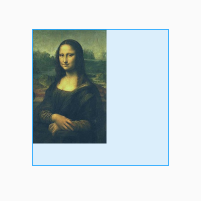 ImageView的源碼解讀,以及幾種ScaleType的分析
前言ImageView是android開發中非常常用的一種控件,在顯示圖片時,我們可以直接拿來用,也可以根據使用場景,結合幾種不同的顯示方式ScaleType,來對顯示的
 Android中Socket通信之TCP與UDP傳輸原理
一、Socket通信簡介Android與服務器的通信方式主要有兩種,一是Http通信,一是Socket通信。兩者的最大差異在於,http連接使用的是“請求&m