

編輯:Android 開發教學
前面的示例都是直接運用系統內建控制項來完成翻頁,本篇改走另一條路:自己寫一個動畫類別,做出帶透視變化的 3D 翻頁效果。
Android 的動畫可以分成兩大類:frame-by-frame animation(幀動畫)與 tweened animation(補間動畫)。幀動畫是依序播放一組圖片;補間動畫則是對單一物件做連續的幾何變換。本篇屬於後者,做法是先繼承 Animation,再自訂一個 Rotate3D。

這個類別需要四個建構參數:起始角度、終止角度、旋轉中心的 x 與 y 座標。核心邏輯全在 applyTransformation 裡。
public class Rotate3D extends Animation {
  private float fromDegree; // 旋轉起始角度
  private float toDegree;   // 旋轉終止角度
  private float mCenterX;   // 旋轉中心 x
  private float mCenterY;   // 旋轉中心 y
  private Camera mCamera;

  public Rotate3D(float fromDegree, float toDegree, float centerX, float centerY) {
    this.fromDegree = fromDegree;
    this.toDegree = toDegree;
    this.mCenterX = centerX;
    this.mCenterY = centerY;
  }

  @Override
  public void initialize(int width, int height, int parentWidth, int parentHeight) {
    super.initialize(width, height, parentWidth, parentHeight);
    mCamera = new Camera();
  }

  @Override
  protected void applyTransformation(float interpolatedTime, Transformation t) {
    final float FromDegree = fromDegree;
    float degrees = FromDegree + (toDegree - fromDegree) * interpolatedTime; // 當前角度
    final float centerX = mCenterX;
    final float centerY = mCenterY;
    final Matrix matrix = t.getMatrix();
    if (degrees <= -76.0f) {
      degrees = -90.0f;
      mCamera.save();
      mCamera.rotateY(degrees); // 旋轉
      mCamera.getMatrix(matrix);
      mCamera.restore();
    } else if (degrees >= 76.0f) {
      degrees = 90.0f;
      mCamera.save();
      mCamera.rotateY(degrees);
      mCamera.getMatrix(matrix);
      mCamera.restore();
    } else {
      mCamera.save();
      mCamera.translate(0, 0, centerX); // 位移 x
      mCamera.rotateY(degrees);
      mCamera.translate(0, 0, -centerX);
      mCamera.getMatrix(matrix);
      mCamera.restore();
    }
    matrix.preTranslate(-centerX, -centerY);
    matrix.postTranslate(centerX, centerY);
  }
}
這段程式碼有三個值得留意的細節。第一,Camera 在 initialize 中建立而非建構子中,因為它與檢視尺寸相關,此時參數才可用。第二,兩個 76 度的臨界判斷,是為了避免接近 ±90 度時投影退化、畫面出現翻面破綻,超過門檻就直接吸附到 ±90 度。第三,前後一組 preTranslate 與 postTranslate 是把旋轉中心從預設的左上角搬到你指定的座標,少了這兩行,頁面就會繞著錯誤的位置轉。
 Android 開發入門九:為視圖註冊事件監聽器
使用者與視圖互動時,Android 會觸發各種事件。常見做法包括為按鈕註冊點擊監聽器,或為輸入框註冊焦點變化監聽器。按鈕點擊監聽可透過 setOnClickListene
 Android 雙機 ADB 除錯與 Root 注意事項
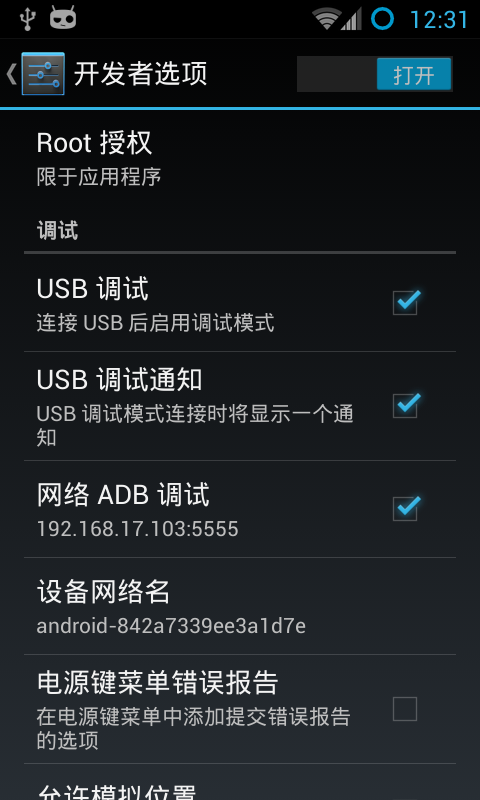
開發者常需要讓同一支 Android 手機同時連接兩台電腦,例如一台透過 USB 除錯,另一台透過網路 ADB 連線。網路 ADB 設定部分客製化 ROM 提供「無線 A
 LibGDX 開發環境建置入門
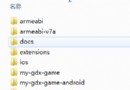
開始使用 LibGDX 前,需先下載官方壓縮包。解壓後可取得 jar 檔、API 文件與相關資源。API 文件通常位於 docs 目錄,透過 index.html 即可查
 Genymotion 模擬器安裝與使用教程
好一陣子沒碰 Android,以至於 Genymotion 推出這麼久我居然還沒試過。當年 Android Studio 一發布,我當天就上手了;這回會注意到 Genym