

編輯:Android 開發教學
在前面「Linked Bindings」的範例裡,為了簡單起見,我們在定義 MyRectangle 與 MySquare 時,都給它們加了一個無參數的建構子,例如 MyRectangle:
 public class MyRectangle extends Rectangle{
     public MyRectangle(){ super(50,50,100,120); }
     public MyRectangle(int width, int height){ super(50,50,width,height); }
 }
其實這個無參數建構子並非必要,我們可以改用 Instance Bindings。Instance Bindings 能把一個型別綁定到一個特定的實例物件,通常用於那些本身不依賴其他類別的型別,比如各種基本型別:
 bind(String.class)
     .annotatedWith(Names.named("JDBC URL"))
     .toInstance("jdbc:mysql://localhost/pizza");
 bind(Integer.class)
     .annotatedWith(Names.named("login timeout seconds"))
     .toInstance(10);
把 MyRectangle 與 MySquare 的定義改寫如下:
 public class MySquare extends MyRectangle {
     @Inject public MySquare(@Named("width") int width){
         super(width,width);
     }
 }
 ...
 public class MyRectangle extends Rectangle{
     @Inject public MyRectangle(@Named("width") int width, @Named("height") int height){
         super(50,50,width,height);
     }
 }
去掉無參數建構子後,把標註為 @Named("width") 的 int 綁定到 100,再加上這段綁定:
 bind(Integer.class).annotatedWith(Names.named("width")).toInstance(100);
 bind(Integer.class).annotatedWith(Names.named("height")).toInstance(120);
運行這個範例,可以得到和前面完全相同的結果。此時當 Injector 構造 MyRectangle 實例時,會自動選用帶參數的那個建構子,用 100、120 為 width 與 height 注入,再回傳一個 MyRectangle 物件給需要引用的地方。
雖然 Instance Bindings 能把一個型別映射到某個複雜類別的實例,但 RoboGuice 並不建議把它用在複雜型別上,因為這樣會拖慢應用程式的啟動速度。正確做法,是使用 @Provides 方法,這將在後續中介紹。
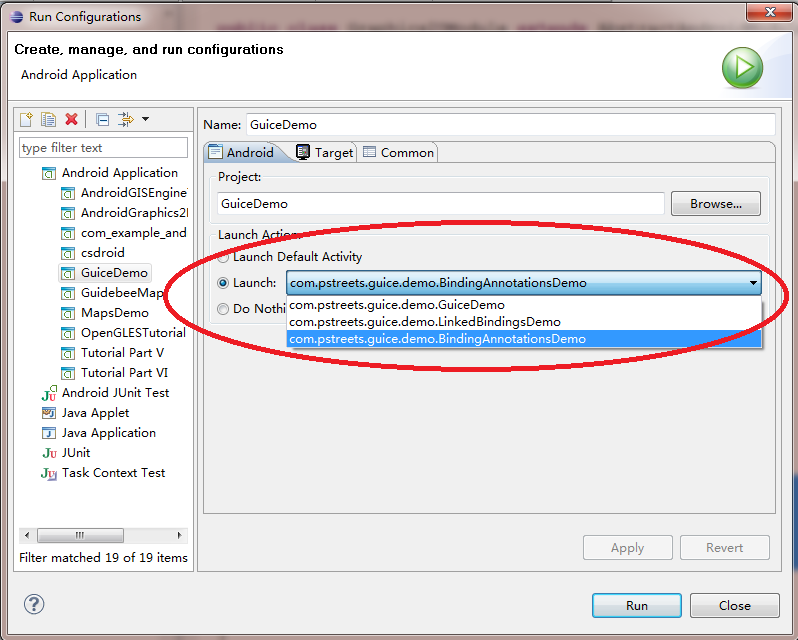
注:GuiceDemo 中的範例並未使用列表來顯示所有示例,如需運行指定示例,可透過 Run Configuration → 設定 Launch 的 Activity:
查看全套文章:https://www.bianceng.cn/OS/extra/201301/34950.htm
 Android Service 服務(三):bindService 與 remoteService 詳解
一、bindService 簡介 bindService 是「綁定」服務,用來執行 Service 中的邏輯流程。 Service 可以透過 Context.startS
 Android 使用 Tesseract OCR 進行圖片文字辨識
Tesseract OCR 可在 Android 上實現圖片文字辨識。實作時需準備 OCR 函式庫、語言包與對應的 native 文庫,並將相關 jar 與 lib 加入
 React Native 打包卡住?用本地 Gradle 分散式檔案解決下載緩慢
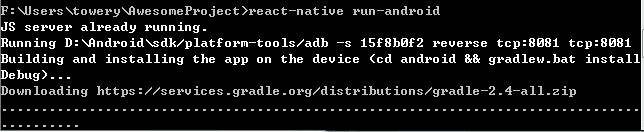
初次執行 react-native run android 時,Gradle 需要下載對應版本的 gradle 套件,國內網路環境下這一步常常極慢甚至直接失敗,如下圖:
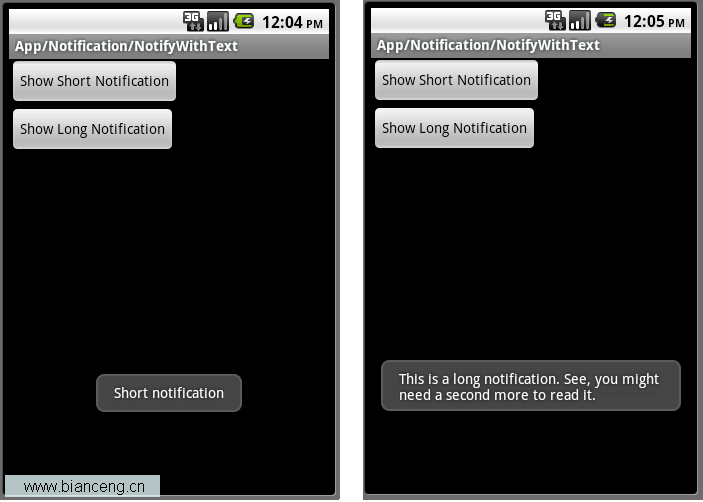 ApiDemos 解析(28):用 Toast 向使用者提示訊息
除了 Notification,Toast 也是通知使用者「某件事發生了」的常用手段。它是一個浮在畫面上的半透明小視窗,顯示幾秒後自動消失,性質上與工具提示(Toolti