

編輯:Android 開發教學
#include <linux/init.h>
#include <linux/module.h>

static int hello_init(void)
{
    printk(KERN_ALERT "Hello, world\n");
    return 0;
}

static void hello_exit(void)
{
    printk(KERN_ALERT "Goodbye, cruel world\n");
}

module_init(hello_init);
module_exit(hello_exit);
obj-m := hello.o

all:
        make ARCH=arm EXTRA_CFLAGS="-D_CONFIG_ARM_ -fno-pic" -C $(KDIR) M=$(PWD) modules

clean:
        $(MAKE) -C $(KDIR) M=$(PWD) clean
KDIR 指向內核原始碼路徑,也就是先前編譯 goldfish 內核時用的那個目錄。
make CROSS_COMPILE=arm-linux-androideabi- KDIR=/opt/hackandroid/goldfish_0228
注意:編譯模組所用的內核樹,必須與模擬器啟動時使用的 zImage 完全同一份、同一組設定,否則會因為 vermagic 不符而拒絕載入。這是自編模組最常踩的坑。
啟動模擬器並指定自編內核:
emulator -avd Android4.2.2 -kernel arch/arm/boot/zImage
推送模組:
testhello$ adb push hello.ko /data/local
60 KB/s (2648 bytes in 0.042s)
載入並觀察:
testhello$ adb shell
root@android:/data/local # ls
hello.ko
root@android:/data/local # insmod hello.ko
root@android:/data/local # dmesg -c
<1>Hello,world
root@android:/data/local # lsmod
hello 702 0 - Live 0x00000000 (PO)
卸載並確認:
root@android:/data/local # rmmod hello
root@android:/data/local # dmesg -c
<1>Goodbye, cruel world
root@android:/data/local # lsmod
dmesg 中先出現 Hello, world、insmod 後 lsmod 能看到 hello、rmmod 後又印出 Goodbye 且 lsmod 清空——整個流程就完成了。
補充一點:emulator 需要以 root 身分執行(加上 -shell 或用 userdebug 版本的系統映像),insmod 才會成功。若遇到 Operation not permitted,先檢查這件事,再回頭懷疑模組本身。
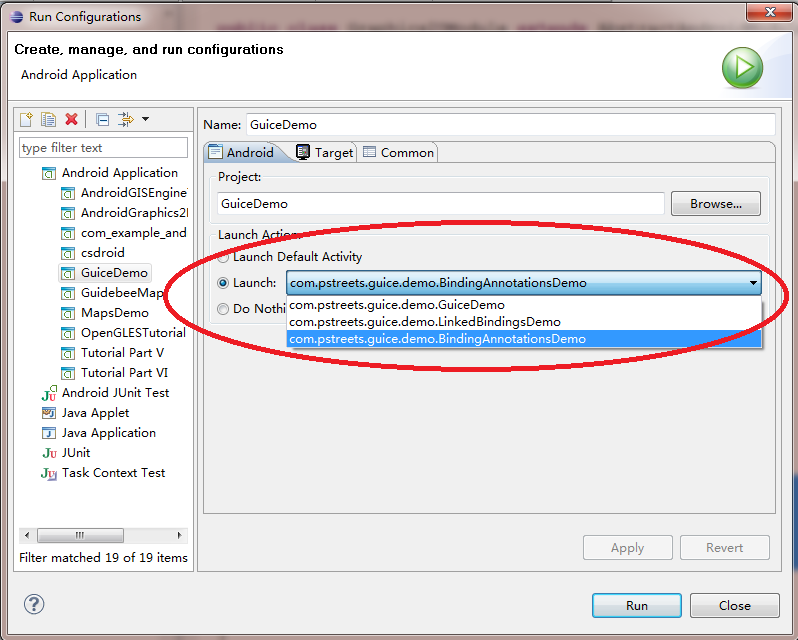 Android RoboGuice 使用指南(6):Instance Bindings
在前面「Linked Bindings」的範例裡,為了簡單起見,我們在定義 MyRectangle 與 MySquare 時,都給它們加了一個無參數的建構子,例如 MyR
 Android 開發入門一:隱藏 Activity 標題欄
若希望畫面更簡潔,可以隱藏 Activity 預設的標題欄。Android 提供 requestWindowFeature 方法,可搭配 Window.FEATURE_N
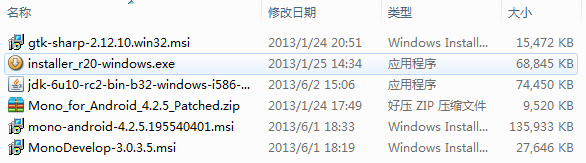 Mono for Android 安裝、配置與破解(適用 4.2.5 版)
【針對 4.2.5 版本】 我對行動開發一直頗感興趣,只是沒學過 Java。自從聽說了 Mono 專案、網上也有了破解檔,我便決定自己裝一套來學做開發。 Mono for
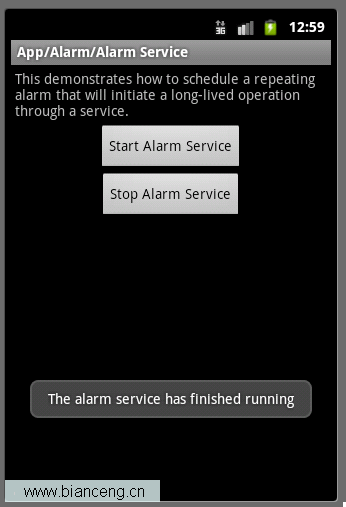 Android ApiDemos 解析(20):App → Alarm → Alarm Service
Alarm Service 與 Alarm Controller 這兩個例子結構幾乎相同,唯一的差別在排程目標:Alarm Service 排的是一個 Service,而