

編輯:Android 開發教學
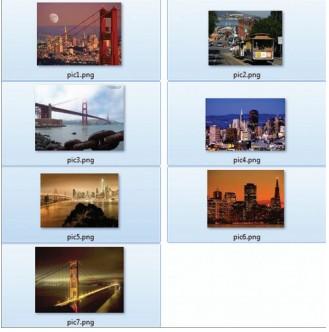
前一節介紹了如何組合使用 Gallery 與 ImageView。但有時候你並不希望點擊縮圖後,圖片就「突然地」出現在 ImageView 裡,而是希望能加上切換動畫。這時就該改用 ImageSwitcher 與 Gallery 搭配。
<?xml version="1.0" encoding="utf-8"?>
<LinearLayout xmlns:android="https://schemas.android.com/apk/res/android"
    android:layout_width="fill_parent"
    android:layout_height="fill_parent"
    android:orientation="vertical" >

    <TextView
        android:layout_width="fill_parent"
        android:layout_height="wrap_content"
        android:text="Images of San Francisco" />

    <Gallery
        android:id="@+id/gallery1"
        android:layout_width="fill_parent"
        android:layout_height="wrap_content" />

    <ImageSwitcher
        android:id="@+id/switcher1"
        android:layout_width="fill_parent"
        android:layout_height="fill_parent"
        android:layout_alignParentLeft="true"
        android:layout_alignParentRight="true"
        android:layout_alignParentBottom="true" />
</LinearLayout>
<?xml version="1.0" encoding="utf-8"?>
<resources>
    <declare-styleable name="Gallery1">
        <attr name="android:galleryItemBackground" />
    </declare-styleable>
</resources>
把圖片放進 res/drawable-mdpi。
第一,ImageSwitcher 是 ViewSwitcher 的子類,它同一時間只允許有一個子檢視,因此在程式中設定圖片前必須先 setFactory 回傳一個新的 ImageView,並在每次切換前呼叫 setImageDrawable——直接 addView 會拋出例外。
第二,動畫要透過 setInAnimation() 與 setOutAnimation() 設定,通常放在 res/anim 中以 XML 定義淡入淡出或推入效果,這樣切換就會有平順的過場,而不是硬邦邦地跳換。
 不用 XML:純程式碼動態產生 UI
到目前為止,所有章節的 UI 都是以 XML 實作的。除了 XML,也可以用程式碼產生介面。這個方式很有用,特別是當 UI 需要在執行時才被決定的時候。 舉例來說,假設你
 Android Context 深入解析:用途、兩種類型與記憶體洩漏防範
一、Context 到底是什麼 官方文件對 Context 的描述語焉不詳,只說它跟資源之類的東西有關,讀完往往還是霧裡看花。比較實用的理解方式是:把它看作一個指向 pa
 android中如何解析沒有Key的Json資料
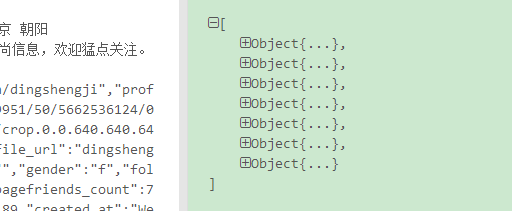
部分服務提供的 JSON 資料會出現沒有 key 的陣列,或陣列中的物件欄位動態變化。這類資料若直接交給某些 JSON 函式庫,可能會抛出解析異常。解析無名陣列遇到陣列本
 Android 資源系統入門:res 目錄、R 文件與各類資源
Android 的應用資源統一存放在項目層級的 res 文件夾下,按類型分子目錄組織。編譯時系統會自動生成一個 R 類,為每一個資源分配唯一整數 ID——這就是我們代碼裡