

編輯:Android 開發教學
Gallery 可以顯示一系列圖片並支援橫向滑動。以下示範如何用 Gallery 搭配 ImageView 做一個簡易的圖片瀏覽器。
<?xml version="1.0" encoding="utf-8"?>
<LinearLayout xmlns:android="https://schemas.android.com/apk/res/android"
    android:layout_width="fill_parent"
    android:layout_height="fill_parent"
    android:orientation="vertical" >

    <TextView
        android:layout_width="fill_parent"
        android:layout_height="wrap_content"
        android:text="Images of San Francisco" />

    <Gallery
        android:id="@+id/gallery1"
        android:layout_width="fill_parent"
        android:layout_height="wrap_content" />

    <ImageView
        android:id="@+id/image1"
        android:layout_width="320dp"
        android:layout_height="250dp"
        android:scaleType="fitXY" />
</LinearLayout>
<?xml version="1.0" encoding="utf-8"?>
<resources>
    <declare-styleable name="Gallery1">
        <attr name="android:galleryItemBackground" />
    </declare-styleable>
</resources>
把圖片放進 res/drawable-mdpi。
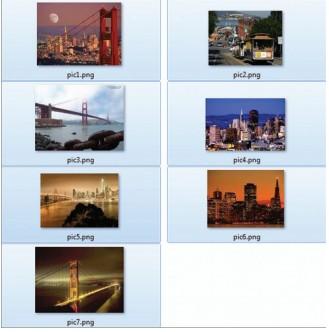
Gallery 本身不負責載入圖片,必須提供一個 Adapter。最簡單的做法是繼承 BaseAdapter,在 getView() 中回傳一個設好背景的 ImageView:
imageView.setLayoutParams(new Gallery.LayoutParams(150, 100));
imageView.setScaleType(ImageView.ScaleType.FIT_XY);
imageView.setImageResource(mImageIds[position]);
imageView.setBackgroundResource(
        android.R.drawable.galleryItemBackground);
再掛上 OnItemSelectedListener,在 onItemSelected 中把對應圖片設給下方的大 ImageView,滑動與預覽就連起來了。
attrs.xml 那段 declare-styleable 之所以必要,是因為 galleryItemBackground 這個屬性要透過它才能被正確解析,少了它會在執行時報找不到屬性的錯誤。另外提醒:Gallery 在新版 Android 中已被標記為不建議使用,官方建議改用 RecyclerView 搭配橫向 LayoutManager 或 ViewPager 來實作相同效果。
 Android 手機平板兩用:使用 Fragment 實作相容介面
同一套應用程式若要同時支援手機與平板,可透過 Fragment 將畫面模組化。手機版可將不同 Fragment 放在不同 Activity,平板版則可在同一畫面並排顯示。
 Android 開發教學:自訂 Adapter 顯示清單
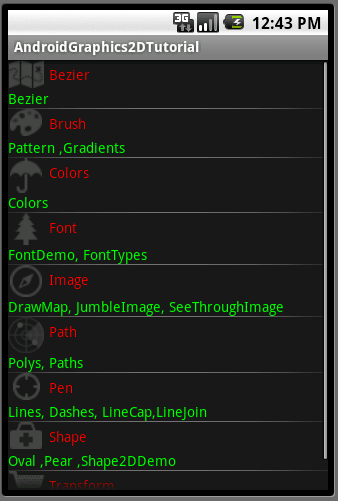
自訂 Adapter 可讓 ListView 以任意版面顯示資料。做法建立項目配置檔,可包含圖示與多個文字欄位;Adapter 負責將資料綁定到 View。資料來源可使用
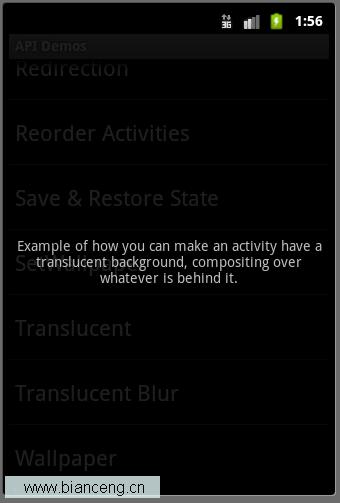 Android ApiDemos 解析(16):App → Activity → Translucent 半透明視窗
Activity 分類的最後幾個例子都在示範半透明 Activity,程式碼大同小異。核心概念只有一個:半透明效果是透過 Style 與 Theme 達成的,而不是靠程式
 在 Android App 中執行 shell 命令與 adb 相關技巧
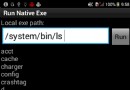
若需在 App 內執行外部命令,可使用 Runtime.getRuntime().exec() 啟動行程,再讀取標準輸出。此類功能通常需要網路權限,且實際可用命令會受裝置