

編輯:Android 開發教學
上一篇介紹了用 Animation 實現 3D 旋轉翻頁,這次來說明如何製作圖片倒影,先看效果圖:

本示例主要透過自定義 Gallery 與 ImageAdapter(繼承自 BaseAdapter)實現。
1. 倒影繪製
倒影原理:倒影效果主要由「原圖+間距+倒影」三部分組成,總高度約為原圖的 3/2(原圖為 1、倒影為 1/2)。原圖就是最上方看到的圖片;間距是原圖與倒影之間的縫隙(如 reflectionGap = 4);倒影則是原圖下半部 1/2 的高度,透過矩陣變換 matrix.preScale(1, -1) 取得倒立圖片,再加上線性遮罩與陰影呈現。
倒影實作程式碼:
/** 反射倒影 */ public boolean createReflectedImages() { final int reflectionGap = 4; int index = 0; for (Map<String, Object> map : list) { Integer id = (Integer) map.get("image"); Bitmap originalImage = BitmapFactory.decodeResource(mContext.getResources(), id); // 獲取原始圖片 int width = originalImage.getWidth(); int height = originalImage.getHeight(); Matrix matrix = new Matrix(); matrix.preScale(1, -1); // 圖片矩陣變換(從低部向頂部的倒影) Bitmap reflectionImage = Bitmap.createBitmap(originalImage, 0, height/2, width, height/2, matrix, false); // 截取原圖下半部分 Bitmap bitmapWithReflection = Bitmap.createBitmap(width, (height + height / 2), Config.ARGB_8888); // 創建倒影圖片(高度為原圖3/2) Canvas canvas = new Canvas(bitmapWithReflection); // 繪制倒影圖(原圖 + 間距 + 倒影) canvas.drawBitmap(originalImage, 0, 0, null); // 繪制原圖 Paint paint = new Paint(); canvas.drawRect(0, height, width, height + reflectionGap, paint); // 繪制原圖與倒影的間距 canvas.drawBitmap(reflectionImage, 0, height + reflectionGap, null); // 繪制倒影圖 paint = new Paint(); LinearGradient shader = new LinearGradient(0, originalImage.getHeight(), 0, bitmapWithReflection.getHeight() + reflectionGap, 0x70ffffff, 0x00ffffff, TileMode.CLAMP); paint.setShader(shader); // 線性漸變效果 paint.setXfermode(new PorterDuffXfermode(Mode.DST_IN)); // 倒影遮罩效果 canvas.drawRect(0, height, width, bitmapWithReflection.getHeight() + reflectionGap, paint); // 繪制倒影的陰影效果 ImageView imageView = new ImageView(mContext); imageView.setImageBitmap(bitmapWithReflection); // 設置倒影圖片 imageView.setLayoutParams(new myGallery.LayoutParams(180, 240)); imageView.setScaleType(ScaleType.MATRIX); mImages[index++] = imageView; } return true; }
透過 createBitmap 的矩陣翻轉搭配 LinearGradient 線性遮罩,就能自然呈現由實到透的倒影漸層效果。
 Android 開發入門十一:TimePicker 時間選擇器實作
TimePicker 讓使用者選擇一天中的時間,可支援 24 小時制或 AM/PM 制。它常用於設定提醒、鬧鐘、排程等需要輸入時間的情境。布局與初始化在布局中加入 Tim
 Android 建立與解析 XML 的方式比較
Android 中常見的 XML 處理方式包含 DOM、SAX、PULL 與 Dom4j。不同方式在記憶體使用、解析速度與操作便利性上各有差異。DOM 的特性DOM 會將
 Cocos2d-x 3.0 開發環境搭建:Python 與 setup.py 流程
Cocos2d-x 3.0 的環境建置比早期版本友善許多,但仍需先準備 Python 環境。官方工具多使用 Python 2.x,建議安裝後將 Python 路徑加入系統
 Android RoboGuice 使用指南(7):@Provides 方法
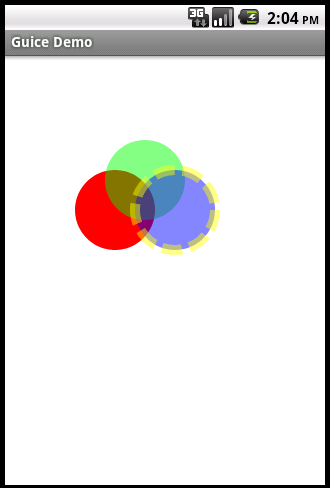
前面提過,如果需要構造一些較複雜類別的實例,通常的做法是使用 @Provides 方法。這個方法必須定義在模組(Module)中,並以 @Provides 標註;方法的回