

編輯:Android 開發教學
身為 Android 應用開發者,有一個尷尬的現實不得不面對:自己辛辛苦苦寫出來的應用,別人輕而易舉就能反編譯出來。
Google 似乎也意識到了這個問題。從 SDK 2.3 開始,你會在 android-sdk-windows\tools\ 底下看到多了一個 proguard 資料夾。
proguard 是一個 Java 程式碼混淆工具。經過它處理後,別人即使反編譯你的 APK,也只會看到一堆難以辨讀的程式碼,從而達到保護原始碼的作用。
下面具體說明該如何讓 SDK 2.3 下的 proguard.cfg 生效。先來看看 android-sdk-windows\tools\lib\proguard.cfg 的內容:
 -optimizationpasses 5
 -dontusemixedcaseclassnames
 -dontskipnonpubliclibraryclasses
 -dontpreverify
 -verbose
 -optimizations !code/simplification/arithmetic,!field/*,!class/merging/*
 -keep public class * extends android.app.Activity
 -keep public class * extends android.app.Application
 -keep public class * extends android.app.Service
 -keep public class * extends android.content.BroadcastReceiver
 -keep public class * extends android.content.ContentProvider
 -keep public class * extends android.app.backup.BackupAgentHelper
 -keep public class * extends android.preference.Preference
 -keep public class com.android.vending.licensing.ILicensingService
 -keepclasseswithmembernames class * {
 native <methods>;
 }
 -keepclasseswithmembernames class * {
 public <init>(android.content.Context, android.util.AttributeSet);
 }
 -keepclasseswithmembernames class * {
 public <init>(android.content.Context, android.util.AttributeSet, int);
 }
 -keepclassmembers enum * {
 public static **[] values();
 public static ** valueOf(java.lang.String);
 }
 -keep class * implements android.os.Parcelable {
 public static final android.os.Parcelable$Creator *;
 }
從這份腳本可以看出,混淆時保留了繼承自 Activity、Service、Application、BroadcastReceiver、ContentProvider 等基本元件以及 com.android.vending.licensing.ILicensingService 的類別,同時保留了所有 Native 變數名與類名、部分具有固定參數格式的建構子,以及列舉等。(更詳細的資訊請參考 proguard 路徑下 examples 目錄中的範例與註解。)
讓 proguard.cfg 生效的做法非常簡單:在 Eclipse 自動產生的 default.properties 檔中加上一句「proguard.config=proguard.cfg」就可以了。
完整的 default.properties 應該長這樣:
 # This file is automatically generated by Android Tools.
 # Do not modify this file -- YOUR CHANGES WILL BE ERASED!
 #
 # This file must be checked in Version Control Systems.
 #
 # To customize properties used by the Ant build system use,
 # "build.properties", and override values to adapt the script to your
 # project structure.
 # Project target.
 target=android-9
 proguard.config=proguard.cfg
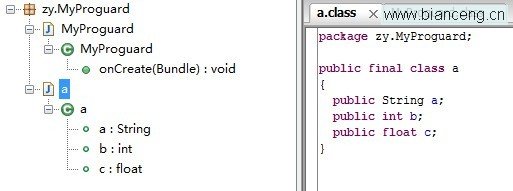
大功告成。正常編譯並簽名之後,就能有效阻絕程式碼被輕易反編譯。反編譯經過混淆的 APK 所得到的程式碼,效果大致如下圖,幾乎不可能讀懂:
如果你使用的是 2.3 之前的 SDK 版本也沒關係,把上面的 proguard.cfg 複製一份放進專案裡,再進行同樣的操作即可。
最後提醒一個實務上的坑:一旦開啟混淆,凡是透過反射呼叫的類別與方法、以及 JNI 中對應的 Java 類別,都必須另外用 -keep 規則排除,否則簽名後執行會出現 ClassNotFoundException 或 NoSuchMethodError。這也是為什麼官方預設腳本要保留 Parcelable 的 CREATOR 與那兩種 View 建構子的原因。
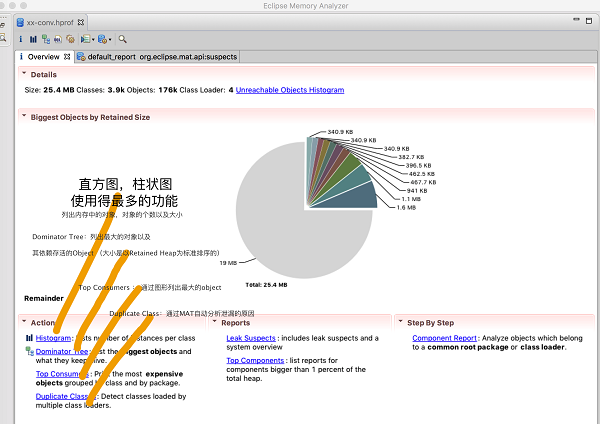 MAT 內存分析工具詳解:hprof 快照與四大核心概念
排查 Android 內存洩露,MAT(Memory Analyzer Tool)幾乎是必備武器。本文把它的定位、hprof 文件的由來、完整分析流程,以及四個必須搞懂的
 Android R 文件無法讀取?檢查 target 與 project.properties
從網路下載的 Android 專案若只有 R 檔案報錯,常見原因是專案 target 與目前 Eclipse 環境不一致。解法可在 Project → Propertie
 把靜態檔案放進 res/raw 並在執行時讀取
除了執行時才建立檔案,也可以在設計階段就把檔案放進程式包中,執行時再取出使用。舉例來說,你想把一些說明文件打包進應用,讓使用者需要時能查看,這種情況就該把檔案放在 res
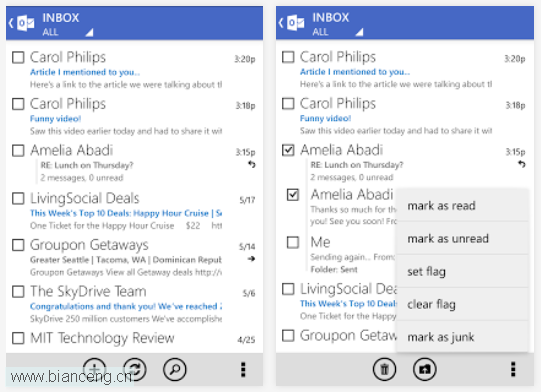 Android 版 Outlook.com 新增伺服器端搜尋
微軟為 Android 版 Outlook.com 推出更新,加入伺服器端搜尋功能。使用者即使沒有在裝置上下載全部郵件,也能搜尋到雲端信箱中的內容。這項功能降低了對裝置儲