

編輯:Android 開發教學
上一節講了 Activity 的生命週期,這節來看 Service。先釐清三個問題:Service 到底做什麼用的?什麼時候該用它?它的生命週期長什麼樣子?
Service 與 Activity 最大的不同在於:它不能與使用者互動,也不會自己啟動,是運行於背景的程式。當使用者離開應用時,Service 行程並不會跟著結束,它仍在背景運行。
什麼時候會用到它?最典型的例子是播放音樂。你可能想一邊聽歌一邊做別的事,離開播放器應用後音樂還要繼續——若不用 Service,一退出就沒聲音了。
另一個例子是定期更新資料。若應用的資料來自網路且會隨時間變動,可以用 Service 在背景定時抓取,而不必每次開啟應用都重新請求一次。
Service 的生命週期不像 Activity 那麼複雜,只涉及三個方法:onCreate()、onStart()、onDestroy()。
第一次啟動 Service 時,依序呼叫 onCreate() 與 onStart()。停止 Service 時執行 onDestroy()。
這裡有個重點:如果 Service 已經啟動,再次啟動它時不會執行 onCreate(),而是直接執行 onStart()。下面的實例可以驗證這點。
Service 在背景處理的資料,最終還是要呈現在前台的 Activity 上。由於啟動 Service 時系統會開啟新的行程,這就涉及跨行程溝通的問題(AIDL)——這節先不深入。
當你想取得已啟動的 Service 實例時,可以用 bindService 與 unbindService,它們分別對應 Service 中的 onBind() 與 onUnbind()。
第一步:建立一個 Android 專案,命名為 ServiceDemo。
第二步:修改 main.xml,加入四個按鈕:
<?xml version="1.0" encoding="utf-8"?>
<LinearLayout xmlns:android="https://schemas.android.com/apk/res/android"
    android:orientation="vertical"
    android:layout_width="fill_parent"
    android:layout_height="fill_parent" >

    <TextView android:id="@+id/text"
        android:layout_width="fill_parent"
        android:layout_height="wrap_content"
        android:text="@string/hello" />

    <Button android:id="@+id/startservice"
        android:layout_width="fill_parent"
        android:layout_height="wrap_content"
        android:text="startService" />

    <Button android:id="@+id/stopservice"
        android:layout_width="fill_parent"
        android:layout_height="wrap_content"
        android:text="stopService" />

    <Button android:id="@+id/bindservice"
        android:layout_width="fill_parent"
        android:layout_height="wrap_content"
        android:text="bindService" />

    <Button android:id="@+id/unbindservice"
        android:layout_width="fill_parent"
        android:layout_height="wrap_content"
        android:text="unbindService" />

</LinearLayout>
這四個按鈕的設計其實很清楚地反映了 Service 的兩種存在形式:
startService / stopService 對應 Started Service。它的生命週期獨立於啟動它的元件——即使 Activity 關閉,Service 仍在跑,必須明確呼叫 stopService 才會停止。
bindService / unbindService 對應 Bound Service。它與綁定它的元件共生——所有 Client 都解除綁定後,Service 自然銷毀。
實作 Service 類別時,這兩組方法分別對應 onStartCommand() 與 onBind(),而 onCreate() 只在第一次被建立時呼叫一次,不論後續啟動或綁定多少次。
一個實務提醒:在 Android 8.0 之後,背景執行的限制收緊了許多。長時間的背景工作應該改用 WorkManager,需要使用者能感知的持續性任務(音樂播放、導航)則該用 Foreground Service 並顯示常駐通知。單純用 startService 跑長任務,很可能在幾分鐘內就被系統停掉。
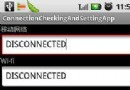 Android 中檢測 Wi-Fi 與行動網絡狀態
許多 Android 應用需要判斷目前是否連上網路。Android 提供 ConnectivityManager,可用來查詢 Wi-Fi 與行動數據的狀態。取得網路狀態透
 Android 藍牙聊天程式的設計與實現解析
這裡要介紹的範例,是 Google SDK 中附帶的藍牙聊天程式。它看起來簡單,蘊含的資訊量卻相當可觀,非常適合初學者拿來理解藍牙開發的整體脈絡。 正式進入範例之前,請先
 Android NDK 安裝與第一個 JNI Demo
NDK 可用來編譯 Android 的 native 方法,也能將 C/C++ 程式碼編譯成 so 檔。在 Linux 環境安裝 NDK 後,可將 NDK 路徑加入 ~/
 Android 開發入門:ProgressBar 使用
ProgressBar 可在背景任務執行時提供視覺回饋,例如資料下載或檔案處理。它可放在 XML 布局中宣告,也可在程式碼中控制顯示與隱藏。常見做法是開啟背景執行緒模擬長