

編輯:Android 程式設計入門
Android 主要提供了兩種方式來進行 HTTP 操作:HttpURLConnection 和 HttpClient。這兩者都支援 HTTPS 協議、以串流形式進行上傳下載、設定逾時時間、IPv6 以及連線池等功能。
DefaultHttpClient 和它的兄弟 AndroidHttpClient 都是 HttpClient 的具體實作類,它們擁有大量 API,而且運行穩定、bug 也很少。但也正因為 API 數量過多,導致很難在不破壞相容性的前提下對它進行升級擴展,所以目前 Android 團隊在優化 HttpClient 這方面的態度並不積極。
HttpURLConnection 是一個多用途、極輕量的 HTTP 用戶端,用它來做 HTTP 操作可以適用於大多數的應用場景。雖然它提供的 API 比較簡單,但也正因如此,我們能更輕鬆地使用與擴展它。
在 Android 2.2 版本之前,HttpClient 的 bug 較少,因此是比較好的選擇;而在 Android 2.3 版本及以後,HttpURLConnection 才是最佳選擇。它 API 簡單、體積小,非常適合 Android 專案,加上壓縮與快取機制能有效減少網路流量,在提速與省電方面都發揮了不小的作用。因此新的應用程式應該更傾向於採用 HttpURLConnection。
HttpURLConnection 程式碼:
private void checkVersion() { final long startTime = System.currentTimeMillis(); new Thread(new Runnable() { @Override public void run() { Message msg = mHandler.obtainMessage(); HttpURLConnection conn = null; try { URL url = new URL("https://10.0.2.2:8080/update.json"); conn = (HttpURLConnection) url.openConnection(); conn.setRequestMethod("GET"); //請求方法為GET conn.setConnectTimeout(5000); //鏈接超時為5秒 conn.setReadTimeout(5000); //讀取超時為5秒 conn.connect(); int responseCode = conn.getResponseCode(); if ( responseCode == 200 ) { InputStream inputStream = conn.getInputStream(); String result = StreamUtils.readFromStream(inputStream); VersionBean versionBean = parseJsonWithGson(result); mVersionName = versionBean.getVersionName(); mDescription = versionBean.getDescription(); mVersionCode = versionBean.getVersionCode(); mDownLoadUrl = versionBean.getDownLoadUrl(); LogUtils.e(TAG, mDownLoadUrl); if ( mVersionCode > getAppVersionCode() ) { msg.what = CODE_UPDATE_INFO; } else { msg.what = CODE_GO_HOME; } } } catch ( MalformedURLException e ) { msg.what = CODE_URL_ERROR; e.printStackTrace(); } catch ( IOException e ) { msg.what = CODE_NETWORK_ERROR; e.printStackTrace(); } finally { long endTime = System.currentTimeMillis(); long timeUsed = endTime - startTime; if ( timeUsed < 2000 ) { try { Thread.sleep(2000 - timeUsed); } catch ( InterruptedException e ) { e.printStackTrace(); } } mHandler.sendMessage(msg); if ( conn != null ) { conn.disconnect(); } } } }).start(); }
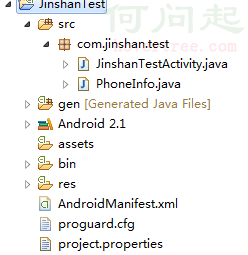 Android 讀取設備資訊與手機號碼的實作教學
從開發者角度理解設備資訊在 Android 應用中,讀取設備資訊與手機號碼常用於設備識別、客服連繫或帳號輔助。本文以 Java 開發角度說明,重點是 TelephonyM
 動手實現 Android 圖片輪播控件
1. 輪播控件的組成部分 我們以知乎日報 Android 客戶端的輪播控件為例,拆解一下它的主要組成。 首先,我們需要一個用來顯示圖片的 View 對象。觀察上圖底部中
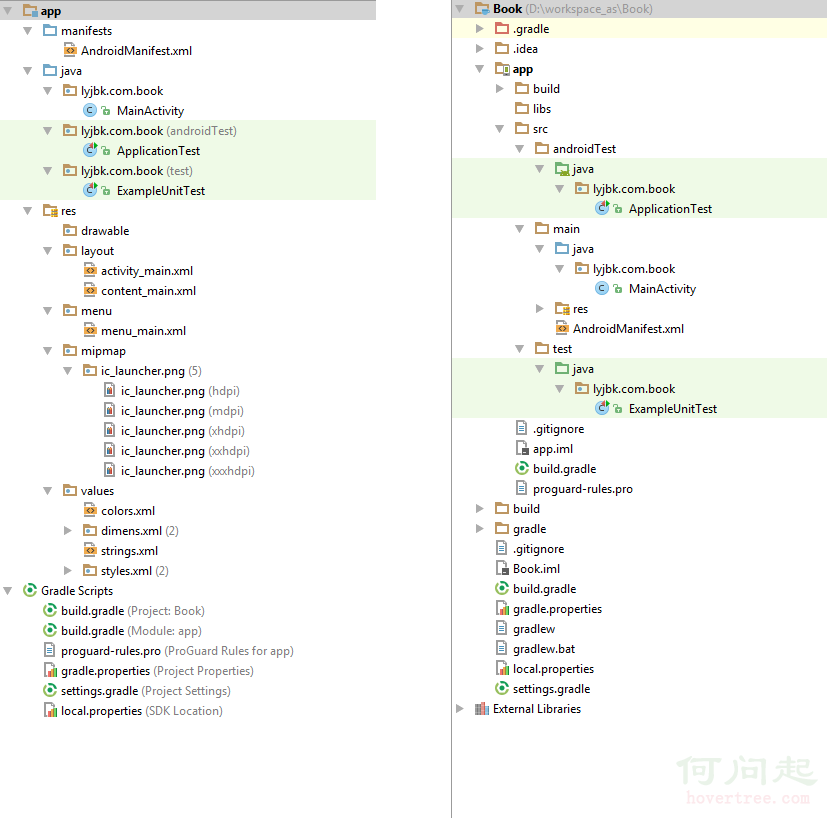 【入門篇】Android 學習筆記——項目結構及相關基礎知識
Android 項目有其自身的結構規範,良好地遵循結構規範可以讓開發事半功倍。下圖分別從 Android 視圖和 Project 視圖展示了項目結構: 圖中左側是 An
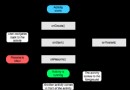 Android Activity 生命週期與啟動模式
Activity 的生命週期包含 onCreate、onStart、onResume、onPause、onStop、onDestroy 等階段。不同啟動模式會影響 Act