

編輯:Android 開發實例
本文為大家分享 Android 開發中建立啟動畫面 Splash Screen 的方法,值得參考,具體如下:
啟動畫面 Splash Screen 在應用程式中非常常見,往往用來顯示產品 Logo、公司 Logo 或開發者資訊。如果應用程式啟動時間較長,那麼啟動畫面就是個很實用的東西,能讓使用者耐心度過這段略顯枯燥的等待時間。
為 Android 應用程式建立啟動畫面 Splash Screen 其實很簡單。比如建立一個工程 MySample,主 Activity 就叫 MySample,再建立另一個 Activity 取名 SplashScreen,用於顯示啟動畫面,資源檔為 splash.xml。至於如何製作 SplashScreen 介面,並非本文要探討的重點,這裡就略過不提。
SplashScreen 的程式碼如下:
package com.ctoof.android; import android.app.Activity; import android.content.Intent; import android.os.Bundle; import android.view.MotionEvent; public class SplashScreen extends Activity { protected boolean _active = true; protected int _splashTime = 5000; @Override public void onCreate(Bundle savedInstanceState) { super.onCreate(savedInstanceState); setContentView(R.layout.splash); Thread splashTread = new Thread() { @Override public void run() { try { int waited = 0; while(_active && (waited < _splashTime)) { sleep(100); if(_active) { waited += 100; } } } catch(InterruptedException e) { // do nothing } finally { finish(); // 啟動主應用 startActivity(new Intent("com.ctoof.android.MySample.MyApp")); stop(); } } }; splashTread.start(); } @Override public boolean onTouchEvent(MotionEvent event) { if (event.getAction() == MotionEvent.ACTION_DOWN) { _active = false; } return true; } } 然後在 AndroidManifest.xml 中修改程式碼如下:
<?xml version="1.0" encoding="utf-8"?> <manifest xmlns:android="https://schemas.android.com/apk/res/android" package="com.ctoof.android" android:versionCode="1" android:versionName="1.0"> <application android:icon="@drawable/icon" android:label="@string/app_name"> <activity android:name=".SplashScreen" android:label="@string/app_name"> <intent-filter> <action android:name="android.intent.action.MAIN" /> <category android:name="android.intent.category.LAUNCHER" /> </intent-filter> </activity> <activity android:name=".MyApp"> <intent-filter> <action android:name=" com.ctoof.android. MySample.MyApp " /> <category android:name="android.intent.category.DEFAULT" /> </intent-filter> </activity> </application> <uses-sdk android:minSdkVersion="4" /> </manifest>
這裡負責註冊兩個活動:把負責管理啟動畫面 SplashScreen 的 Activity 設為應用程式的主活動,然後在 SplashScreen 中負責啟動 MyApp。
希望本文所述能對大家的 Android 程式設計有所幫助。
 Android 進程間通訊原理剖析:AIDL 與 Service 實戰
Service 的兩種型態 · 本地服務(Local Service):在同一個 APK 內被呼叫 · 遠端服務(Remote Service):由另一個 APK 呼叫,
 Android 登錄實例:建立登入介面並管理錯誤嘗試
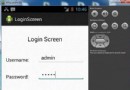
登入應用程式的畫面會要求使用者輸入憑證,才能登入某個特定的應用,例如 Facebook、微博等服務。 本章介紹如何建立一個登入介面,以及如何管理安全問題與錯誤嘗試次數。
 Android 資料備份:用 Backup Agent 把 App 資料存到雲端
Android 提供備份服務,讓你把應用程式的資料與設定備份到遠端「雲端」儲存空間,日後重灌或換機時就能還原到備份當下的狀態。要特別注意的是,這個機制只涵蓋 App 自身
 Android 進度轉圈:ProgressBar Spinner 使用方式
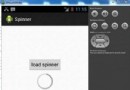
在 Android 中,若背景任務需要一段時間完成,可以用 ProgressBar 提示使用者。Spinner 屬於不確定模式的進度條,適合無法預估完成時間的情境。 建立