

編輯:Android 開發實例
做過 Android 開發的人都知道,存取程式資源基本上是靠資源 ID。這種方式既直觀,又能自動屏蔽不同解析度、語言與螢幕密度的差異,不需要在程式裡硬寫各種條件判斷。
但有時候情境並不這麼理想。例如要根據伺服器回傳的值決定顯示哪張圖,而伺服器不可能給你一個 R.java 裡的 int 常數,最多給你一個和檔名相關的字串。資源數量少時,自己維護一份「值 → 資源 ID」的映射表還算可行;一旦數量膨脹,這種做法就難以維持。
這時透過 Resources.getIdentifier() 用名稱反查,就能省去大量維護成本。幾個簡單的範例:
Resources res = getResources();
final String packageName = getPackageName();

int imageResId = res.getIdentifier("ic_launcher", "drawable", packageName);
int imageResIdByAnotherForm = res.getIdentifier(packageName + ":drawable/ic_launcher", null, null);

int musicResId = res.getIdentifier("test", "raw", packageName);

int notFoundResId = res.getIdentifier("activity_main", "drawable", packageName);

Log.i(LOGTAG, "testGetResourceIds imageResId = " + imageResId
        + ";imageResIdByAnotherForm = " + imageResIdByAnotherForm
        + ";musicResId=" + musicResId
        + ";notFoundResId =" + notFoundResId);
I/MainActivity( 4537): testGetResourceIds imageResId = 2130837504;imageResIdByAnotherForm = 2130837504;musicResId=2130968576;notFoundResId =0
可以看到兩種寫法得到同一個 ID,而找不到資源時會回傳 0。
package:type/entry;若名稱中已完整指定,後面的 defType 與 defPackage 可以省略。
/**
 * Return a resource identifier for the given resource name.  A fully
 * qualified resource name is of the form "package:type/entry".  The first
 * two components (package and type) are optional if defType and
 * defPackage, respectively, are specified here.
 *
 * <p>Note: use of this function is discouraged.  It is much more
 * efficient to retrieve resources by identifier than by name.
 *
 * @param name The name of the desired resource.
 * @param defType Optional default resource type to find, if "type/" is
 *                not included in the name.  Can be null to require an
 *                explicit type.
 * @param defPackage Optional default package to find, if "package:" is
 *                not included in the name.  Can be null to require an
 *                explicit package.
 *
 * @return int The associated resource identifier.  Returns 0 if no such
 * resource was found.  (0 is not a valid resource ID.)
 */
public int getIdentifier(String name, String defType, String defPackage) {
    try {
        return Integer.parseInt(name);
    } catch (Exception e) {
        // Ignore
    }
    return mAssets.getResourceIdentifier(name, defType, defPackage);
}
值得注意的小細節:如果傳入的 name 本身就能被 parse 成整數,方法會直接把它當成資源 ID 回傳。
上述實作最終委派給 AssetManager 的 native 方法:
/**
 * Retrieve the resource identifier for the given resource name.
 */
/*package*/ native final int getResourceIdentifier(String type,
                                                  String name,
                                                  String defPackage);
實務建議:把反查到的 ID 快取起來,避免在列表滾動或頻繁重繪的路徑上重複查詢。
 Android 五種資料儲存方式全解析:SharedPreferences、檔案、SQLite、ContentProvider 與網路
資料儲存是開發中最頻繁面對的課題之一。Android 提供了多種互補的機制,本文逐一說明五種主要方式,並附上各自的關鍵程式碼與適用情境。 SharedPreferen
 Android 教學:實作介面跳動提示動畫效果
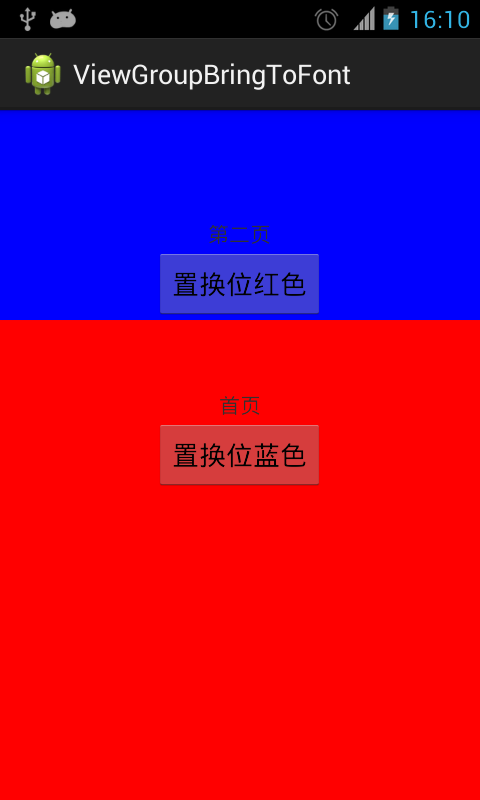
本文要說明如何實作一個「介面跳動提示」的動畫效果,藉由讓頁面上緣微微跳動,暗示使用者可以往上拉動來切換頁面。先來看效果圖:先來看版面配置: <RelativeLay
 Android 登入畫面實作:密碼遮罩、錯誤提示與三次鎖定
幾乎每個需要使用者帳號的 App,都得面對同一道關卡:登入畫面。它看似簡單,卻同時牽涉到輸入欄位的型別設定、按鈕事件綁定、錯誤訊息回饋,以及最容易被忽略的一環——防止暴力
 Android 多語言本地化完整指南
一款 Android 應用往往會在不同國家、各種裝置上運行,使用者來自各地。要讓應用更具親和力,就必須針對當前語言環境妥善處理文字、數字、檔案等內容,這正是本地化的核心目