

編輯:Android 開發實例
飛行模式的狀態存在系統設定中,讀出來判斷即可:
public static boolean IsAirModeOn(Context context) {
    return (Settings.System.getInt(context.getContentResolver(),
            Settings.System.AIRPLANE_MODE_ON, 0) == 1 ? true : false);
}
public static void setAirplaneMode(Context context, boolean enabling) {
    Settings.System.putInt(context.getContentResolver(),
            Settings.System.AIRPLANE_MODE_ON, enabling ? 1 : 0);

    // 發送廣播通知系統與其他 App 狀態已改變
    Intent intent = new Intent(Intent.ACTION_AIRPLANE_MODE_CHANGED);
    intent.putExtra("state", enabling);
    context.sendBroadcast(intent);
}
註冊(透過 AlarmManager 在指定時間觸發):
AlarmManager am = (AlarmManager) context.getSystemService(Context.ALARM_SERVICE);
Intent intent = new Intent(AIR_ALERT_ACTION);
Parcel out = Parcel.obtain();
air.writeToParcel(out, 0);
out.setDataPosition(0);
intent.putExtra(AIR_RAW_DATA, out.marshall());

PendingIntent sender = PendingIntent.getBroadcast(context, 0, intent,
        PendingIntent.FLAG_CANCEL_CURRENT);
am.set(AlarmManager.RTC_WAKEUP, atTimeInMillis, sender);
取消:
AlarmManager am = (AlarmManager) context.getSystemService(Context.ALARM_SERVICE);
PendingIntent sender = PendingIntent.getBroadcast(context, 0,
        new Intent(action), PendingIntent.FLAG_CANCEL_CURRENT);
am.cancel(sender);
Settings.System.putString(context.getContentResolver(),
        Settings.System.AIRPLANE_MODE_RADIOS, air_mode_radios);
air_mode_radios 是一個以逗號分隔的字串,決定進入飛行模式時要關閉哪些硬件。相關常數定義在 android/provider/Settings.java:
/** 飛行模式是否開啟 */
public static final String AIRPLANE_MODE_ON = "airplane_mode_on";

/** AIRPLANE_MODE_RADIOS 中代表藍牙的常數 */
public static final String RADIO_BLUETOOTH = "bluetooth";

/** AIRPLANE_MODE_RADIOS 中代表 Wi-Fi 的常數 */
public static final String RADIO_WIFI = "wifi";

/** AIRPLANE_MODE_RADIOS 中代表行動電話的常數 */
public static final String RADIO_CELL = "cell";

/**
 * 以逗號分隔的無線電清單,進入飛行模式時需要被關閉。
 * 若 Wi-Fi 與藍牙被列在此清單中,將覆蓋 WIFI_ON 與 BLUETOOTH_ON 的設定。
 */
public static final String AIRPLANE_MODE_RADIOS = "airplane_mode_radios";

/**
 * 進入飛行模式時應關閉、但允許使用者手動重新開啟的無線電。
 * 例如若 RADIO_WIFI 同時出現在 AIRPLANE_MODE_RADIOS 與
 * AIRPLANE_MODE_TOGGLEABLE_RADIOS 中,則 Wi-Fi 會在進入飛行模式時
 * 被關閉,但使用者仍可在設定 App 中重新開啟它。
 * {@hide}
 */
public static final String AIRPLANE_MODE_TOGGLEABLE_RADIOS = "airplane_mode_toggleable_radios";
因此若 air_mode_radios = "cell,bluetooth,wifi",切換飛行模式時就會一併切換這三項硬件。透過改寫這個字串,你可以決定要讓哪些無線電跟著飛行模式一起關閉。
而 AIRPLANE_MODE_TOGGLEABLE_RADIOS 則是個更細緻的設計:列在這裡的無線電會被關閉,但使用者被允許自行開回來——這正是現代 Android 上「開了飛行模式,Wi-Fi 卻還能單獨打開」的行為來源。
上面這套直接寫 Settings.System 的做法,從 Android 4.2(API 17)開始已被限制:非系統應用無法再寫入 AIRPLANE_MODE_ON,呼叫會拋出 SecurityException,且缺少 WRITE_SECURE_SETTINGS 權限(此權限僅授予系統簽署的應用)。
一般 App 的正確做法是:只讀不寫。讀取狀態用 Settings.Global.getInt(getContentResolver(), Settings.Global.AIRPLANE_MODE_ON, 0),並監聽 Intent.ACTION_AIRPLANE_MODE_CHANGED 廣播來回應變化;若要引導使用者切換,則跳轉到系統設定頁(Settings.ACTION_AIRPLANE_MODE_SETTINGS)由使用者自行操作。本文中介紹的寫入方式,僅適用於你正在客製化 ROM 或平台簽署的系統應用。
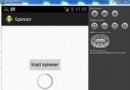 Android 進度條教學:用 Loading Spinner 表達「還不知道要等多久」
當 App 要執行一段耗時的工作,例如從網路下載資料,使用者需要一個「它還在動」的訊號。Android 用 ProgressBar 這個元件來表達等待狀態,而它主要有兩種
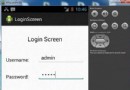 Android 登入畫面與錯誤嘗試管理
登入畫面是幾乎每個需要帳號服務的 App 必備的一環。使用者在此輸入帳號與密碼,系統驗證通過後才允許進入——從 Facebook、微博等社群平台,到各種自製 App 皆然
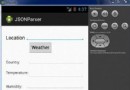 Android JSON 解析入門:從天氣資料提取欄位
JSON 是應用程式之間交換資料的常見格式,因為它輕量、易讀,也方便在 Android 中處理。相較於 XML,JSON 更適合網路 API 回傳的結構化資料。本篇文章會
 Android GPS 定位用法實例:LocationManager 與 LocationListener 完整示範
GPS 定位是手機上非常實用的能力。本文以實例說明在 Android 中如何透過 GPS 取得當前經緯度,並即時顯示在畫面上。 基本觀念 在 Android 中取得位置,